Did you know that mistakes in employment documents cause nearly 25 percent of application delays? Taking time to organize your personal and employment details not only saves you stress but also helps you present yourself as a trustworthy candidate. With a clear step-by-step approach, you can smoothly prepare, notarize, and submit your employment declaration without missing any important details.
Table of Contents
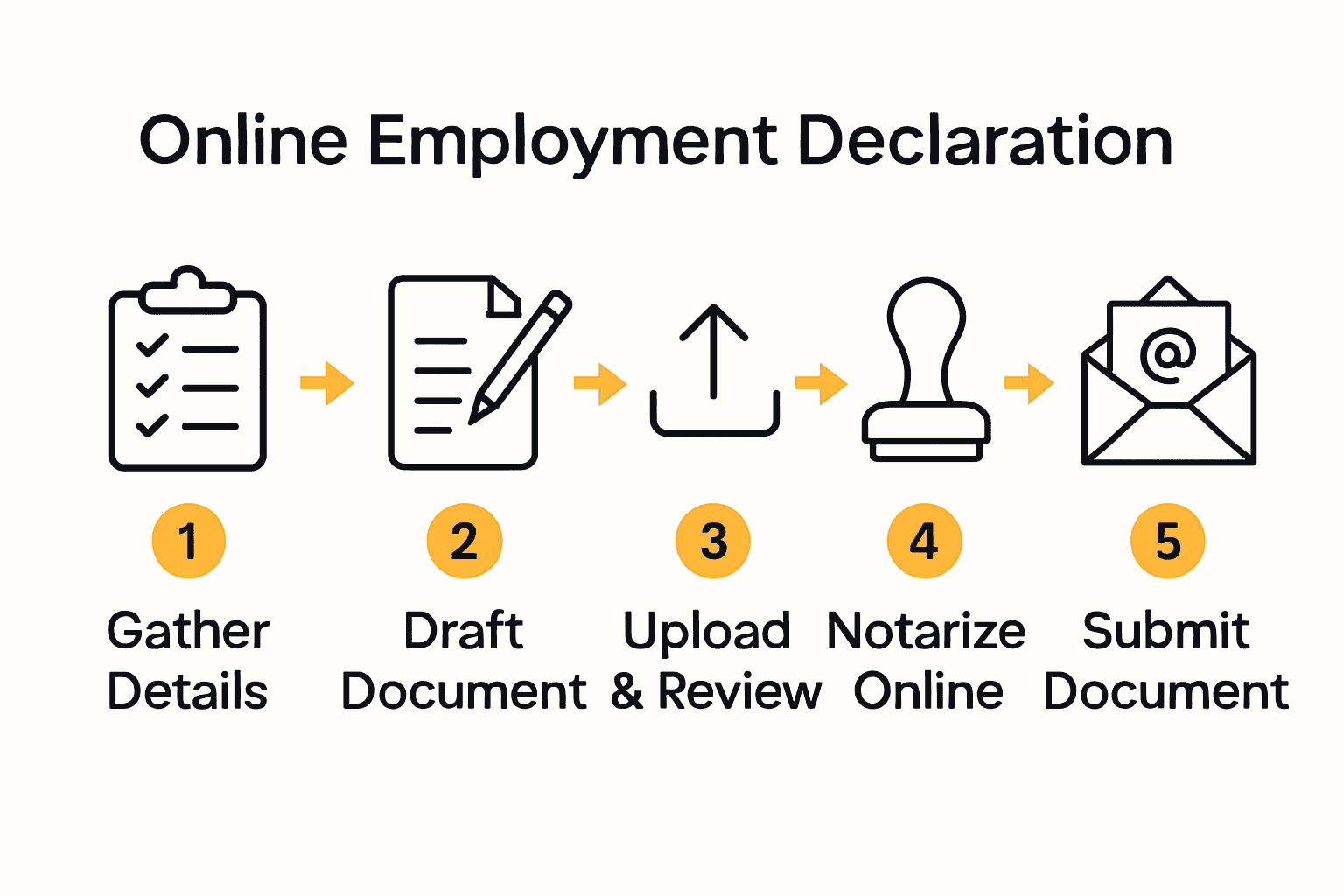
- Step 1: Gather Required Personal And Employment Details
- Step 2: Draft Your Declaration For Employment Document
- Step 3: Upload And Review Your Document With An Online Notary
- Step 4: Complete The Notarization Process Online
- Step 5: Submit Your Notarized Declaration To The Relevant Parties
Quick Summary
| Key Point | Explanation |
|---|---|
| 1. Organize your personal information | Collect key details like your name, contact info, and work history for accuracy in your employment declaration. |
| 2. Use a professional document template | Choose a clear template to draft your declaration, ensuring it includes all necessary employment details and is written clearly. |
| 3. Upload and verify your document carefully | Log into a reliable online notary platform to upload your declaration, ensuring it’s in a readable format and free of errors. |
| 4. Follow detailed steps during notarization | Confirm your identity through secure methods like ID upload and ensure you have required documents ready for the notary. |
| 5. Submit notarized document correctly | Distribute your finalized document per the specific submission methods required by each organization or employer. |
Step 1: Gather required personal and employment details
Preparing a comprehensive declaration for employment requires carefully organizing your personal and professional information. According to GCFGlobal, compiling your details in an organized document helps ensure accuracy during the application process.
Start by collecting key personal information like your full legal name, current contact details, home address, telephone numbers, and email address. Next, compile your employment history including company names, job titles, employment dates, supervisor contacts, and brief descriptions of your primary responsibilities. Pro tip: Keep digital and physical copies of your work history for easy reference.
While gathering these details, be precise and consistent. Double check spelling, dates, and contact information to prevent potential delays in your employment declaration. Having this information prepared in advance streamlines the entire submission process and demonstrates your professionalism. The next step will involve verifying and organizing these collected details into a formal document ready for notarization.
Step 2: Draft your declaration for employment document
Drafting a declaration for employment document requires careful attention to detail and clear communication of your professional status. According to Jotform, a working declaration form serves to confirm your legal authorization to work, ensuring compliance with employment regulations.
Begin by selecting a clean professional template that allows you to clearly state your personal details, current employment information, and work authorization status. Your document should include your full legal name, contact information, current job title, employer details, and a formal statement declaring the nature of your employment. Be sure to write in a clear concise manner using professional language that leaves no room for ambiguity.

Pro tip: Before finalizing your declaration, review the document meticulously for accuracy. Verify that every detail matches your official records and that the language is straightforward and unambiguous. Explore our guide on understanding statutory declarations to ensure you capture all necessary elements. The next step will involve preparing this document for official notarization, so precision is key.
Step 3: Upload and review your document with an online notary
Upload and review is a critical stage in the online notarization process. According to Jotform, electronic signature templates can significantly streamline the online notarization workflow for declaration documents.
Begin by logging into a reputable online notary platform and carefully uploading your completed declaration document. Ensure the file is in a clear PDF or high resolution image format that allows for easy reading. Double check that all personal information is legible and matches the details in your original draft. Review each page meticulously to confirm accuracy before submitting.
Pro tip: Before final submission, create a backup copy of your document and verify your internet connection is stable to prevent upload interruptions. Learn more about online notary requirements in Ontario to ensure you meet all necessary standards. Your document will now proceed to the verification and notarization stage, where a professional will review and authenticate your declaration.
Step 4: Complete the notarization process online
Finalizing your online notarization requires careful attention to detail and following specific digital authentication steps. According to Jotform, electronic signature templates have revolutionized how users can complete notarization processes online with streamlined features.
Proceed by carefully reviewing the digital notarization platform interface. You will typically need to verify your identity through secure methods such as government ID upload, video verification, or two factor authentication. During this stage, be prepared to provide additional documentation that confirms your identity and matches the information in your declaration document.
Pro tip: Ensure your internet connection remains stable throughout the verification process and have all necessary identification documents readily accessible. Check out our guide to notarizing online in Ontario to understand the specific requirements for digital authentication. Once the notary reviews and validates your document, you will receive a digitally certified and legally recognized copy of your employment declaration.
Step 5: Submit your notarized declaration to the relevant parties
The final stage of your employment declaration process involves carefully distributing your officially notarized document to the appropriate recipients. According to Life Initiative, after completing your declaration, you should send the signed document along with any supplementary application materials to the specific administrative body.
Review the requirements of each organization or employer to determine the precise submission method. Some may require digital uploads through their online portal, while others might request physical copies via email or postal mail. Carefully follow their specific instructions and ensure you include all necessary accompanying documents such as identification, additional forms, or supporting paperwork.
Pro tip: Always retain a personal copy of your notarized declaration for your records and create a digital backup in a secure location. Explore our guide to understanding statutory declaration samples to ensure you have followed all necessary protocols. Once submitted, follow up with the recipient to confirm receipt and track the progress of your application.
Simplify Your Declaration for Employment with Trusted Online Notary Services
Navigating the complexities of creating, notarizing, and submitting your declaration for employment can feel overwhelming. The article highlights the challenge of ensuring your document is accurate, professionally drafted, and officially notarized while meeting all legal requirements. If you want to avoid errors that delay your application and gain peace of mind with a seamless verification process, our secure online notary platform is the solution you need.

Visit our Uncategorized – The Online Notary page to explore how our service supports your needs for affidavits, statutory declarations, and employment declarations. By choosing The Online Notary, you can:
- Upload your document from the comfort of your home
- Complete identity verification quickly and securely
- Receive a legally certified notarized declaration ready for submission
Don’t let paperwork stress you out or slow down your employment process. Take the next step now and experience a professional, easy, and fully online notarization service designed specifically for Ontario residents.
Frequently Asked Questions
What is a declaration for employment?
A declaration for employment is a formal document that confirms your legal authorization to work. To create this document, gather your personal details and employment history for accuracy and completeness.
How do I draft my declaration for employment document?
To draft your declaration, select a clean, professional template and include your full legal name, contact information, current job title, and employer details. Write clearly and concisely to ensure no ambiguity in the declaration.
How can I notarize my declaration online?
You can notarize your declaration online by uploading your completed document to a reputable online notary platform. Ensure the document is legible and verify your identity through the platform’s authentication process, which may include uploading a government ID or undergoing video verification.
What should I do after notarizing my declaration for employment?
After notarizing your declaration, submit it to the relevant parties as per their specific instructions. Keep a personal copy for your records and track the submission to ensure it was received and accepted.
What details must I verify before submitting my declaration?
Before submitting your declaration, double-check that all personal information and employment details are accurate and consistent. Ensure that the format is correct and that all necessary supplementary documents are included to avoid delays in processing.