
Digital notarization in Ontario isn’t what most people think. While many believe all documents can be notarized online, Ontario Regulation 431/20 actually authorizes remote commissioning for only select documents by commissioners of oaths. True notarization still requires physical presence in most cases. This guide clarifies the legal basis, eligible documents, security technology, and safe usage of digital commissioning services to help you navigate Ontario’s remote notarization landscape confidently.
Table of Contents
- Introduction To Digital Notarization In Ontario
- Understanding The Legal Framework Under Ontario Regulation 431/20
- Documents Eligible For Digital Notarization Vs. Those Requiring In-Person Notarization
- Technology And Security In Digital Notarization
- Common Misconceptions And How To Avoid Legal Pitfalls
- Step-By-Step Guide To Using Digital Notary Services In Ontario
- Practical Tips For Compliance And Avoiding Rejected Documents
- Conclusion And Benefits Of Digital Notarization For Ontario Users
- Explore Expert Digital Notary Services In Ontario
Key takeaways
| Point | Details |
|---|---|
| Digital notarization means remote commissioning | Ontario Regulation 431/20 enables commissioners to witness select documents via video for legal validity. |
| Not all documents qualify | Affidavits and statutory declarations can be commissioned remotely, but wills and powers of attorney require in-person notarization. |
| Advanced security protects users | Video calls, government ID checks, biometric verification, and encryption ensure document integrity and privacy compliance. |
| Unauthorized services create risks | Using non-compliant platforms may produce invalid documents rejected by courts or government agencies. |
| Proper procedures ensure acceptance | Confirming document eligibility, commissioner licensing, and recipient requirements prevents rejection and legal issues. |
Introduction to digital notarization in Ontario
Digital notarization refers to the remote commissioning of legal documents through video conferencing technology, allowing commissioners of oaths to witness signatures and administer oaths without physical presence. This differs fundamentally from traditional notarization, which typically requires face-to-face meetings with notaries public.
Ontario Regulation 431/20 legally authorizes remote commissioning for certain documents by commissioners of oaths, not notaries. The regulation establishes strict protocols for video-based document witnessing, digital seals, and identity verification. Understanding this legal framework prevents confusion about what services are actually available.
Digital commissioning uses video conferencing platforms, electronic seals, and digital signatures instead of physical stamps and in-person meetings. The commissioner verifies your identity through government-issued photo ID, watches you sign the document in real time, and applies their digital seal to certify the process. This creates legally valid documents for submission to government agencies, courts, and other institutions.
Key differences between traditional notarization and digital commissioning include:
- Traditional notarization requires physical presence before a notary public who applies an embossed seal
- Digital commissioning occurs remotely via secure video with a commissioner of oaths using electronic seals
- Notaries public can certify true copies and authenticate international documents for apostille
- Commissioners of oaths primarily witness oaths, affirmations, and declarations for domestic use
- Remote commissioning applies only to eligible document types specified under Regulation 431/20
- In-person notarization remains mandatory for wills, powers of attorney, and certain legal certifications
This digital notary ontario 431/20 framework ensures legal validity while expanding access to commissioning services across the province.
Understanding the legal framework under Ontario Regulation 431/20
Ontario law creates distinct roles for commissioners of oaths and notaries public. Commissioners witness oaths and affirmations for documents like affidavits and statutory declarations. Notaries public perform broader functions including certifying true copies, witnessing international documents, and preparing affidavits for use outside Ontario. Only commissioners can use remote commissioning under current regulations.
The legal requirements for valid remote commissioning ensure security and authenticity. Commissioners must conduct sessions through real-time two-way video that allows clear identification and document viewing. They verify identity using government-issued photo identification displayed to the camera. The entire session creates an auditable record of the commissioning process.

Several limitations protect against misuse. Wills cannot be commissioned remotely regardless of technology used. Powers of attorney require in-person witnessing to prevent elder abuse and undue influence. Real estate transfer documents often need physical notarization depending on registry office requirements. International documents requiring apostille certification need traditional notary services.
Key regulatory steps for compliance include:
- Verify the commissioner holds valid licensing under Ontario law and authorization for remote services
- Confirm your document type qualifies for remote commissioning under Regulation 431/20
- Prepare government-issued photo ID showing your face and signature clearly on camera
- Join the video session using a secure platform with audio and visual capabilities
- Display your unsigned document and ID to the commissioner for verification
- Sign the document while the commissioner watches in real time via video
- Receive the digitally sealed document with the commissioner’s electronic signature and seal
These online notaries legal Ontario boundaries prevent unauthorized practices while enabling legitimate remote services. Understanding them helps you avoid invalid documents and legal complications.
Documents eligible for digital notarization vs. those requiring in-person notarization
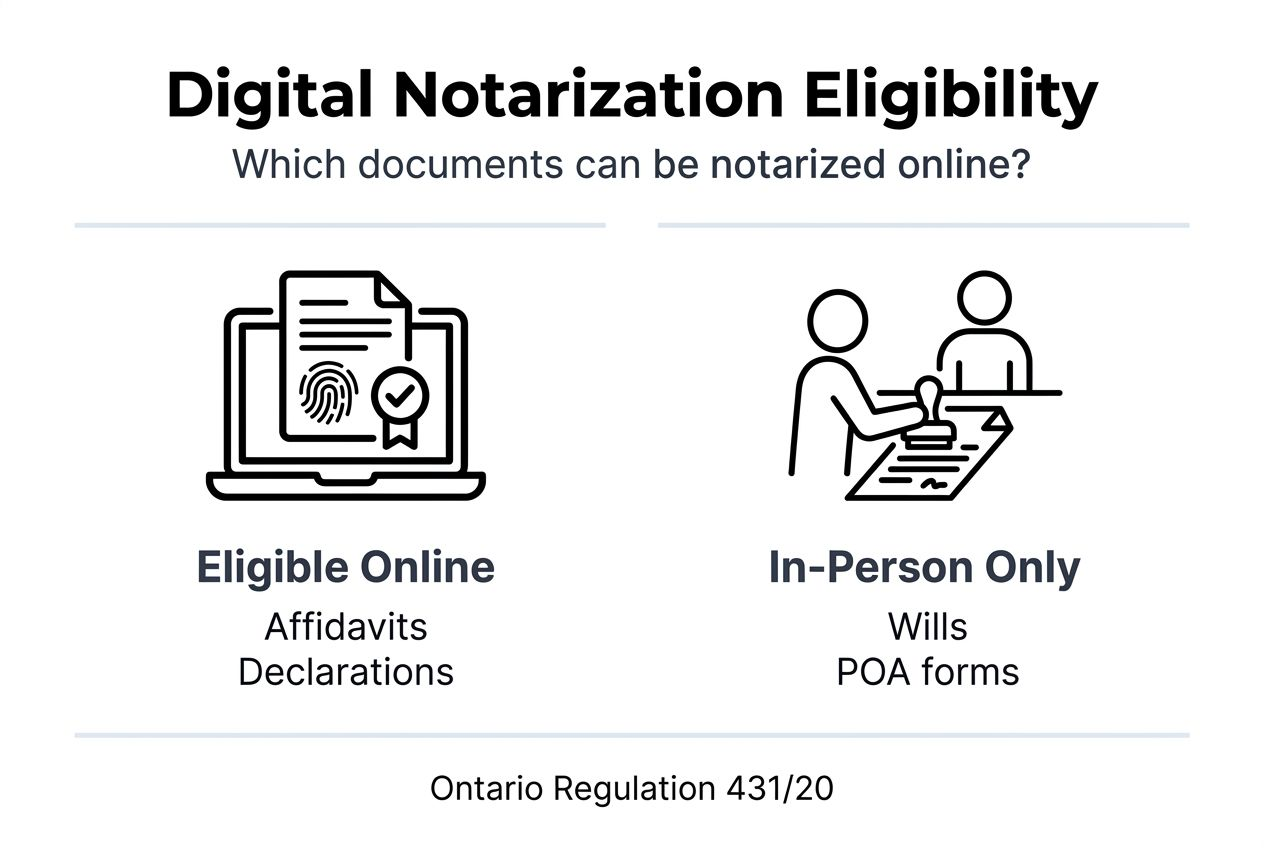
Ontario law permits remote commissioning for specific document categories. Affidavits, statutory declarations, and certain family or vehicle transfer documents qualify for remote commissioning, while wills and powers of attorney must be notarized in person. Invitation letters for visa applications, affidavits of common law relationships, and solemn declarations also qualify when properly witnessed via video.
Vehicle transfer affidavits and change of name applications can often be commissioned remotely. Employment verification letters requiring commissioner witnessing work for digital services. Consent letters for minor travel sometimes accept remote commissioning depending on destination country requirements.
Documents requiring in-person notarization include wills, continuing powers of attorney for property, powers of attorney for personal care, and land registry documents in many jurisdictions. International documents needing apostille certification require traditional notary services. Court documents may specify physical notarization depending on jurisdiction and case type.
Always confirm that the receiving institution accepts digitally commissioned documents before proceeding. Some government agencies, courts, or foreign consulates maintain strict policies requiring physical seals and wet signatures. Contacting them in advance prevents wasted time and rejected submissions.
| Document Category | Remote Commissioning | In-Person Required |
|---|---|---|
| Affidavits for legal proceedings | Yes, if recipient accepts | Some courts require physical |
| Statutory declarations | Yes, under Regulation 431/20 | No |
| Wills and testamentary documents | No | Yes, always |
| Powers of attorney | No | Yes, mandatory |
| Vehicle transfer affidavits | Yes, usually accepted | Rare exceptions |
| Invitation letters for visas | Yes, when properly witnessed | Some consulates prefer physical |
| Name change applications | Yes, for most purposes | Check specific requirements |
Document eligibility for notarized documents online Ontario breaks down as follows:
- Affidavits and statutory declarations qualify for remote commissioning in most contexts
- Immigration-related documents like invitation letters work when destination accepts digital seals
- Vehicle ownership transfers usually accept digitally commissioned affidavits
- Estate planning documents including wills absolutely require in-person witnessing
- Real estate transactions often need physical notarization due to land registry requirements
- International use documents may need traditional notary services for apostille certification
Verifying acceptance prevents the frustration of completing remote commissioning only to face rejection.
Technology and security in digital notarization
Real-time video conferencing forms the foundation of legal digital commissioning. Platforms must provide clear two-way audio and video allowing commissioners to see your face, verify your identity, watch you sign, and confirm document details. The technology creates a virtual equivalent of in-person witnessing with added security features.
Government-issued ID verification happens through high-resolution video display. You show your driver’s license, passport, or other official identification to the camera. Digital notarization platforms in Canada integrate advanced identity verification methods including facial recognition complying with PIPEDA privacy standards. Biometric matching compares your live video feed to the photo on your ID, preventing impersonation.
Data encryption protects your personal information and document content during transmission and storage. Secure platforms use bank-level encryption standards ensuring hackers cannot intercept sensitive data. Digital seals embedded in the final document use cryptographic signatures that reveal any tampering attempts.
Audit trails record the entire commissioning session including timestamps, IP addresses, video footage, and identity verification steps. These records prove the commissioning occurred legally if questions arise later. Privacy compliance follows PIPEDA requirements governing how platforms collect, use, and store personal information.
Key security measures protecting users include:
- End-to-end encryption for video sessions and document transmission
- Multi-factor authentication for platform access preventing unauthorized use
- Secure cloud storage with access controls limiting who can view documents
- Biometric identity verification matching live faces to government ID photos
- Digital seals using cryptographic technology to prevent document alteration
- Comprehensive audit trails documenting every step of the commissioning process
- PIPEDA-compliant privacy policies protecting personal information collection and use
Pro Tip: Before using any digital notary security Ontario platform, verify their privacy policy clearly states PIPEDA compliance and review what identity verification methods they employ to ensure robust protection.
Common misconceptions and how to avoid legal pitfalls
Many people believe any document can be notarized online in Ontario. The reality is that only remote commissioning exists for eligible documents under Regulation 431/20. Online notarization is fully available in Ontario for all document types is a common misconception; only remote commissioning is legal, actual notarization requires in-person attendance except for specific exceptions. Confusing commissioning with notarization leads to using wrong services for your needs.
Another misconception suggests that commissioners and notaries perform identical functions. Commissioners primarily witness oaths and affirmations for domestic documents. Notaries handle international document authentication, true copy certification, and broader legal functions. Using a commissioner when you need notary services, or vice versa, produces invalid results.
Some users assume any online platform offering notarization services operates legally in Ontario. Unauthorized providers may claim to offer services not permitted under provincial law. Their documents may lack legal validity, causing rejection by government agencies or courts. Always verify the provider operates under Ontario authorization.
Common mistakes leading to invalid or rejected documents include:
- Attempting to commission wills or powers of attorney remotely against legal requirements
- Using platforms not compliant with Ontario Regulation 431/20 standards
- Failing to verify recipient acceptance of digitally commissioned documents before proceeding
- Assuming digital commissioning equals traditional notarization for all purposes
- Not confirming the commissioner holds valid Ontario licensing and remote authorization
- Submitting documents to foreign institutions without checking their digital seal acceptance policies
Pro Tip: Always confirm both the service provider’s licensing status and your specific document’s eligibility for remote commissioning before scheduling a session. Check online notaries legal Ontario resources to verify current regulations and avoid costly mistakes.
Avoid platforms advertising services that exceed legal boundaries in Ontario. If a provider claims to remotely notarize wills or offers services a licensed commissioner cannot legally perform, find an authorized alternative.
Step-by-step guide to using digital notary services in Ontario
Using digital commissioning services follows a straightforward process when you understand the steps. Here’s exactly how to proceed:
- Identify your document type and confirm it qualifies for remote commissioning under Ontario Regulation 431/20
- Research and select a licensed commissioner offering authorized digital services in Ontario
- Book an appointment through the provider’s online scheduling system for a convenient time
- Prepare your unsigned document in PDF or required digital format for upload
- Gather government-issued photo ID such as a driver’s license or passport showing your face clearly
- Upload your document and ID to the secure platform before your scheduled session
- Join the video call at the appointed time using a device with camera and microphone
- Display your photo ID to the commissioner on camera for identity verification
- Show your unsigned document on screen so the commissioner can review its content
- Listen as the commissioner administers the required oath or affirmation verbally
- Sign the document while the commissioner watches in real time via video
- Wait for the commissioner to apply their digital seal and electronic signature to the document
- Download your completed, digitally commissioned document from the secure platform
- Store multiple secure copies in encrypted cloud storage and local backups
The entire process typically takes 15 to 30 minutes from joining the video call to receiving your completed document. Preparation beforehand ensures smooth sessions without technical delays.
Follow the how to notarize documents online Ontario guidelines carefully to ensure your digitally commissioned documents meet all legal requirements for submission.
Practical tips for compliance and avoiding rejected documents
Successful digital commissioning requires attention to regulatory compliance and recipient requirements. Start by verifying your chosen commissioner holds valid Ontario licensing and authorization to provide remote services under Regulation 431/20. Check professional association listings or ask for credential verification.
Always confirm document type eligibility before booking your session. Not all affidavits or declarations qualify for remote commissioning depending on their purpose and recipient. Calling the receiving institution to ask about their digital seal acceptance policies saves time and prevents rejection.
Understand that different government agencies and courts maintain varying policies. Some enthusiastically accept digitally commissioned documents while others require physical seals and signatures. Immigration authorities in different countries have distinct requirements for invitation letters and supporting affidavits.
Maintain comprehensive records of your digital commissioning session. Save the final document, confirmation emails, session receipts, and any correspondence with the commissioner. These records prove legal compliance if questions arise months or years later.
Key compliance practices include:
- Verify commissioner licensing through Ontario professional regulatory bodies before proceeding
- Confirm your specific document qualifies for remote commissioning under current regulations
- Contact the recipient institution to verify acceptance of digitally commissioned documents
- Use only platforms demonstrating digital notary security Ontario compliance and PIPEDA privacy standards
- Keep secure backups of completed documents in multiple locations for future reference
- Review the digitally sealed document immediately to confirm all information appears correctly
Pro Tip: Before your video session, contact the institution receiving your document to explicitly confirm they accept digitally commissioned documents with electronic seals rather than physical stamps, preventing surprises and potential rejection.
Avoid the common mistake of assuming acceptance. Even when regulations permit remote commissioning, individual organizations may maintain stricter internal policies. Understanding why not submit forms manually helps you appreciate the efficiency digital services offer when properly used, but always verify acceptance first.
Conclusion and benefits of digital notarization for Ontario users
Digital commissioning transforms how Ontario residents access legal document services. Remote video sessions eliminate travel time and scheduling constraints that traditional in-person appointments impose. You can complete commissioning from home, office, or anywhere with reliable internet connectivity.
Legal validity remains intact when services comply with Ontario Regulation 431/20. Properly commissioned documents carry the same legal weight as those witnessed physically. Courts, government agencies, and other institutions increasingly recognize and accept digitally sealed documents.
Access expands significantly for people with mobility challenges, those in remote locations, or anyone facing time constraints. The technology brings commissioning services to rural communities previously underserved by traditional options. Busy professionals appreciate scheduling flexibility outside standard business hours.
Security features often exceed traditional methods. Biometric verification, encrypted transmission, comprehensive audit trails, and tamper-evident digital seals provide robust protection. The technology creates permanent records proving the commissioning occurred legally with verified identity.
Ontario users can confidently adopt authorized digital commissioning services for eligible documents. Understanding the legal framework, document eligibility, security measures, and compliance requirements ensures successful use. The convenience, accessibility, and security benefits make digital commissioning a valuable modern alternative when properly applied.
Explore expert digital notary services in Ontario
Ready to experience secure, convenient digital commissioning for your legal documents? Authorized commissioners provide 24/7 notary online Ontario services compliant with current regulations. The fast, secure process ensures your affidavits, statutory declarations, invitation letters, and other eligible documents receive proper legal witnessing.

Explore comprehensive guides and service options to get started with confidence. Whether you need a statutory declaration for immigration purposes, an affidavit for legal proceedings, or a solemn declaration for government applications, authorized digital services streamline the process. Visit the online notary services guide to learn more about qualifying documents, scheduling sessions, and ensuring acceptance by receiving institutions.
FAQ
What documents require in-person notarization in Ontario?
Wills, continuing powers of attorney for property, and powers of attorney for personal care always require in-person notarization with physical presence. Real estate documents and international certifications needing apostille often need traditional notary services. Check documents notarized online Ontario resources to confirm your specific document’s requirements.
Is digital notarization legally accepted by all Ontario government agencies?
Most Ontario government agencies accept digitally commissioned documents compliant with Regulation 431/20, but policies vary by department and document type. Some agencies maintain stricter requirements for physical seals and wet signatures. Always verify acceptance requirements with the specific receiving agency before completing remote commissioning to prevent rejection.
Can I use any online platform for digital notarization in Ontario?
No, only use platforms authorized under Ontario Regulation 431/20 operated by licensed commissioners of oaths. Unauthorized providers may produce invalid documents rejected by courts and government agencies. Verify the online notaries legal Ontario status of any service before proceeding to ensure legal compliance and document validity.
How long does the digital commissioning process typically take?
Most digital commissioning sessions take 15 to 30 minutes from joining the video call to receiving your completed document. Preparation time for uploading documents and ID varies. Total time from initial booking to final document delivery usually spans one to three business days depending on appointment availability and your schedule flexibility.
What technology do I need for a remote commissioning session?
You need a device with a working camera and microphone such as a smartphone, tablet, or computer. Stable internet connectivity ensures clear video and audio quality. A well-lit space helps the commissioner verify your identity and see your document clearly. Most platforms work with standard browsers without requiring special software installation.
Recommended
- What Is Digital Notary? 431/20 Enables 100% Legal Docs – The Online Notary
- Digital Notary Security: Legal Compliance in Ontario – The Online Notary
- The Complete Guide to Using an Online Notary Public for Affidavits and Declarations in Ontario (2025) – The Online Notary
- How to Notarize Online in Ontario 2025: Easy Guide – The Online Notary





