
You’ve heard online notarization is possible in Ontario, but what does that actually mean? Many people assume any document can be notarized remotely, but the reality is more nuanced. Ontario law restricts online notarization to specific documents and authorizes only commissioners, not notaries, to work remotely. This guide clarifies the legal framework, explains the practical process, and shows you how to use online notarization services confidently and legally.
Table of Contents
- Introduction To Online Notarization In Ontario
- Legal Framework And Ontario Regulation 43120
- Differences Between Online Notarization And Commissioning
- How Online Notarization Works: Step-By-Step Process
- Documents Eligible For Online Notarization In Ontario
- Benefits And Efficiency Of Online Notarization
- Common Misconceptions About Online Notarization
- Security, Privacy, And Compliance In Online Notarization
- Common Errors And How To Avoid Them
- Conclusion And Practical Next Steps For Using Online Notarization Services
- Explore Convenient Online Notarization Services Today
- Frequently Asked Questions
Key takeaways
| Point | Details |
|---|---|
| Ontario permits remote commissioning, not full online notarization | Only commissioners can work remotely for select documents under Regulation 431/20. |
| Remote commissioning uses video technology | Identity verification, signature witnessing, and digital seals happen via secure video calls. |
| Certain documents qualify; others require in-person notarization | Affidavits and statutory declarations can be commissioned online; wills and powers of attorney cannot. |
| Online notarization saves time and offers convenience | Users report up to 70% faster processing compared to traditional in-person methods. |
| Choose authorized commissioners to avoid legal issues | Verify provider credentials and understand document eligibility before booking appointments. |
Introduction to online notarization in Ontario
Online notarization in Ontario refers to the remote commissioning of documents through video technology, not traditional notarization requiring physical presence. Ontario Regulation 431/20, enacted under the Commissioners for Taking Affidavits Act, enables commissioners to administer oaths, witness signatures, and apply digital seals remotely for eligible documents. This regulation responds to the need for convenient, accessible legal services, especially for individuals and businesses needing fast affidavit processing.
Who benefits most? Anyone requiring affidavits for vehicle transfers, OSAP applications, or visa invitations. Instead of scheduling in-person appointments, you complete the process from home. Online notarization transactions include document upload, identity verification, live video witnessing, digital seal application, and secure record keeping.
Understanding the difference between notarization and commissioning is crucial. Notarization involves a notary public certifying documents and authenticating signatures for international use. Commissioning involves a commissioner administering oaths and witnessing affidavits for domestic purposes. In Ontario, commissioners can work remotely; notaries cannot. Knowing this distinction helps you choose the right service and avoid processing delays.
Typical steps include:
- Upload your document and government-issued photo ID to a secure platform
- Join a live video call with a licensed commissioner
- Swear or affirm the document’s contents under oath
- Watch the commissioner apply a digital seal and signature
- Receive your legally valid, commissioned document electronically
Legal framework and Ontario Regulation 431/20
Ontario Regulation 431/20 fundamentally changed how commissioners operate by authorizing remote commissioning during and after the pandemic. This regulation grants commissioners the legal authority to administer oaths and witness documents via video technology, provided they follow strict identity verification and security protocols. The Commissioners for Taking Affidavits Act governs their powers, limiting them to specific document types.
Commissioners possess the authority to:
- Administer oaths and affirmations remotely for affidavits and statutory declarations
- Witness signatures on eligible documents through secure video platforms
- Apply electronic seals and signatures that hold the same legal weight as physical ones
- Maintain secure records of all remote commissioning transactions
Crucially, remote notarization by notaries public is prohibited; only remote commissioning by commissioners is legally allowed for specified documents. Notaries must perform their duties in person, making them unsuitable for online services. This restriction stems from the different legal frameworks governing notaries and commissioners in Ontario.
Common documents eligible for remote commissioning include:
- Affidavits for name changes, vehicle ownership transfers, and student loans
- Statutory declarations for common-law relationships and visa applications
- Solemn declarations required by government agencies
- Certain business and legal affidavits accepted by Ontario courts
Documents commissioned remotely carry full legal validity when properly executed. Courts, government agencies, and institutions accept them without question, provided the commissioner followed regulatory requirements. Understanding the distinct roles of notaries and commissioners in Ontario prevents confusion and ensures you select the appropriate service for your needs.

Differences between online notarization and commissioning
Confusing notarization with commissioning leads to incorrect service selection and potential document rejection. Notarization requires a notary public’s physical presence to certify documents for international use. Commissioning allows remote administration of oaths by commissioners for domestic documents under Ontario law.
| Feature | Notarization | Commissioning |
|---|---|---|
| Legal Authority | Notaries Public Act | Commissioners for Taking Affidavits Act |
| Remote Availability | Not permitted in Ontario | Permitted under Regulation 431/20 |
| Document Types | International documents, certifications | Affidavits, statutory declarations |
| Process | In-person signature witnessing, physical seal | Video call witnessing, digital seal |
| Primary Use | Cross-border transactions | Domestic legal requirements |
A widespread misconception is that online notarization is fully legal and available for all document types in Ontario, but remote notarization by notaries public is prohibited; only remote commissioning by commissioners is legally allowed for specified documents. This confusion arises because both services involve witnessing signatures and applying official seals, but they serve different legal purposes under separate regulations.
Examples clarify the distinction:
- A sworn affidavit for an OSAP application can be commissioned remotely by a commissioner
- A power of attorney document requires in-person notarization by a notary public
- A statutory declaration for a visa invitation qualifies for remote commissioning
- A will or real estate deed needs in-person notarization with physical presence
Pro Tip: Before scheduling any appointment, verify whether your document needs notarization or commissioning. Check with the receiving institution or review Ontario’s legal requirements for online notarization to ensure you book the correct service and avoid delays.
How online notarization works: step-by-step process
The remote commissioning process in Ontario follows a structured sequence designed to maintain legal integrity while offering convenience. Understanding each step helps you prepare properly and complete your appointment smoothly.
Prepare and verify document eligibility under Ontario Regulation 431/20. Confirm your document qualifies for remote commissioning by checking the provider’s eligibility list or contacting them directly.
Book an appointment with an authorized commissioner using a compliant platform. Choose a reputable service offering secure video technology and licensed commissioners registered in Ontario.
Upload valid government-issued photo ID and documents securely. Acceptable IDs include driver’s licenses, passports, and Ontario photo cards. Ensure documents are complete, unsigned, and ready for oath administration.
Participate in a live video call for oath administration and signature witnessing. The commissioner verifies your identity, reads the oath or affirmation, watches you sign the document, and confirms your understanding of its contents.
Receive your digitally signed, sealed document with secure record keeping. The commissioner applies an electronic seal and signature, then sends you the completed document via secure email or download link.
Typical online notarization transactions include document upload, identity verification via government-issued photo ID, live video session to witness signatures, electronic applying of an official digital seal, and secure record storage. This process maintains the same legal standards as in-person commissioning while eliminating travel and scheduling constraints.
Common platforms used in Ontario include:
- Secure video conferencing tools with recording capabilities
- Encrypted document management systems for file uploads
- Digital signature and seal applications approved under Ontario regulations
- Audit trail software maintaining permanent transaction records
Pro Tip: Test your internet connection, camera, and microphone before the appointment. Have your valid government-issued photo ID ready and ensure you’re in a quiet, well-lit space. Technical issues or invalid identification are the most common causes of appointment delays.
Documents eligible for online notarization in Ontario
Understanding which documents qualify for remote commissioning saves time and prevents booking errors. Ontario Regulation 431/20 permits online commissioning for specific document types, while others legally require in-person notarization.
Common affidavits eligible for remote commissioning include:
- OSAP affidavits for student loan applications and financial declarations
- Vehicle transfer affidavits for ownership changes and private sales
- Name change affidavits supporting legal name modifications
- Employment and income affidavits for mortgage or rental applications
Statutory declarations that can be commissioned online:
- Common-law status declarations for insurance, immigration, or benefits
- Visa invitation letters supporting visitor visa applications
- Lost document declarations for missing titles, certificates, or records
- Identity confirmation declarations for account changes or legal proceedings
| Document Type | Online Commissioning | In-Person Notarization Required |
|---|---|---|
| OSAP Affidavit | Yes | No |
| Vehicle Transfer Affidavit | Yes | No |
| Statutory Declaration | Yes | No |
| Will | No | Yes |
| Power of Attorney | No | Yes |
| Real Estate Deed | No | Yes |
| Negotiable Instrument | No | Yes |
Exclusions requiring in-person notarization include wills, powers of attorney, real estate deeds, and negotiable instruments like promissory notes. These documents carry heightened legal significance and fraud risk, prompting legislators to mandate physical presence and traditional notarization safeguards.
The rationale behind document eligibility relates to legal requirements, security concerns, and institutional acceptance. Affidavits and declarations used domestically in Ontario generally qualify for remote commissioning because they serve straightforward evidentiary purposes. Documents involving property transfers, estate planning, or financial instruments require stricter in-person protocols to protect all parties from fraud and ensure proper execution.
Benefits and efficiency of online notarization
Online notarization delivers measurable advantages that transform how individuals and businesses handle legal documents. The convenience factor alone makes remote commissioning attractive, but quantifiable efficiency gains seal the case.
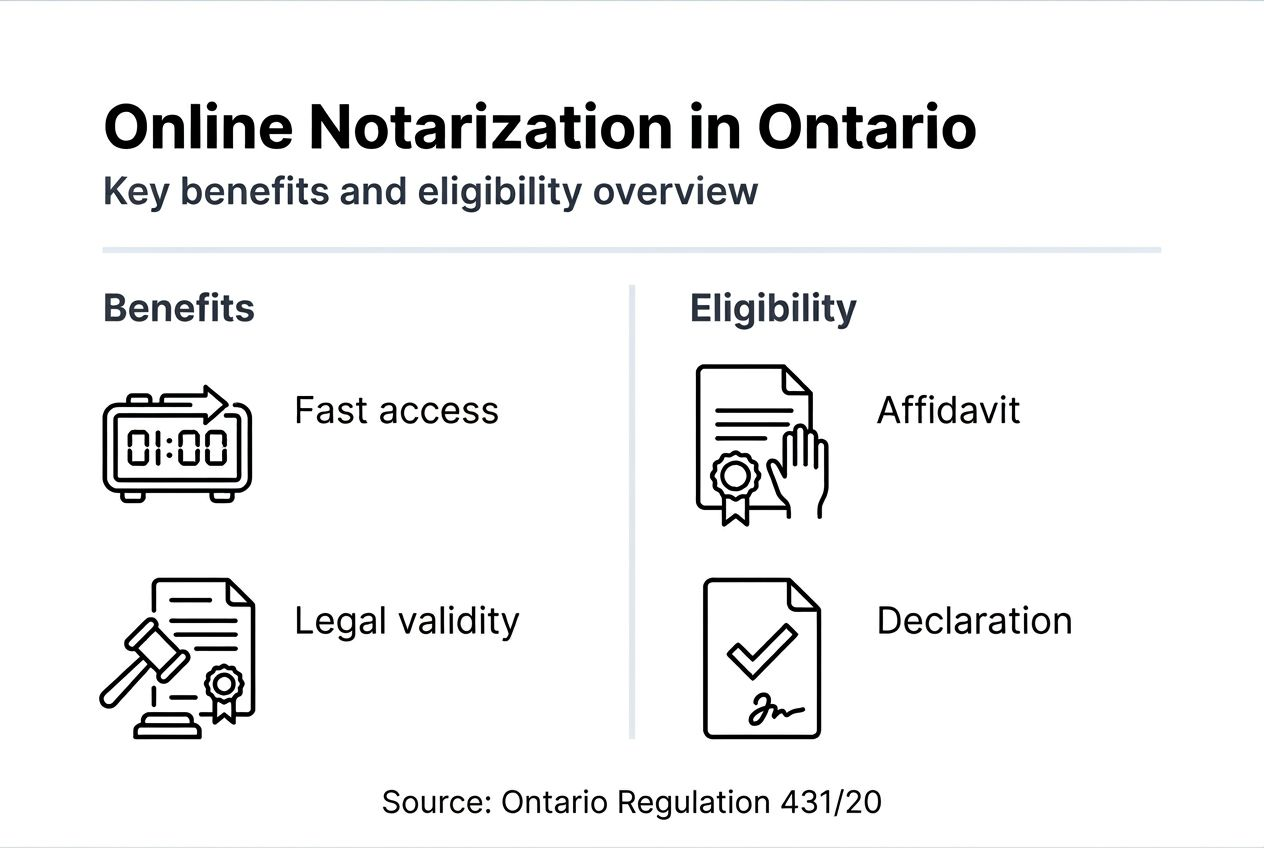
Time savings represent the most significant benefit. Users report up to 70% faster processing compared to traditional in-person notarization. Instead of traveling to an office, waiting in line, and coordinating schedules, you complete the entire process from your computer in 15 to 20 minutes.
Key convenience factors include:
- Remote access from anywhere in Ontario with internet connectivity
- Flexible scheduling with evening and weekend appointment availability
- No travel time, parking fees, or transportation costs
- Immediate document delivery via secure electronic channels
- Simplified process for individuals with mobility limitations or busy schedules
Legal validity remains uncompromised. Documents commissioned remotely carry the same legal weight as those completed in person. Ontario courts, government agencies, educational institutions, and private organizations accept them without hesitation when properly executed by licensed commissioners.
Businesses gain substantial efficiency improvements through online commissioning. Companies processing multiple affidavits for employee documentation, contract signings, or regulatory filings streamline operations, reduce costs, and accelerate transactions. The 70% time reduction translates directly to productivity gains and lower administrative overhead.
Common misconceptions about online notarization
Misunderstandings about online notarization in Ontario create confusion and lead to poor service choices. Addressing these myths head-on helps you navigate the landscape confidently.
First, online notarization is not fully legal and available for all document types in Ontario because remote notarization by notaries public is prohibited; only remote commissioning by commissioners is legally allowed for specified documents. This restriction means you cannot remotely notarize wills, powers of attorney, or international documents requiring notary public certification.
Another common myth suggests notaries can perform remote notarizations. In Ontario, only commissioners possess the legal authority to work remotely under Regulation 431/20. Notaries must conduct all notarizations in person, applying physical seals and signatures to documents intended for use outside Canada.
Some people believe documents notarized online are less valid legally. This is false. When a licensed commissioner follows proper procedures, including identity verification, oath administration, and secure record keeping, the resulting document holds identical legal status to one commissioned in person. Courts and institutions treat them equally.
Beware of unauthorized service providers claiming to offer online notarization illegally. Unlicensed platforms or individuals without proper commissioning authority cannot produce legally valid documents. Verify your provider’s credentials and understand Ontario’s legal framework before proceeding.
Key facts to remember:
- Remote commissioning is legal for specific documents; remote notarization is not
- Only licensed Ontario commissioners can perform remote commissioning services
- Properly commissioned documents are fully valid and legally enforceable
- Unauthorized providers create invalid documents that institutions will reject
Security, privacy, and compliance in online notarization
Security and privacy protections form the foundation of trustworthy online notarization services. Ontario commissioners must comply with strict standards to safeguard your personal information and document integrity.
Identity verification measures comply with PIPEDA and Ontario privacy laws. Commissioners use multi-factor authentication, comparing your live video appearance against government-issued photo ID to confirm your identity. This process matches or exceeds in-person verification standards, preventing impersonation and fraud.
Data encryption and secure electronic storage protect your documents and personal information. Reputable providers use:
- End-to-end encryption for video calls and document uploads
- Secure cloud storage with access controls and audit logging
- Regular security audits and compliance certifications
- Automatic data retention policies meeting legal requirements
Electronic seals and audit trails maintain document authenticity. Digital seals applied by commissioners carry the same legal authority as physical stamps, with embedded verification codes and tamper-evident features. Audit trails record every transaction step, creating permanent records accessible for future verification or legal proceedings.
Regulatory oversight ensures Ontario commissioners meet professional standards. The Law Society of Ontario and other regulatory bodies monitor compliance, investigate complaints, and enforce disciplinary measures when necessary. This oversight protects consumers and maintains system integrity.
Pro Tip: Choose providers with transparent privacy policies and robust security certifications. Look for clear explanations of data handling practices, encryption methods, and compliance with Canadian privacy laws. Avoid platforms that cannot demonstrate proper security measures or regulatory compliance.
Common errors and how to avoid them
Preventing mistakes during the online notarization process saves time and eliminates frustration. Most errors stem from misunderstanding legal requirements or inadequate preparation.
Confusing notarization with commissioning tops the list of common errors. Know whether your document requires a notary public’s in-person certification or a commissioner’s remote oath administration. Booking the wrong service wastes time and leaves you with an unusable document.
Ensure your document qualifies under Ontario Regulation 431/20 before scheduling. Review eligibility guidelines carefully or contact the provider to confirm. Attempting to commission ineligible documents results in appointment cancellations and delays.
Using invalid or expired identification causes immediate appointment failures. Acceptable IDs include:
- Valid Ontario driver’s license with photo
- Canadian passport (not expired)
- Ontario photo card issued by ServiceOntario
- Other government-issued photo identification accepted by the commissioner
Choose reputable, authorized online commissioning providers. Verify the commissioner holds a valid appointment in Ontario and the platform uses secure, compliant technology. Unauthorized services produce invalid documents that institutions reject.
Pro Tip: Prepare documents carefully by reviewing all pages for completeness and accuracy. Leave signature lines blank until the video call. Test your technology, including camera, microphone, and internet connection, at least 30 minutes before the appointment. Have backup devices ready if technical issues arise.
Avoid these additional pitfalls:
- Scheduling appointments without understanding the oath or affirmation you’ll take
- Using poor lighting or noisy environments during video calls
- Failing to read documents thoroughly before swearing to their accuracy
- Ignoring provider instructions about document formatting or requirements
Conclusion and practical next steps for using online notarization services
Online notarization in Ontario operates within a specific legal framework that distinguishes between commissioning and notarization. Commissioners can work remotely for eligible documents like affidavits and statutory declarations, while notaries must operate in person for international certifications and restricted document types.
To use online notarization effectively:
- Verify your document qualifies for remote commissioning under Regulation 431/20
- Select licensed commissioners registered in Ontario and authorized to provide remote services
- Prepare valid government-issued photo ID and complete documents before appointments
- Test technology and ensure a suitable environment for video calls
- Book appointments with trusted service providers offering secure platforms and compliance guarantees
Understanding the legal distinctions, eligibility requirements, and proper procedures empowers you to use online notarization confidently. The convenience and efficiency gains make remote commissioning the preferred choice for eligible documents, saving time while maintaining full legal validity.
For ongoing needs or questions about specific documents, explore additional resources provided by authorized commissioners. Staying informed about regulatory updates and best practices ensures smooth, error-free experiences with online notarization services in Ontario.
Explore convenient online notarization services today
Ready to experience the speed and convenience of online notarization? Licensed commissioners provide trusted online notary services in Ontario for affidavits, statutory declarations, and solemn declarations. Access 24/7 expert support tailored to your legal document needs, all from the comfort of your home or office.

Verified platforms ensure compliance with Ontario Regulation 431/20, robust security measures, and seamless user experiences. Whether you need an OSAP affidavit, vehicle transfer documentation, or visa invitation letter, authorized commissioners deliver fast, legally valid results. Explore detailed guides on how to notarize documents online and access comprehensive tips and expert advice to make your next notarization effortless.
Frequently asked questions
Is online notarization legal in Ontario?
Remote commissioning by licensed commissioners is legal in Ontario under Regulation 431/20 for specific documents like affidavits and statutory declarations. However, remote notarization by notaries public is not permitted; notaries must work in person.
What documents can be notarized online in Ontario?
Eligible documents include OSAP affidavits, vehicle transfer affidavits, statutory declarations for common-law status, and visa invitation letters. Wills, powers of attorney, and real estate deeds require in-person notarization.
How long does online notarization take?
Most online commissioning appointments take 15 to 20 minutes from start to finish. You receive your completed document immediately after the video call, often within minutes.
Are documents notarized online legally valid?
Yes, documents commissioned remotely by licensed Ontario commissioners carry the same legal weight as those completed in person. Courts, government agencies, and institutions accept them without question when properly executed.
How do I verify a commissioner is authorized?
Check the commissioner’s registration with the Law Society of Ontario or the issuing authority. Reputable online platforms display commissioner credentials and regulatory compliance information transparently.
What ID do I need for online notarization?
You need a valid government-issued photo ID such as an Ontario driver’s license, Canadian passport, or Ontario photo card. Expired IDs are not acceptable for identity verification purposes.





