
Mailing your original passport or diploma to a government office is a gamble most people would rather not take. Documents get lost, damaged, or delayed, and replacing them can take months. Certified copies solve this problem cleanly. Instead of risking your originals, you submit a verified photocopy that carries the same legal weight for most official purposes. This guide walks you through exactly what certified copies are, which documents qualify, how to prepare your materials, and how to complete the entire process online in Ontario without leaving your home or office.
Table of Contents
- Understanding certified copies in Ontario
- Which documents can be certified online?
- Preparing for online certification: What you need
- Step-by-step: Getting certified copies online
- Verification and acceptance: Making sure your certified copies are valid
- Get certified copies online with trusted Ontario notary services
- Frequently asked questions
Key Takeaways
| Point | Details |
|---|---|
| Certified copies simplify admin | Online certified copies ease document management by avoiding the risks with original documents. |
| Choose the right certifier | Use notaries for non-vital documents and government portals for vital records to ensure compliance. |
| Preparation is essential | Gather originals, valid ID, and digital tools beforehand to speed up the online process. |
| Verify acceptance each time | Always confirm document requirements and certification age with recipients to prevent delays. |
| Trusted Ontario platforms save time | Professional online notary services and official government portals provide quick, safe certified copies. |
Understanding certified copies in Ontario
A certified copy definition is straightforward: it is a photocopy of an original document that an authorized professional has reviewed, stamped, and signed to confirm it is a true and accurate reproduction. It is not the original, but it is legally recognized as equivalent for most administrative purposes.
Certified true copies in Ontario are photocopies of original documents verified by authorized professionals such as notaries public, lawyers, or commissioners of oaths. That distinction matters because not everyone can certify a document. Your neighbor cannot stamp a copy of your degree and call it certified. Only specific professionals with legal authority can do that.
Understanding the difference between certified vs notarized documents also helps. A notarized document involves a notary witnessing a signature or verifying identity. A certified copy involves a professional confirming that a photocopy matches the original. They are related but not the same thing.
Certified copies play an essential role in immigration applications, business registrations, academic submissions, and legal proceedings. They protect your originals while satisfying institutional requirements across Ontario and internationally.
Here is a quick comparison to clarify the two main types:
| Feature | Notary-certified copy | Government-issued certified copy |
|---|---|---|
| Who issues it | Notary, lawyer, commissioner | Government agency (e.g., ServiceOntario) |
| Documents covered | Most personal and business docs | Vital records only (birth, marriage, death) |
| Turnaround time | Minutes to hours | 5 to 15 business days |
| Cost range | $15 to $50 per document | $22 to $65 depending on service level |
| Accepted for immigration | Yes, commonly | Yes, required for vital records |
Always check Ontario certified copy requirements before you start, since different institutions may have specific formatting or recency expectations.
Which documents can be certified online?
Most personal and business documents can be certified online by a notary or commissioner of oaths. Common examples include:
- Passports and government-issued photo ID
- Academic diplomas, transcripts, and certificates
- Business licenses and incorporation documents
- Contracts and agreements
- Professional credentials and licenses
- Bank statements and financial records
- Immigration support documents
However, there are clear limits. Ontario document certification rules confirm that edge cases exist: you cannot certify religious documents (those require the issuing institution), copyrighted materials, or digital-only files without a verifiable physical source. Vital records like birth, marriage, and death certificates are handled exclusively by government agencies and cannot be certified by a notary as a substitute for the official version.
Check certification limits Ontario to see a full breakdown of what qualifies and what does not before you book an appointment.
Warning: Some documents require special handling. If your document was issued by a foreign government or a religious institution, contact the issuing body directly before assuming a notary can certify it.
Pro Tip: Always confirm with the recipient whether they require a recently issued certified copy. Many immigration offices and universities specify that certifications must be dated within the last 6 months. Getting this wrong means starting over.
Preparing for online certification: What you need
Preparation is where most people stumble. Showing up to a virtual notary session without the right materials wastes time and may require you to reschedule. Here is what you need to have ready:

| Requirement | Details |
|---|---|
| Original document | Physical copy in good condition, all pages present |
| Government-issued photo ID | Passport, driver’s license, or Ontario photo card |
| High-quality scan or photo | Clear, unobstructed, all text legible |
| Stable internet connection | Required for video session with notary |
| Online notary account | Registered and verified before your session |
Follow these steps to gather your materials properly:
- Locate the original document and check that all pages are intact.
- Scan or photograph each page at a minimum of 300 DPI for clarity.
- Confirm your government-issued ID is current and not expired.
- Create or log into your online notary platform account.
- Upload your document scans to the platform before your scheduled session.
- Test your camera and microphone at least 15 minutes before the appointment.
Common mistakes to avoid:
- Submitting blurry or cropped scans that cut off text or stamps
- Forgetting to include all pages of a multi-page document
- Using an expired ID for identity verification
- Skipping the pre-session tech check
Notary certified true copies typically cost between $15 and $50 per document, with volume discounts available for multiple documents. That is significantly faster than government processing for non-vital records. Review the full online certified copy steps to make sure you have not missed anything before your session.
For reference on accepted government ID formats, the Ontario official certificates page lists what qualifies as valid identification.
Step-by-step: Getting certified copies online
There are two paths depending on what you need certified. Here is how each one works:
Notary path (for most personal and business documents):
- Choose a licensed online notary platform in Ontario.
- Create your account and upload your document scans.
- Book a video session with a notary public or commissioner of oaths.
- Show your original document and government ID on camera.
- The notary reviews, certifies, and stamps the copy digitally.
- Download or receive your certified copy, usually within minutes.
Government path (for vital records only):
- Visit ServiceOntario or the Archives of Ontario for birth, marriage, or death records.
- Complete the online application form and pay the applicable fee.
- Wait for processing. Regular service takes up to 15 business days; premium service takes about 5 business days.
- Receive your official certified copy with a raised government seal by mail.
For ordering marriage certificates, regular service costs $22 to $35 and premium service costs $52 to $65.
| Factor | Online notary | Government portal |
|---|---|---|
| Speed | Under 10 minutes | 5 to 15 business days |
| Cost | $15 to $50 per document | $22 to $65 per record |
| Document types | Personal, business, academic | Vital records only |
| Seal type | Notary stamp and signature | Raised government seal |
| Best for | Immigration support, business | Birth, marriage, death records |
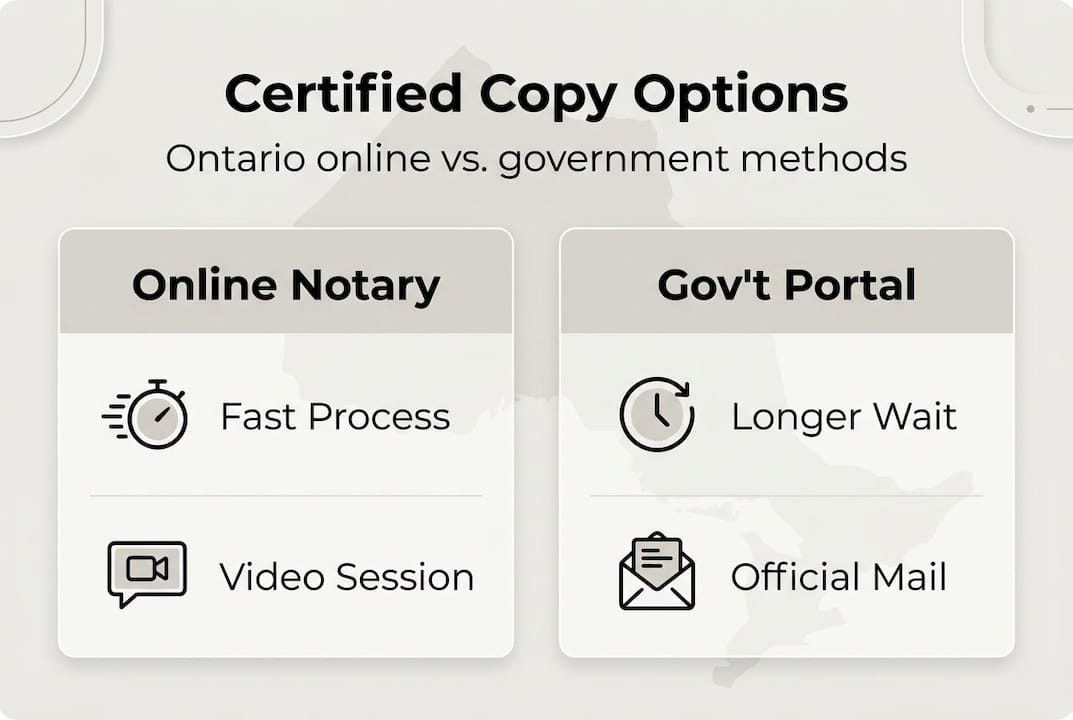
Pro Tip: For urgent requests, use an online notary for non-vital documents. You can have a certified copy ready in under an hour. For vital records, order early since government processing times do not speed up regardless of urgency.
For a complete walkthrough, visit getting certified copies on our platform.
Verification and acceptance: Making sure your certified copies are valid
Getting a certified copy is only half the job. Making sure the recipient will actually accept it is the other half. Here is how to verify your certified copy is in order:
- Check that the notary’s full name, license number, and signature appear on the certification statement.
- Confirm the certification statement reads that the copy is a true and accurate reproduction of the original.
- For government-issued copies, verify the raised seal is present and the document number matches your application.
- Make sure the certification date is recent enough to meet the recipient’s requirements.
- Keep a digital copy of your certification receipt and session record for your own files.
Always confirm acceptance requirements with the recipient before submitting. Some institutions require certifications dated within 6 months, while others accept older copies. Assuming acceptance without checking is the most common reason for delays.
The legal impact of certified copies can be significant if a document is rejected due to a technicality. A quick email or phone call to the receiving institution before you submit can save weeks of back-and-forth.
Certified copies do not expire in a legal sense, but recipients may impose their own recency requirements. Always confirm this before you start the certification process, not after.
For a reference on what government-issued documents look like when valid, the certificate validity rules page is a useful resource.
Pro Tip: Keep a digital record of every certified copy request you make, including the date, the notary’s name, and the document type. This makes it easy to track submissions and reorder quickly if a recipient asks for a fresher copy.
Get certified copies online with trusted Ontario notary services
Handling certified copies on your own can feel like navigating a maze, especially when different institutions have different rules. That is where a reliable online notary platform makes a real difference.

Our Ontario notary services connect you with licensed notaries public and commissioners of oaths who can certify your documents in a single video session, often in under 10 minutes. Whether you need certified copies for immigration, business registration, academic applications, or legal proceedings, we handle the process securely and efficiently. We also help you understand notary requirements so you arrive prepared and avoid costly mistakes. No office visits, no waiting rooms, and no risk to your original documents. Start your certified copy request today and get it done right the first time.
Frequently asked questions
Who can certify a document online in Ontario?
Notaries public, commissioners of oaths, and licensed lawyers can certify documents online if they authenticate the original. These are the only professionals with legal authority to issue certified true copies in Ontario.
How long does it take to get a certified copy online?
Online notary services can process most certified copies in under 10 minutes. Government vital records take longer, with regular service running 15 business days and premium service taking about 5 business days.
What documents cannot be certified online?
Religious documents, copyrighted materials, and digital-only files without a verifiable physical source cannot be certified online. These edge cases require the issuing institution to provide official copies directly.
Are certified copies online accepted for immigration and business in Ontario?
Yes, certified copies are widely accepted for immigration and business purposes in Ontario. That said, always confirm with the receiving party before submitting, since some institutions have specific formatting or recency requirements per official government guidance.
Does a certified copy ever expire?
Certified copies do not expire legally, but recipients may require a copy dated within the last 6 months. Always confirm with the recipient before starting the certification process to avoid having to redo it.





