
Trying to get a document notarized during business hours can feel impossible when you’re juggling work, family, and daily responsibilities. The good news is that Ontario now allows remote commissioning for certain documents through live video sessions. This guide walks you through everything you need to know about getting affidavits and statutory declarations notarized online legally in Ontario. You’ll learn what’s actually permitted, how to prepare, step-by-step instructions for the process, and practical tips to avoid common mistakes.
Table of Contents
- Key takeaways
- Understanding online notarization versus remote commissioning in Ontario
- Preparing to get your documents notarized online in Ontario
- How to get documents notarized online step-by-step
- Tips, common mistakes, and what to expect after online notarization
- Find trusted online notary services in Ontario
- Frequently asked questions
Key Takeaways
| Point | Details |
|---|---|
| Remote commissioning allowed | Ontario permits remote commissioning of affidavits and statutory declarations through live video under Regulation 431/20. |
| Identity and location checks | Licensed commissioners must verify your identity and confirm your physical location during the session. |
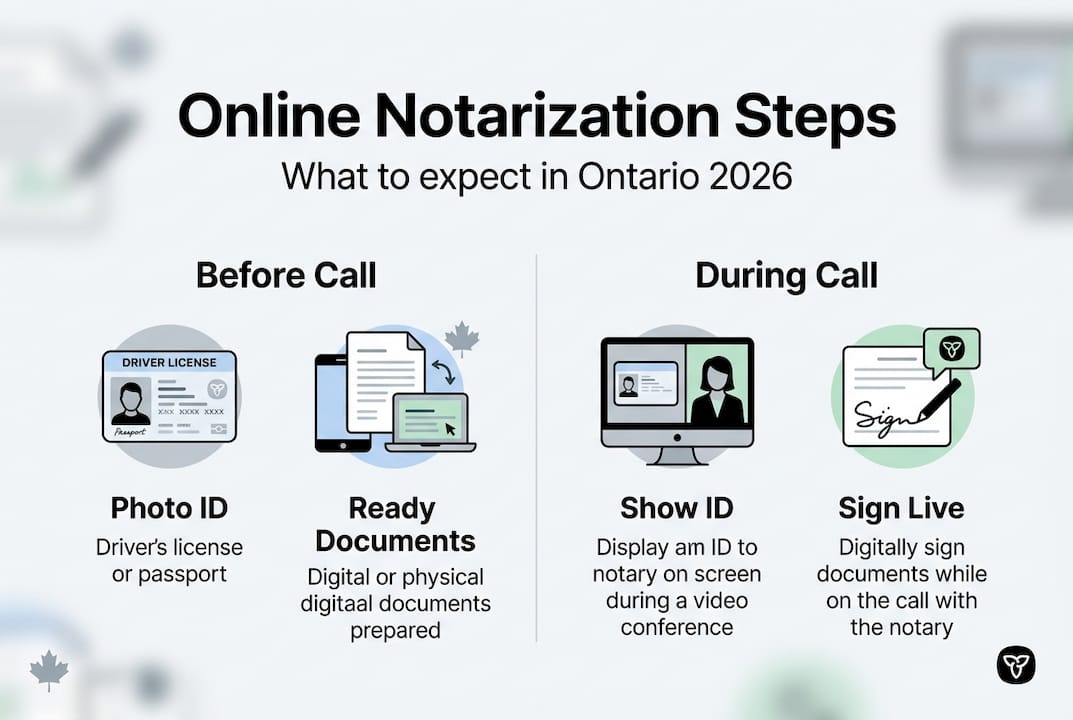
| Preparation requirements | Have valid government photo ID, a device with camera and internet, your unsigned document with jurat, and a quiet private space ready. |
| Video setup testing | Test your video setup ten minutes before the appointment to reduce technical issues and ensure the process remains valid. |
Understanding online notarization versus remote commissioning in Ontario
Many people search for online notarization in Ontario, but what they actually need is remote commissioning. The distinction matters because true online notarization requires physical presence under the Notaries Act. Remote commissioning, however, allows licensed commissioners to handle affidavits and statutory declarations through live video calls under specific regulations.
Here’s what sets them apart:
- Traditional notarization requires you and the notary to be in the same room
- Remote commissioning uses real-time audio-video technology to replicate that presence
- Only certain document types qualify for the remote process
- Licensed commissioners must follow strict protocols established by the Law Society of Ontario
The confusion stems from casual language. When someone says they got a document “notarized online,” they typically mean a commissioner witnessed their signature remotely. Understanding how online notarization works in Ontario helps you navigate the correct process for your needs.
“The Law Society of Ontario clarified in 2025 that while true notarization must occur in person, remote commissioning provides a legally sound alternative for affidavits and statutory declarations when proper protocols are followed.”
Regulation 431/20 established the framework for remote commissioning during the pandemic, and it remains in effect. Licensed commissioners who offer this service must verify your identity, confirm locations, use modified jurats, and maintain session records. This regulatory structure ensures the process carries the same legal weight as traditional in-person commissioning.
Preparing to get your documents notarized online in Ontario
Successful remote commissioning starts with proper preparation. You can’t simply show up to a video call and expect everything to work smoothly. Requirements per Regulation 431/20 include real-time audio-video communication, ID confirmation, modified jurat language, and strict record-keeping.
Here’s what you need before scheduling:
- Valid government-issued photo ID (driver’s license, passport, or Ontario photo card)
- A device with working camera, microphone, and stable internet connection
- Your unsigned document with the appropriate jurat section
- A quiet, private space free from distractions or interruptions
- Knowledge of where you’ll physically be located during the session
The jurat section requires special attention. Traditional affidavits say “sworn before me” with a date and location. Remote commissioning jurats must note the method used and include both your location and the commissioner’s location. Most commissioners provide templates or modify your document before the session.
Pro Tip: Test your video setup 10 minutes before your appointment. Check that your camera shows your face clearly, your microphone picks up your voice without echo, and your internet connection remains stable. Technical failures during the session can invalidate the process.
| Requirement | Why It Matters | Common Issues |
|---|---|---|
| Valid Photo ID | Legal identity verification | Expired documents, poor image quality |
| Video Equipment | Commissioner must see and hear you clearly | Broken cameras, background noise |
| Modified Jurat | Indicates remote commissioning method | Wrong template, missing locations |
| Private Space | Protects confidentiality and prevents coercion | Interruptions, visible third parties |
| Location Info | Required for jurat completion | Uncertainty about exact address |
Commissioners cannot proceed if they have reasonable doubts about your identity, your understanding of the document, or whether you’re signing freely. Preparation eliminates most reasons for delays or rejections.
How to get documents notarized online step-by-step
Once you’ve gathered everything, the actual process follows a straightforward sequence. Since 2021, licensed commissioners have completed over 3,000 remote notarizations using these prescribed methods. Following the steps carefully ensures your document receives proper legal recognition.
Find and schedule with a licensed commissioner who offers remote services. Verify they’re authorized by the Law Society of Ontario and experienced with Regulation 431/20 requirements.
Submit your document and ID in advance if requested. Many commissioners review materials beforehand to identify potential issues and prepare the modified jurat.
Join the video call at your scheduled time using the platform your commissioner specifies. Arrive a few minutes early to handle any technical adjustments.
Present your government-issued photo ID to the camera so the commissioner can verify it matches your appearance. They may ask you to tilt it or show security features.
Confirm your physical location by stating your full address. The commissioner will also state their location for the record.
Review the document as the commissioner explains what you’re signing or swearing to. Ask questions if anything is unclear.
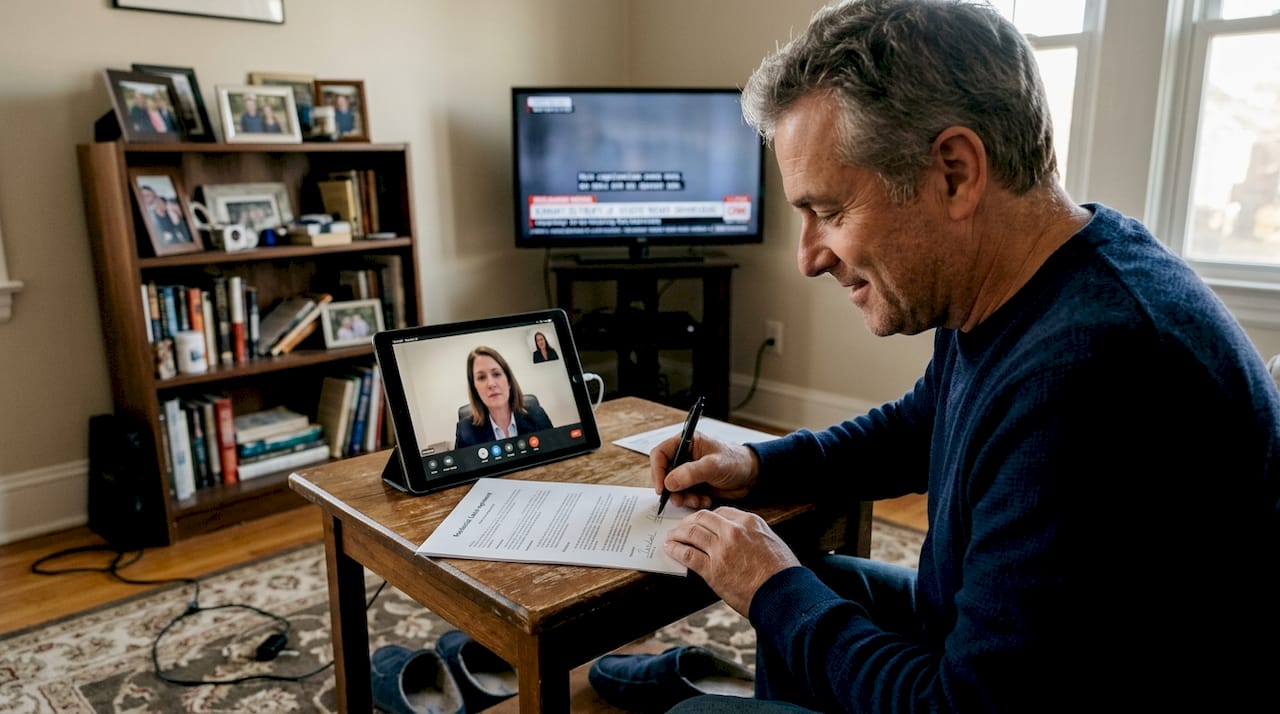
Sign or swear the document as instructed. For affidavits, you’ll typically raise your right hand and swear or affirm the contents are true. For statutory declarations, you’ll declare the contents are true to your knowledge.
Wait while the commissioner completes the jurat with the remote commissioning details, both locations, and their signature and seal.
Receive your notarized document via secure email or mail, depending on your arrangement. Digital copies are typically available immediately.
Pro Tip: Keep your ID visible throughout the entire session. Some commissioners need to reference it multiple times, and having to retrieve it creates awkward pauses.
| Step | Traditional In-Person | Remote Commissioning |
|---|---|---|
| Scheduling | Walk-in or appointment | Appointment required |
| Travel Time | 15-45 minutes average | Zero |
| Identity Check | Physical ID inspection | Video ID verification |
| Document Signing | In commissioner’s presence | On video call |
| Jurat Completion | Standard language | Modified with locations and method |
| Document Delivery | Immediate physical copy | Digital or mailed |
The entire video session typically takes 10-20 minutes for straightforward affidavits. More complex documents or multiple signers may require additional time. Your commissioner will guide you through each step and ensure all regulatory requirements are met before completing the jurat.
Tips, common mistakes, and what to expect after online notarization
Even with preparation, certain pitfalls trip up first-time users of remote commissioning services. Knowing what to avoid and what happens next makes the experience smoother and eliminates uncertainty about your document’s validity.
Avoid these frequent mistakes:
- Using an expired ID or one that doesn’t clearly show your photo and signature
- Joining the call from a noisy coffee shop or car where privacy cannot be guaranteed
- Having other people visible in your video frame, which raises coercion concerns
- Signing the document before the video session begins
- Failing to test your internet connection, leading to dropped calls mid-session
- Not understanding what you’re swearing to, which commissioners must address before proceeding
After your session concludes, the commissioner completes their records and provides your notarized document. Services report over 3,000 documents notarized online since 2021, showcasing growing adoption and reliability. Digital delivery means you can submit your affidavit or declaration to courts, government agencies, or other recipients immediately.
Commissioners must retain records of remote sessions, including the modified jurat, your ID information, and session details. This documentation provides legal proof that proper procedures were followed. If anyone questions your document’s validity, the commissioner can reference these records to confirm compliance with Regulation 431/20.
“Remote commissioning has transformed access to legal services for busy professionals, parents with young children, and people in rural areas. The process delivers the same legal validity as in-person notarization while eliminating travel time and scheduling conflicts.”
Minor technical issues happen occasionally. If your call drops, reconnect immediately and inform your commissioner. They may need to restart certain verification steps to maintain regulatory compliance. Most commissioners build buffer time into appointments to handle these situations without stress.
Your notarized document is now legally valid for its intended purpose. Courts, immigration authorities, financial institutions, and other entities that require notarized affidavits or statutory declarations will accept properly commissioned documents completed through online notary services in Ontario. Keep both digital and physical copies for your records.
Find trusted online notary services in Ontario
Now that you understand the remote commissioning process, finding a reliable licensed commissioner makes all the difference. Professional services that specialize in online notarization handle the technical setup, regulatory compliance, and document preparation so you can focus on your actual needs.

Licensed commissioners offering trusted online notary services provide 24/7 availability, secure video platforms, and expertise with various document types. Whether you need an affidavit for court proceedings, a statutory declaration for immigration, or other commissioned documents, experienced professionals guide you through requirements and ensure proper execution. Comparing the best online notary solutions helps you identify services that match your timeline and budget. Understanding different types of affidavits also ensures you prepare the correct document for your situation.
Frequently asked questions
Is online notarization legal in Ontario?
True online notarization is not permitted in Ontario under the Notaries Act, which requires physical presence. However, remote commissioning of affidavits and statutory declarations is fully legal under Regulation 431/20. Licensed commissioners can witness your signature through live audio-video technology when proper protocols are followed. The resulting document carries the same legal weight as one commissioned in person.
What documents can be notarized online in Ontario?
Remote commissioning primarily applies to affidavits and statutory declarations. These include affidavits for court proceedings, immigration purposes, name changes, and various legal matters. Other document types like powers of attorney, real estate documents, and certain corporate records generally require traditional in-person notarization. If you’re unsure whether your document qualifies, consult a licensed commissioner who can review your specific situation and explain available options. Understanding various types of affidavits helps clarify what remote commissioning can handle.
How do I verify identity remotely during notarization?
You present your valid government-issued photo ID to the camera during the live video session. The commissioner examines your ID to verify it’s authentic, current, and matches your appearance on video. They may ask you to tilt the ID to show security features or answer questions about the information it contains. This verification process replicates the in-person ID check and ensures the person signing the document is who they claim to be.
Can I use any video platform for remote notarization?
The platform must support real-time audio and video communication that allows clear identification and interaction. Licensed commissioners typically use secure, compliant platforms specifically designed for legal services that protect privacy and maintain session records. Popular consumer video apps may not meet regulatory requirements for security and record retention. Your commissioner will specify which platform to use and provide instructions for joining the session. Following their guidance ensures compliance with Regulation 431/20 standards.





