
Many Ontarians believe virtual notary documents lack the legal weight of traditional notarization, or that remote services invite fraud and security risks. These misconceptions prevent individuals and businesses from accessing convenient, fully compliant online notarization. Virtual notary services in Ontario operate under clear regulations, offering secure remote commissioning via video calls. This article clarifies how virtual notary documents work, their legal standing, the risks to avoid, and practical steps to use these services confidently. You’ll gain the knowledge to choose trusted platforms and complete notarization remotely with full legal validity.
Table of Contents
- Key takeaways
- What are virtual notary documents and how do they work in Ontario?
- Distinguishing commissioners of oaths, notaries public, and digital platforms
- Risks, concerns, and best practices for secure virtual notarization in Ontario
- How individuals and businesses can effectively use virtual notary document services
- Explore trusted online notary services in Ontario
- Frequently asked questions
Key Takeaways
| Point | Details |
|---|---|
| Legal remote notarization | Ontario Regulation 431/20 authorizes commissioners to conduct remote oaths and declarations via video and gives virtual notarization the same legal weight as in person. |
| Identity verification | The process requires presenting government issued photo identification on camera and using a secure platform with a tamper evident session record. |
| Notaries versus commissioners | Commissioners can remotely witness oaths while notaries handle certification tasks that typically require in person contact. |
| Platform selection | Choosing trusted platforms helps ensure compliance and security and reduces the risk of improper verification or fraud. |
What are virtual notary documents and how do they work in Ontario?
Virtual notary documents are legal instruments commissioned remotely through secure video technology rather than in-person meetings. Ontario Regulation 431/20, effective from August 1, 2020, authorizes commissioners to conduct remote commissioning of oaths and declarations via video calls. This regulation establishes the digital notary legal framework that governs virtual notarization across the province. The process maintains legal authenticity while eliminating geographic barriers.
The virtual notarization process follows specific steps to ensure compliance and security. First, you schedule a video appointment with a licensed commissioner or notary. Next, you present valid government-issued photo identification on camera for verification. The commissioner then witnesses your signing of the document in real time through the video connection. Finally, the commissioner applies their official seal and signature to complete the notarization. This entire sequence occurs remotely but carries the same legal weight as traditional in-person notarization.
Common documents suitable for virtual notarization include:
- Affidavits for legal proceedings or immigration applications
- Statutory declarations for various official purposes
- Solemn declarations required by government agencies
- Invitation letters for visa applications
- Powers of attorney for financial or personal matters
- Certified true copies of original documents
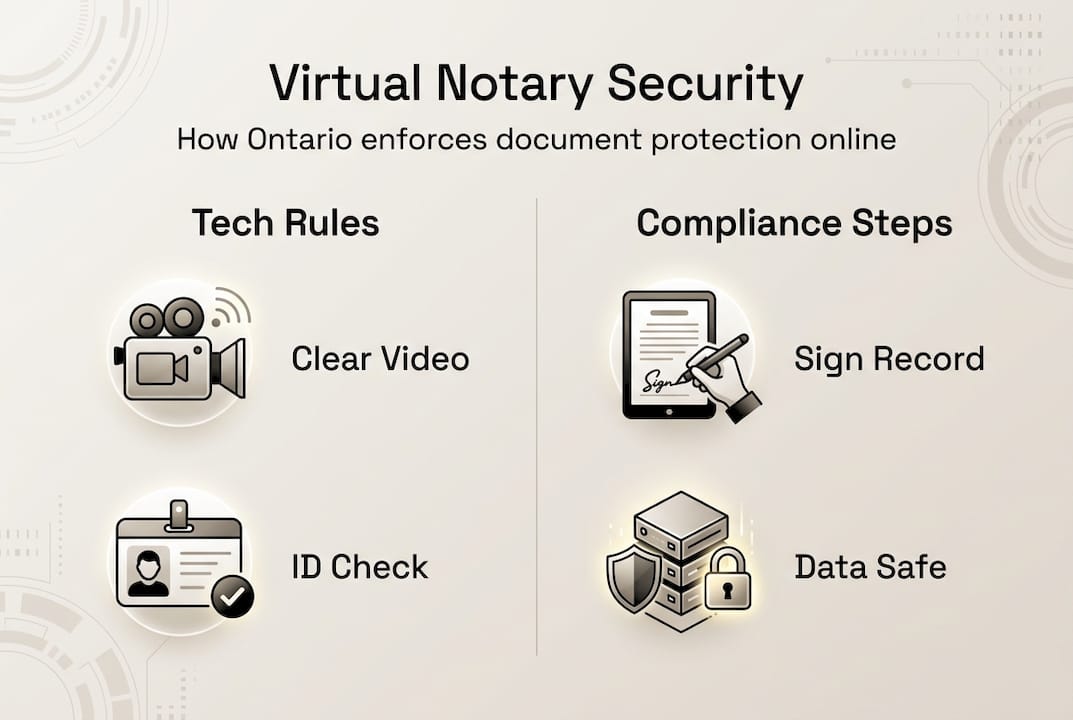
The regulation specifies technical requirements to protect document integrity. Video quality must allow clear identification of all parties and documents. The platform must create a secure, tamper-evident record of the session. Both parties must be able to see and hear each other throughout the process. These safeguards ensure that remote notarization meets the same standards as face-to-face commissioning while offering greater convenience and accessibility.
Distinguishing commissioners of oaths, notaries public, and digital platforms
Commissioners of Oaths hold authority to witness affidavits, statutory declarations, and affirmations under Ontario law. The regulation explicitly permits commissioners to conduct remote witnessing through video technology. They verify identity, confirm understanding of the document, and witness the signing remotely. Their role focuses on administering oaths and declarations rather than certifying document authenticity.
Notaries Public possess broader powers than commissioners but face limitations with remote services. They traditionally certify true copies, authenticate signatures, and prepare notarial certificates for international use. Most notarial acts require physical presence to examine original documents and apply raised seals. While commissioners can operate virtually under the regulation, notaries public typically must conduct their certification work in person. This distinction matters when determining which professional to engage for specific document needs.
Popular commercial e-signature platforms create compliance challenges for Ontario users. DocuSign and similar services offer electronic signature capture but may lack the specific features required for legal remote commissioning. The regulation demands real-time video witnessing, identity verification protocols, and secure record creation. Standard e-signature tools focus on signature collection rather than official witnessing. Using noncompliant platforms exposes users to several risks:
- Documents may lack legal validity for their intended purpose
- Identity verification may fall short of regulatory standards
- No proper record of the witnessing process exists
- Fraud becomes easier when verification protocols are weak
- Government agencies may reject improperly notarized documents
| Platform Type | Real-time Video | Identity Verification | Compliant Record | Best For |
|---|---|---|---|---|
| Dedicated virtual notary service | Yes | Government ID check | Yes | Legal documents requiring commissioning |
| Commercial e-signature platform | Sometimes | Basic email | No | Business agreements not requiring witnessing |
| Video conferencing tool | Yes | None | No | Informal document review |
The digital notary roles in Ontario require specific credentials and compliance with provincial regulations. Always verify that your chosen professional holds current authorization as a commissioner or notary. Check that their platform meets the technical requirements outlined in the regulation. This verification protects you from invalid notarization that could derail legal proceedings or official applications.
Pro Tip: Request proof of the commissioner’s appointment and ask specific questions about their platform’s compliance features before scheduling your virtual notarization session.
Risks, concerns, and best practices for secure virtual notarization in Ontario
Fraud and improper verification represent the primary risks in virtual notarization. Critics including the Law Society warn about improper verification and fraud when using noncompliant commercial platforms. Bad actors can present fake identification, manipulate video feeds, or substitute documents during the signing process. Weak identity verification allows unauthorized individuals to commission documents in someone else’s name. These vulnerabilities create legal exposure and potential financial harm.
The regulation builds in safeguards to counter these threats. Commissioners must verify identity through government-issued photo identification displayed on camera. The video connection must remain active throughout the entire signing process. Platforms must create tamper-evident records that prove the session occurred as claimed. These requirements raise the bar significantly above simple electronic signature capture.
“Virtual notarization demands the same rigor as in-person commissioning. Any shortcut in identity verification or witnessing protocol undermines the legal validity of the document and exposes all parties to fraud risk.” — Ontario legal compliance expert
Best practices for secure virtual notarization protect both commissioners and document signers:
- Use only platforms specifically designed for remote commissioning under Ontario regulations
- Verify the commissioner’s credentials through official registries before your appointment
- Prepare your government-issued photo ID and hold it clearly visible during verification
- Test your video and audio quality before the scheduled session to avoid technical failures
- Review the entire document on screen before signing to catch any unauthorized changes
- Confirm you receive a complete copy of the notarized document with visible seal and signature
- Store the notarized document securely and create backup copies for important records
- Report any suspicious behavior or technical irregularities immediately to the commissioner
Document integrity depends on maintaining visual contact throughout the process. If your video connection drops, the commissioner must restart the verification sequence. Never sign a document off camera or allow anyone else to access your video feed during the session. These protocols ensure that the person signing matches the verified identity and that no substitution occurs.
The virtual notary safety practices recommended by legal experts emphasize transparency and verification at every step. Ask your commissioner to explain their security measures and record-keeping procedures. Legitimate professionals welcome these questions and provide clear answers. Evasive responses or reluctance to discuss compliance should raise immediate red flags.
Pro Tip: Schedule your virtual notarization during daylight hours in a well-lit room to ensure your identification appears clearly on camera and reduces verification delays.
How individuals and businesses can effectively use virtual notary document services
Selecting a qualified virtual notary provider requires evaluating several critical factors. First, confirm the provider employs licensed commissioners or notaries authorized to practice in Ontario. Second, verify their platform meets the technical requirements specified in Regulation 431/20. Third, review their security protocols for identity verification and document handling. Fourth, check customer reviews and professional references to assess reliability. Fifth, compare pricing structures to ensure transparency with no hidden fees. These criteria separate compliant, trustworthy services from risky alternatives.

Common document types eligible for virtual notarization include affidavits for court proceedings, statutory declarations for government applications, invitation letters for visitor visas, and certified true copies of identification. Real estate documents often require traditional notarization due to additional certification requirements. Wills and powers of attorney may qualify for virtual notarization depending on specific circumstances and institutional requirements. Always confirm with the receiving party whether they accept virtually notarized documents before proceeding.
| Document Type | Virtual Notarization | Typical Use Case | Special Considerations |
|---|---|---|---|
| Affidavit | Recommended | Court filings, immigration | Verify court accepts remote commissioning |
| Statutory declaration | Recommended | Government applications | Check agency requirements |
| Invitation letter | Recommended | Visa applications | Consulate may have specific format rules |
| Power of attorney | Case by case | Financial or personal decisions | Some institutions require in-person witnessing |
| Real estate transfer | Not recommended | Property transactions | Usually requires traditional notarization |
| Certified true copy | Recommended | Document authentication | Original must be clearly visible on video |
The step-by-step process to complete virtual notarization successfully:
- Contact a licensed virtual notary service and describe your document needs
- Schedule an appointment at a mutually convenient time
- Receive preparation instructions including required identification and document format
- Prepare your document in the specified format (usually PDF) and review it thoroughly
- Gather your government-issued photo ID and ensure it remains valid and undamaged
- Test your device’s camera and microphone at least 30 minutes before your appointment
- Join the video call at the scheduled time from a quiet, well-lit location
- Present your identification clearly on camera for the commissioner’s verification
- Confirm you understand the document content and are signing voluntarily
- Sign the document on camera while the commissioner witnesses in real time
- Receive the completed, notarized document with official seal and signature
- Verify the notarized document appears complete and store it securely
Virtual notarization delivers significant benefits for both individuals and businesses. Time savings eliminate travel to physical offices, often reducing the process from hours to minutes. Accessibility allows people in remote areas or with mobility challenges to access notary services easily. Legal compliance under Ontario Regulation 431/20 ensures documents carry full legal weight. Cost efficiency often results from competitive pricing among online providers. Flexibility in scheduling accommodates busy professionals and urgent deadlines.
Businesses benefit particularly from virtual notarization when managing multiple locations or remote employees. A company with staff across Ontario can standardize its notarization process through a single virtual provider. This approach ensures consistent compliance while reducing administrative overhead. The online notary guide Ontario provides detailed comparisons to help organizations select the right solution for their specific needs.
Explore trusted online notary services in Ontario
Navigating virtual notarization becomes straightforward when you access expert resources and verified providers. Our platform connects you with trusted online notary services available 24/7 for Ontario residents and businesses. Every listed provider holds proper credentials and operates compliant platforms meeting regulatory standards. You gain confidence knowing your documents receive proper handling from start to finish.

Comparing options helps you find the perfect match for your specific needs. Our best online notary solutions comparison evaluates providers across pricing, features, availability, and customer satisfaction. This research saves you hours of vetting and reduces the risk of choosing an inadequate service. The virtual notary safety guide walks you through verification steps to confirm your chosen provider meets all security requirements.
Pro Tip: Bookmark our comparison resources and service directory to quickly access reliable virtual notary options whenever urgent document needs arise.
Frequently asked questions
Are virtual notary documents legally valid in all Ontario situations?
Yes, documents commissioned under Ontario Regulation 431/20 carry full legal validity for most official purposes including court filings, government applications, and business transactions. However, some institutions may have specific requirements for traditional notarization, particularly for real estate transfers or international document authentication. Always verify acceptance requirements with the receiving party before choosing virtual notarization.
What identification is required for virtual notarization in Ontario?
Valid government-issued photo identification must be presented clearly on camera during the video session. Acceptable forms include an Ontario driver’s license, Canadian passport, permanent resident card, or other official photo ID. The identification must be current, undamaged, and display your photograph, full name, and date of birth clearly. Expired or obscured identification will not satisfy notary public ID requirements and will delay your notarization.
Can businesses use virtual notary services for contracts?
Yes, many business contracts and corporate documents qualify for remote notarization when the process complies with Ontario regulations. Affidavits supporting business litigation, statutory declarations for corporate filings, and certain powers of attorney work well with virtual services. However, some contracts requiring notarial certification for international use may still need traditional notarization. Consult with your legal advisor to determine the appropriate method for your specific business documents.
How do I verify if my virtual notary service is compliant and secure?
Check the commissioner’s credentials through official Ontario registries to confirm current authorization. Ask specific questions about their platform’s security features, including identity verification protocols, video quality standards, and record-keeping practices. Request information about their compliance with Regulation 431/20 requirements. Legitimate providers readily share this information and welcome scrutiny. The verify virtual notary compliance guide provides a detailed checklist to evaluate any provider before committing to their services.
Recommended
- Virtual notary safety in Ontario: secure online 2026 – The Online Notary
- Digital Notary Security: Legal Compliance in Ontario – The Online Notary
- How to Prepare for Online Notary: Step-by-Step Guide – The Online Notary
- How to Notarize Documents Online in Ontario: Fast & Secure Guide to Online Notary Services (2025) – The Online Notary





