
TL;DR:
- Ontario legally accepts remote online notarization for affidavits and declarations under established regulations.
- The process involves live video ID verification, electronic signing, and digital document delivery.
- Always confirm recipient acceptance before booking to avoid document rejection or rework.
You need a notarized affidavit by tomorrow. You’re not sure if doing it online is actually legal, or whether the receiving organization will accept it. That uncertainty is frustrating, especially when the stakes are high. The good news: Ontario allows remote notarization for a wide range of documents, and the process is faster and simpler than most people expect. This guide walks you through every step, from understanding the legal framework to avoiding the mistakes that can invalidate your document, so you can complete your online notary verification with confidence.
Table of Contents
- What is online notary verification?
- What documents are eligible for online notarization?
- Step-by-step online notary verification process
- Troubleshooting and common pitfalls in online notary
- What most guides miss about online notary verification in Ontario
- Get started with trusted online notary services in Ontario
- Frequently asked questions
Key Takeaways
| Point | Details |
|---|---|
| Fully legal and convenient | Ontario law allows online notary verification for most affidavits and declarations if procedures are followed. |
| Check document eligibility | Not all documents qualify—wills, POAs, and most real estate matters must be done in person. |
| Prepare ahead for success | Have your ID, unsigned documents, and a stable internet connection ready before your session. |
| Confirm recipient acceptance | Verify that the requesting organization will accept online-notarized documents to avoid issues. |
What is online notary verification?
Online notary verification is the process of having a legal document witnessed, reviewed, and signed by a commissioner of oaths or notary public through a live video conference rather than in person. The notary sees your face, checks your ID, watches you sign, and applies their digital seal, all without either of you leaving your home or office.
For Ontarians, this isn’t a legal gray area. The remote commissioning process is governed by O. Reg. 431/20 and requires specific steps for legal validity. That regulation was introduced during the pandemic and has since become a permanent part of Ontario’s legal landscape. It means using an online notary is not a workaround. It is a formally recognized method.
So how does it compare to the traditional in-person experience? The core purpose is identical: a qualified professional verifies your identity, confirms you understand what you’re signing, and witnesses your signature. The difference is the medium. Instead of sitting across a desk, you’re on a video call. Instead of a wet ink stamp, you receive a digitally sealed PDF.
| Feature | In-person notarization | Online notarization |
|---|---|---|
| Location required | Notary’s office | Anywhere in Ontario |
| ID verification | Physical check | Live video check |
| Signature method | Wet ink | Electronic, witnessed live |
| Document delivery | Paper original | Secure PDF |
| Session time | 15 to 45 minutes | 15 to 30 minutes |
| Legal status in Ontario | Fully valid | Fully valid (per O. Reg. 431/20) |
One important detail: both you and the notary must be physically located in Ontario during the session. This is a legal requirement, not a preference. The remote notary in Ontario framework also requires the session to be recorded, and the notary must be satisfied that the connection is clear enough to properly identify you and observe the signing in real time. These aren’t bureaucratic hurdles. They are the safeguards that make the resulting document legally equivalent to one signed in person.
What documents are eligible for online notarization?
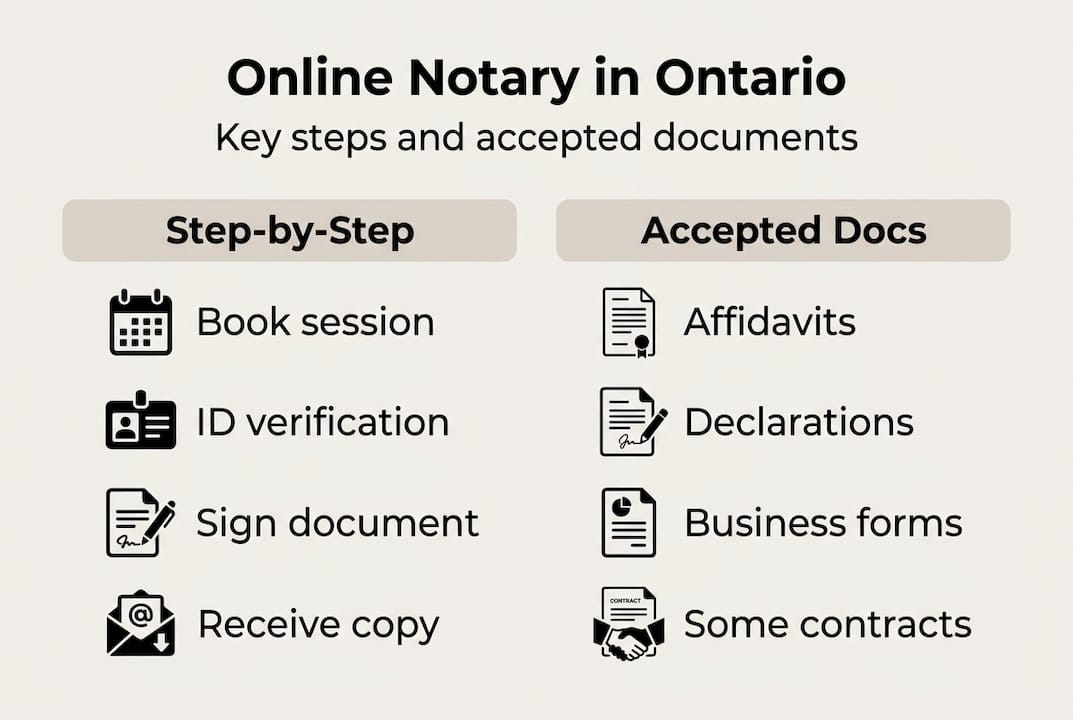
Not every document qualifies for online notarization, and knowing the difference before you book saves time and frustration. Affidavits, statutory and solemn declarations, and certain business documents are commonly notarized online in Ontario.
Here’s a practical breakdown of what typically qualifies:
- Affidavits (court affidavits, identity affidavits, OSAP affidavits, financial affidavits)
- Statutory declarations (for government, insurance, or administrative purposes)
- Solemn declarations
- Invitation letters for visa applications
- Business declarations and corporate resolutions
- General sworn statements for personal or legal matters
For a detailed walkthrough of the affidavit online process or how to handle a statutory declaration online, those specific guides cover each document type in depth.
Now, what doesn’t qualify? This is where many people get caught off guard.
| Document type | Online eligible? | Notes |
|---|---|---|
| Affidavits | Yes | Most types accepted |
| Statutory declarations | Yes | Common use case |
| Wills | No | Must be in-person |
| Powers of attorney | No | In-person required |
| Real estate documents | Generally no | Check with your lawyer |
| International notarizations | Usually no | May need apostille or consular service |
The most important step many people skip: confirm with the recipient before you book. A court, government office, or employer may have its own rules about what format it accepts. Just because a document can legally be notarized online doesn’t mean every organization will accept the resulting PDF. A quick email or phone call to the receiving party takes two minutes and can prevent having to redo the entire process.
For businesses, online notarization is especially useful for recurring declarations, employee affidavits, and administrative documents where speed matters. For individuals, it covers the most common scenarios: immigration paperwork, school applications, and legal proceedings.
Step-by-step online notary verification process
Here’s exactly how the process works, from first click to signed document in your inbox. A typical online session involves video conferencing, live ID verification, document review, and secure digital delivery of the signed document.
- Book your appointment. Choose a provider and select a time. Many services offer same-day or next-day slots. You’ll receive a confirmation with a link to the video platform.
- Prepare your documents. Have your document ready in digital format. Do not sign it yet. Pre-signing is one of the most common mistakes and will require you to start over with a fresh copy.
- Gather your ID. You need government-issued photo ID, such as a passport or driver’s license. Have it physically in hand before the session starts.
- Test your tech. Check your camera, microphone, and internet connection at least 15 minutes before the session. A dropped call mid-signing is avoidable with a quick test.
- Join the video session. The notary will greet you, confirm your identity by viewing your ID on camera, and review the document with you.
- Sign in real time. You’ll sign the document electronically while the notary watches live. They will then apply their digital seal.
- Receive your document. The completed, sealed PDF is delivered securely, usually within minutes of the session ending.
To make sure you’re fully ready, review how to prepare for virtual notary services before your appointment. If you want to understand the broader framework for how to notarize documents remotely, that resource covers the legal and procedural context in detail.
Most sessions run between 15 and 30 minutes. Complex documents or multiple signers may take a little longer, but for a standard affidavit or declaration, the process is genuinely fast.

Pro Tip: If you need to commission online affidavits for court or government use, double-check the exact wording requirements for your jurisdiction before the session. Bringing a correctly formatted document saves everyone time.
Troubleshooting and common pitfalls in online notary
Even a straightforward process has failure points. Knowing them in advance puts you in control.
The most common mistakes people make:
- Signing the document before the session starts
- Using public Wi-Fi, which can drop or lag at the worst moment
- Forgetting to have physical ID ready on camera
- Joining from outside Ontario (this invalidates the session)
- Using a document format the notary cannot open or annotate
- Booking without confirming the recipient will accept an online-notarized document
The location issue deserves extra attention. Sessions require a stable connection, both parties in Ontario, and some recipients may still require in-person documents. If you’re traveling or temporarily outside the province, you’ll need to wait or arrange an in-person appointment.
“Always confirm with the final recipient whether they accept remotely commissioned documents before booking your session. This single step prevents the majority of wasted appointments.”
Technical glitches happen. Here’s how to handle the most common ones quickly:
- Frozen video: Disconnect and reconnect. Most platforms allow you to rejoin the same session link.
- Audio issues: Switch to a wired headset or use your phone’s microphone as a backup.
- Document won’t open: Send the file to the notary before the session as a PDF to avoid compatibility problems.
- Connection drops mid-signing: Contact the notary immediately. A reputable provider will reschedule at no extra charge if the issue was technical.
For a broader look at what the online notarization details involve from a compliance perspective, that resource covers what qualifies and what doesn’t under Ontario’s current rules.
Pro Tip: Use a private, secure Wi-Fi network and a laptop or desktop rather than a phone. The larger screen makes it easier for the notary to read your ID and for you to review the document clearly before signing.
What most guides miss about online notary verification in Ontario
Most articles treat online notarization as a tech problem: get the right app, check your camera, follow the steps. But the real value of the process isn’t convenience. It’s the legal architecture underneath it.
The live video requirement, the real-time ID check, the recording obligation: these aren’t formalities. They’re the reason the resulting document carries the same legal weight as one signed across a desk. When you understand that, you stop seeing the process as bureaucratic friction and start seeing it as protection for you.
The detail most people overlook is recipient acceptance. A perfectly executed online notarization can still be rejected if the receiving party hasn’t confirmed they accept remotely commissioned documents. That’s not a flaw in the system. It’s a reminder that legal documents exist in a broader ecosystem. Checking acceptance first is the single highest-value step in the entire process.
For anyone who wants to go deeper on the legal and procedural side, online notarization in-depth covers the full scope of what’s permitted and why.
Online notary isn’t just a faster version of the old process. It’s a secure, compliant solution that works exceptionally well when you understand both its strengths and its limits.
Get started with trusted online notary services in Ontario
You now have a clear picture of how online notary verification works, what documents qualify, and how to avoid the mistakes that slow people down. The next step is straightforward: find a provider you can trust.

Ontario residents and businesses can access trusted notary services for affidavits, statutory declarations, solemn declarations, invitation letters, and more, with appointments available quickly and documents delivered as secure PDFs. If you want to compare your options before booking, the guide to best online notary solutions breaks down what to look for in a compliant, reliable provider. Don’t let paperwork slow you down when a fast, legally valid solution is available right now.
Frequently asked questions
Is online notary verification legally accepted in Ontario?
Yes, it is fully legal for most affidavits and declarations when all regulations are followed. The remote commissioning process is legally valid per O. Reg. 431/20.
What do I need to prepare for an online notary session?
You need an unsigned document, government photo ID, a working device with video, and a good internet connection. ID, unsigned documents, and a solid technical setup are all required before your session begins.
Which documents cannot be notarized online in Ontario?
Wills, powers of attorney, most real estate documents, and international paperwork generally still require in-person notarization. Major limitations exist for wills, powers of attorney, and international matters.
How fast is the online notary process?
Most appointments take 15 to 30 minutes from start to secure, signed document delivery. Sessions typically last 15 to 30 minutes for standard documents.
Do all organizations accept online-notarized documents?
Not all organizations do, so always confirm with the recipient before proceeding online. Some organizations still require in-person notarization, and acceptance varies by institution.





