
Many people believe remote notarization means you can notarize documents entirely online with a click, from anywhere in the world. In Ontario, the reality is more nuanced. The province permits remote commissioning through secure video conferencing under strict legal conditions, but does not allow full online notary services. Understanding Ontario Regulation 431/20 and the role of the Law Society of Ontario is essential for individuals and businesses seeking compliant remote notary solutions in 2026. This guide clarifies what remote notary actually means in Ontario, how it works, and how to use these services safely.
Table of Contents
- What Is Remote Notary And How Does It Work In Ontario?
- Ontario’s Legal Framework And Regulatory Guidelines For Remote Notarization
- Comparing Traditional Notarization With Remote Notarization: Benefits And Limitations
- How To Use Remote Notary Services Safely And Compliantly In Ontario
- Explore Expert Online Notary Services In Ontario
Key takeaways
| Point | Details |
|---|---|
| Ontario permits remote commissioning | Remote notarization via secure video conferencing is allowed under specific regulatory conditions. |
| Regulation 431/20 governs the process | Ontario Regulation 431/20 provides the legal framework for electronic commissioning and remote notary services. |
| Law Society regulates notaries | The Law Society of Ontario oversees notary practices and sets compliance standards for remote commissioning. |
| Access to Innovation supports legal tech | The A2I program facilitates regulatory sandboxes for legal technology innovations including remote notary platforms. |
| Not full online notary services | Ontario restricts full online notary services, requiring real-time video interaction for remote commissioning. |
What is remote notary and how does it work in Ontario?
Remote notary in Ontario refers to the process of commissioning documents through secure video conferencing technology rather than in-person meetings. Unlike full online notary services available in some jurisdictions, Ontario’s approach requires real-time video interaction between the notary and the client. This ensures identity verification and document authenticity while providing flexibility for those who cannot attend physical appointments.
Ontario Regulation 431/20 provides comprehensive guidelines for electronic commissioning, outlining remote notarization conditions. The regulation specifies that commissioners must use secure video technology that allows for visual identification of the person signing the document. This creates a middle ground between traditional in-person notarization and fully automated online systems.
The remote notarization process in Ontario typically follows these steps:
- Schedule a video appointment with an authorized commissioner for taking affidavits
- Prepare your identification documents and the document requiring notarization
- Join the secure video conference at the scheduled time
- Present your ID to the camera for verification by the commissioner
- Sign the document while visible on camera
- Receive the commissioned document electronically or by mail
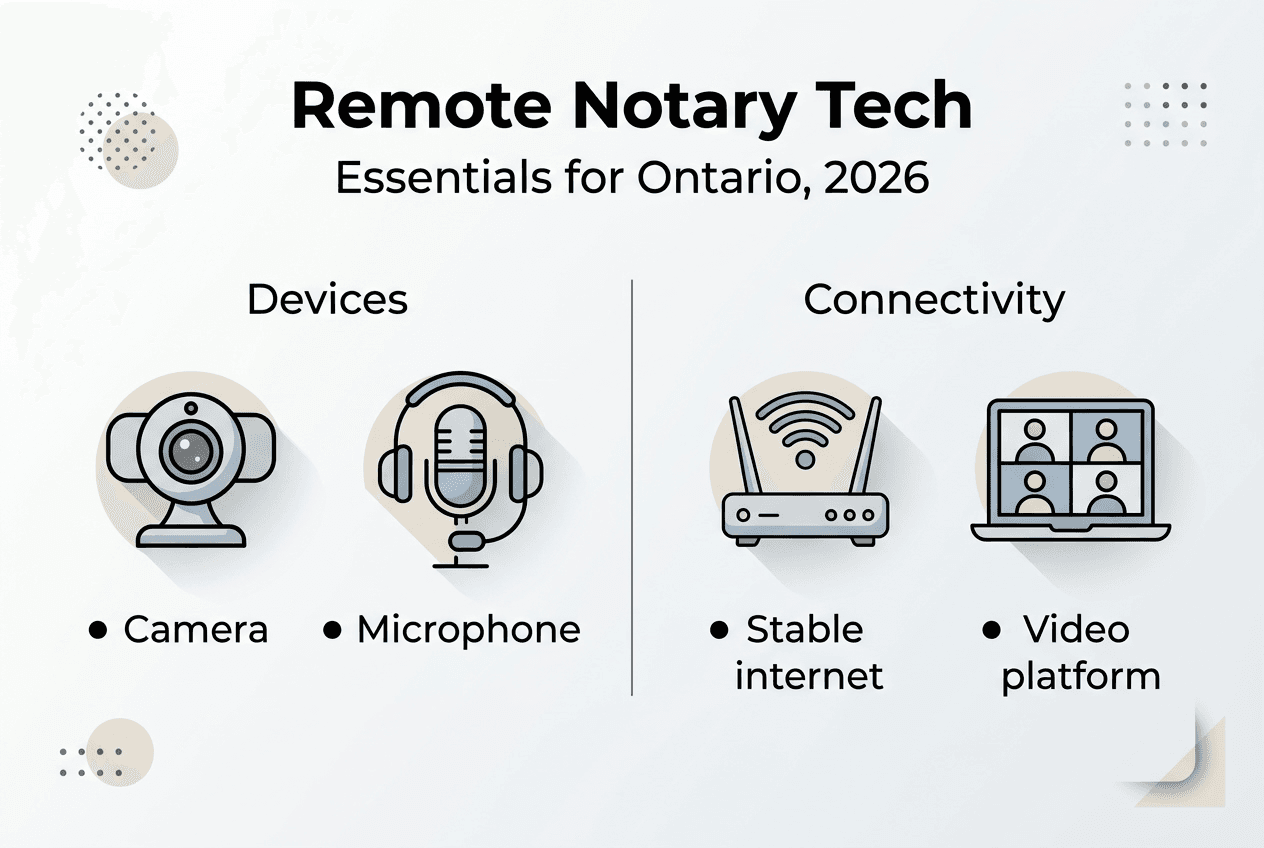
The technology requirements are straightforward. You need a device with a camera and microphone, stable internet connection, and access to the video conferencing platform specified by your notary. Most commissioners use enterprise-grade video platforms that meet security and privacy standards required by the Law Society of Ontario.
Pro Tip: Always test your video and audio setup 10 minutes before your scheduled remote notarization appointment to avoid technical delays that could invalidate the session.
Understanding what is an online notary helps clarify the terminology. While “online notary” often implies fully digital services, Ontario’s remote commissioning maintains the human verification element through live video. For comprehensive details on the provincial approach, the online notary guide Ontario provides step-by-step instructions tailored to 2026 regulations.
Ontario’s legal framework and regulatory guidelines for remote notarization
Ontario’s legal framework for remote notarization balances accessibility with security through carefully crafted regulations. The Law Society of Ontario allows remote commissioning via secure video conferencing but does not permit full online notary services. This distinction matters because it defines what notaries can and cannot do when working remotely.
Ontario Regulation 431/20 under the Commissioners for Taking Affidavits Act establishes the foundation for electronic commissioning. The regulation addresses several critical elements:
- Identity verification requirements for remote participants
- Technical standards for video conferencing platforms
- Record-keeping obligations for commissioners
- Limitations on document types eligible for remote commissioning
- Security protocols to prevent fraud and unauthorized access
The Law Society of Ontario serves as the primary regulator for notaries and commissioners in the province. It sets professional standards, investigates complaints, and ensures that practitioners maintain competence in both traditional and remote commissioning methods. The Law Society’s guidance documents provide detailed instructions on implementing Regulation 431/20 correctly.
The Access to Innovation program provides a regulatory sandbox for legal technology innovations including remote notaries. This program allows approved service providers to test new approaches to remote commissioning while maintaining consumer protection. The A2I framework has accelerated the adoption of secure remote notary technology across Ontario.
One key limitation in Ontario’s approach is that commissioners cannot perform fully asynchronous online notarization. The requirement for live video interaction means both parties must be available simultaneously, which differs from jurisdictions allowing recorded video affidavits or digital-only processes. This synchronous requirement strengthens security but reduces some convenience factors.
“Ontario’s regulatory approach prioritizes the integrity of the commissioning process while embracing technology that serves public accessibility. The balance between innovation and security remains central to our framework.” – Law Society of Ontario guidance principles
For those exploring how remote services integrate with broader accessibility initiatives, online notary accessibility Ontario examines how remote commissioning serves diverse populations. Understanding authorization for online notaries Ontario clarifies who can legally perform these services and under what conditions.
Comparing traditional notarization with remote notarization: benefits and limitations
Choosing between traditional in-person notarization and remote commissioning depends on your specific circumstances, document requirements, and comfort with technology. Each method offers distinct advantages and faces particular challenges.
| Aspect | Traditional Notarization | Remote Notarization |
|---|---|---|
| Convenience | Requires physical travel to notary office | Complete from home or office via video |
| Identity verification | Face-to-face ID check | ID presented to camera with visual verification |
| Technology requirements | None | Stable internet, camera, microphone required |
| Scheduling flexibility | Limited to office hours | Often extended hours including evenings |
| Document handling | Physical signatures and stamps | Electronic signatures with digital commissioning |
| Legal acceptance | Universal acceptance in Ontario | Accepted under Regulation 431/20 conditions |
| Cost | Typically $25 to $50 per document | Similar pricing, sometimes with technology fees |
The benefits of remote notarization are substantial for many users. Geographic barriers disappear when you can connect with a commissioner from anywhere in Ontario. People with mobility challenges, busy schedules, or rural locations gain access to notary services that might otherwise require significant travel time and expense. Remote commissioning also creates a digital record of the session, providing additional documentation of the commissioning process.

However, limitations exist that make traditional notarization preferable in certain situations. Complex documents requiring detailed explanation benefit from in-person interaction where body language and immediate clarification are easier. Some individuals, particularly older adults or those uncomfortable with technology, find face-to-face meetings more reassuring. Technical failures during remote sessions can delay or invalidate the commissioning, whereas in-person appointments face fewer such risks.
Pro Tip: For urgent documents or situations where you’re unsure about technology reliability, schedule your remote notarization appointment with buffer time before any deadline to allow for rescheduling if technical issues arise.
Best practices for effective remote notarization include:
- Test your technology setup at least 30 minutes before the appointment
- Ensure proper lighting so your face and ID are clearly visible on camera
- Have physical copies of documents ready even if submitting electronically
- Choose a quiet, private location for the video session
- Keep your government-issued ID readily accessible for verification
Some situations strongly favor traditional notarization. Real estate transactions involving property transfers often require in-person signing due to additional witnessing requirements. Powers of attorney for personal care may benefit from the reassurance of face-to-face interaction given their significance. International documents destined for countries unfamiliar with Ontario’s remote commissioning framework might face acceptance issues.
For clarity on who can perform notarizations in Ontario and the qualifications required, can anyone notarize in Ontario provides essential background on commissioner authorization and limitations.
How to use remote notary services safely and compliantly in Ontario
Using remote notary services correctly ensures your documents meet legal standards while protecting your personal information. Following established protocols minimizes risks and maximizes the benefits of remote commissioning.
Verifying the commissioner’s credentials is your first critical step. Confirm that the person offering remote notary services holds valid authorization from the Law Society of Ontario as a commissioner for taking affidavits. Legitimate commissioners willingly provide their registration numbers and credentials. You can verify these details through the Law Society’s online directory before scheduling your appointment.
Identity verification during remote sessions requires careful attention. Prepare government-issued photo identification such as a driver’s license, passport, or Ontario photo card. The commissioner will ask you to hold your ID close to the camera, showing both the photo and text clearly. Some commissioners may request you to tilt the ID to verify security features. This process mirrors in-person verification but requires conscious effort to ensure camera visibility.
Selecting secure video conferencing platforms matters significantly for privacy and legal compliance. Reputable remote notary services use enterprise-grade platforms with end-to-end encryption, meeting recording capabilities for record-keeping, and waiting room features for controlled access. Avoid commissioners who suggest using consumer video chat apps without security certifications. Updates on A2I infrastructure show ongoing improvements supporting secure remote commissioning.
Document handling procedures in remote notarization differ from traditional methods but maintain equivalent legal validity. You typically email or upload your unsigned document to the commissioner before the appointment. During the video session, you sign the document while visible on camera. The commissioner then applies their electronic signature and seal. You receive the commissioned document as a PDF via secure email or through a client portal.
Common legal pitfalls to avoid include:
- Signing documents before the video session begins, which invalidates the commissioning
- Using poor lighting or camera angles that prevent clear identity verification
- Allowing others to be present during the session without disclosing this to the commissioner
- Failing to keep copies of commissioned documents for your records
- Assuming all document types are eligible for remote commissioning without confirming
Pro Tip: Create a dedicated folder on your device for remote notarization documents, including copies of your ID, unsigned documents, and final commissioned versions, to streamline future appointments and maintain organized records.
Privacy protection during remote sessions requires awareness. Conduct your video appointment in a private space where others cannot overhear sensitive information. Close unnecessary applications on your device to prevent notifications from appearing on screen. After the session, verify that the commissioner deletes any recordings or stores them securely according to privacy regulations.
For detailed instructions on the entire remote notarization process specific to Ontario, the how to notarize online Ontario guide walks through each step with practical tips for first-time users and experienced clients alike.
Explore expert online notary services in Ontario
Navigating Ontario’s remote notarization landscape becomes simpler with professional guidance and reliable service providers. If you’re ready to commission documents remotely while ensuring full compliance with provincial regulations, expert support makes the process smooth and stress-free.
Professional notary online Ontario services specialize in remote commissioning for affidavits, invitation letters, statutory declarations, solemn declarations, and other legal documents. These services understand the nuances of Regulation 431/20 and provide secure video conferencing platforms that meet Law Society standards. With 24/7 availability, you can schedule appointments that fit your timeline rather than adjusting to traditional office hours.

Choosing the right remote notary service requires comparing features, pricing, and user experience. The best online notary solutions 2025 evaluation examines leading providers across Ontario, highlighting their strengths in areas like customer support, technology reliability, and document turnaround times. This comparison helps you select a service aligned with your specific needs.
Understanding which documents require notarization and the specific affidavit formats used in Ontario ensures you prepare correctly. The guide on types of affidavits Ontario explains the differences between general affidavits, affidavits for service, and specialized affidavits for immigration or legal proceedings. Expert notary services provide templates and guidance for each document type.
What is remote notary? Frequently asked questions
What technology do I need for remote notarization in Ontario?
You need a smartphone, tablet, or computer with a working camera and microphone, plus a stable internet connection. Most remote notary services use standard video conferencing platforms accessible through web browsers without special software. Ensure your device’s camera can clearly capture your face and identification documents.
How do notaries verify my identity remotely?
Commissioners verify identity by examining your government-issued photo ID during the live video session. You hold your ID close to the camera so the notary can see your photo, name, and document details clearly. Some services may ask you to tilt the ID to verify security features. This visual verification meets the requirements of what is an online notary standards in Ontario.
Who can perform remote notarizations in Ontario?
Only commissioners for taking affidavits authorized by the Law Society of Ontario can perform remote notarizations. These individuals must hold valid commissioning authority and comply with Regulation 431/20 requirements. Lawyers and paralegals often serve as commissioners, but not all commissioners offer remote services.
Are there limits on what documents can be notarized remotely?
Yes, certain complex documents or those requiring multiple witnesses may have restrictions. Real estate transactions, some powers of attorney, and documents destined for international use might require in-person notarization. Always confirm with your commissioner whether your specific document qualifies for remote commissioning under current Ontario regulations.
Is remote notarization secure and private in Ontario?
Remote notarization through authorized commissioners uses encrypted video conferencing platforms that protect your information. Reputable services comply with privacy legislation and maintain secure record-keeping systems. The online notary guide Ontario details security protocols and privacy protections built into compliant remote notary services.
How much does remote notarization cost compared to in-person services?
Remote notarization typically costs $25 to $50 per document, similar to traditional in-person rates. Some services charge technology fees or offer subscription models for frequent users. Despite comparable pricing, remote services save you travel time and expenses, potentially making them more cost-effective overall.