
Many Ontario residents and businesses mistakenly believe digital notarization lacks legal validity or security compared to traditional in-person methods. This misconception prevents them from accessing faster, more convenient notarization for affidavits and statutory declarations. In reality, digital notarization is legally permitted under Ontario regulation O. Reg. 431/20 with robust security measures. This guide clarifies how digital notarization works in 2026, its tangible benefits for Ontario users, and how to leverage it safely for legal documents while avoiding compliance pitfalls.
Table of Contents
- Understanding Digital Notarization And Its Legal Framework In Ontario
- Benefits Of Digital Notarization For Ontario Residents And Businesses
- Navigating Challenges And Choosing The Right Digital Notarization Approach In Ontario
- How To Use Digital Notarization For Affidavits And Statutory Declarations In Ontario
- Explore Trusted Digital Notarization Services In Ontario
- Frequently Asked Questions
Key takeaways
| Point | Details |
|---|---|
| Legal framework | Remote commissioning allowed under Ontario regulation O. Reg. 431/20 with secure identity verification |
| Time and security | Digital notarization offers convenience and enhanced document security through verified processes |
| Compliance matters | Choose licensed professionals compliant with Ontario rules to ensure document validity |
| Document eligibility | Affidavits and statutory declarations qualify for remote notarization with proper procedures |
| Hybrid options | Combine digital and in-person approaches for documents requiring traditional notarization |
Understanding digital notarization and its legal framework in Ontario
Digital notarization enables commissioners of oaths to notarize documents remotely using secure technology instead of requiring face-to-face meetings. Unlike traditional notarization where you meet a notary physically, digital notarization uses real-time video communication to verify your identity and witness your signature electronically. This process maintains legal validity while offering modern convenience.
Ontario formalized this approach through O. Reg. 431/20, which took effect in 2020 and remains the governing regulation in 2026. Remote commissioning is legally permitted for commissioners of oaths handling affidavits and statutory declarations. The regulation establishes strict requirements to ensure security and legal compliance.
Key requirements under O. Reg. 431/20 include:
- Real-time audio-visual communication between the commissioner and the person making the declaration
- Verified identity confirmation using government-issued photo identification
- Modified jurat language indicating remote commissioning was used
- Comprehensive record-keeping of the remote commissioning session
- Secure technology platforms that prevent tampering and unauthorized access
These safeguards address concerns about fraud and document integrity while enabling remote access. The regulation specifically covers affidavits and statutory declarations, which are the most common legal documents requiring commissioning for Ontario residents and businesses. Other document types may still require in-person notarization depending on their legal purpose and recipient requirements.
“The regulation balances accessibility with security, ensuring remote commissioning meets the same legal standards as traditional methods while leveraging technology for efficiency.”
Commissioners of oaths authorized to perform remote commissioning must be licensed in Ontario, typically as lawyers or paralegals. This licensing requirement ensures professionals understand Ontario legal standards and maintain accountability. When you use digital notarization services, verify the commissioner holds valid Ontario credentials to avoid legal complications with your documents.
Benefits of digital notarization for Ontario residents and businesses
Digital notarization delivers measurable advantages over traditional methods, particularly for busy professionals and businesses managing multiple legal documents. Understanding these benefits helps you decide when remote commissioning makes sense for your needs.
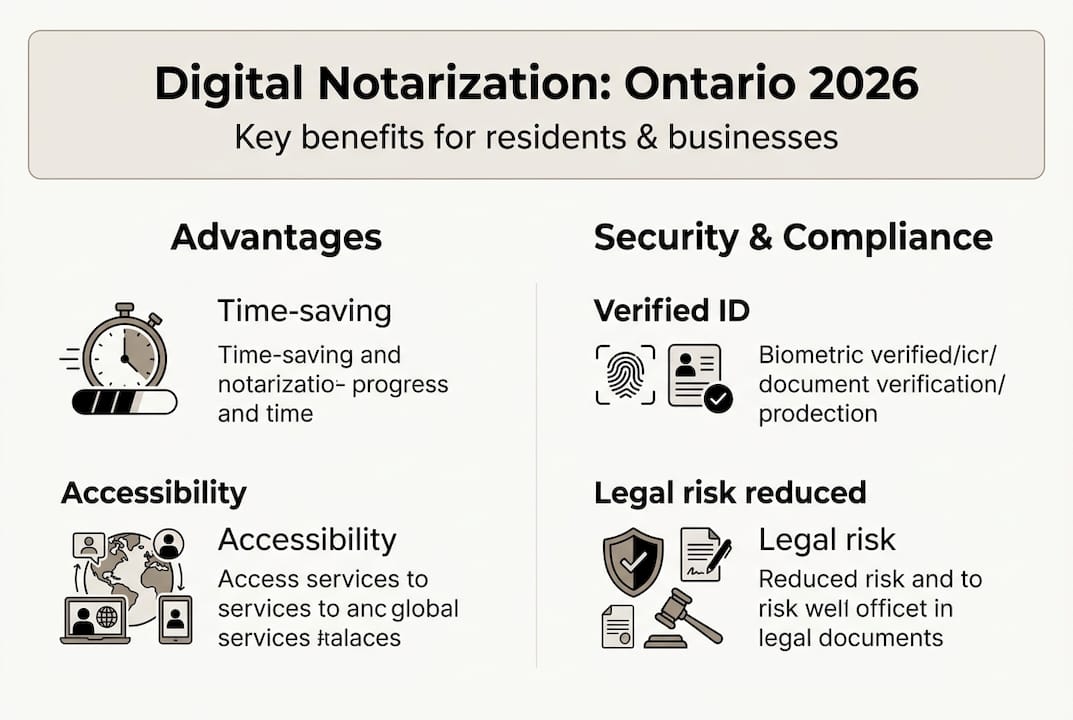
Time-saving convenience ranks as the primary benefit. You eliminate travel time to a notary office, avoid scheduling conflicts during business hours, and complete the process from any location with internet access. Service providers promote digital notarization for its efficiency, allowing you to notarize documents in minutes rather than hours. For businesses processing multiple affidavits or declarations, this efficiency translates to significant cost savings and faster transaction completion.
Enhanced security through verified identity checks provides another crucial advantage. Digital platforms use multi-factor authentication, biometric verification, and secure video recording to confirm your identity. These measures often exceed traditional notarization security, where identity verification may rely solely on visual inspection of identification. The digital record creates an audit trail that protects against disputes about document authenticity.

Accessibility improvements benefit Ontario residents across the province, especially those in remote areas or with mobility challenges. You no longer need proximity to a notary office or the ability to travel for in-person appointments. Virtual notary services extend legal document services to underserved communities and individuals with disabilities who face barriers accessing traditional notarization.
Legal compliance reduces risk when you use properly regulated digital notarization services. Documents notarized under O. Reg. 431/20 carry the same legal weight as traditionally notarized documents. This compliance prevents rejection by courts, government agencies, or other institutions requiring notarized affidavits and statutory declarations. You avoid costly delays and document resubmission.
Pro Tip: Always verify your digital notarization provider complies with Ontario regulations before proceeding. Check that the commissioner holds valid Ontario licensing and uses technology meeting O. Reg. 431/20 security standards. Non-compliant services risk document rejection and expose you to fraud.
Improved accessibility extends to businesses managing remote teams or serving clients across Ontario. Your employees can complete required declarations without office visits, and you can serve clients in any location without geographic limitations. This flexibility supports modern work arrangements and improves customer service.
Cost efficiency emerges from reduced overhead and faster processing. While digital notarization fees vary, you save indirect costs like travel expenses, parking, and time away from work. For businesses, streamlined processes reduce administrative burden and allow legal teams to focus on higher-value activities.
Navigating challenges and choosing the right digital notarization approach in Ontario
While digital notarization offers clear benefits, understanding potential challenges and making informed provider choices ensures successful outcomes. Ontario users must recognize key distinctions and risks to avoid compliance problems.
Digital notarization differs from traditional notarization in execution but not legal effect. Traditional methods require physical presence, paper documents, and wet ink signatures. Digital approaches use electronic signatures, video communication, and digital document storage. Both methods produce legally valid notarized documents when performed correctly, but experts warn about risks if digital services lack proper compliance.
Risks of non-compliance include technology failures during video sessions, identity spoofing through fake identification, and inadequate record-keeping that fails regulatory requirements. These issues can invalidate your notarized documents and create legal complications. Some providers misadvertise services as “digital notarization” without meeting O. Reg. 431/20 standards, leaving users with documents that may be rejected.
Choosing licensed professionals compliant with Ontario regulations protects you from these risks. Verify that your commissioner of oaths holds licensing as a lawyer or paralegal under O. Reg. 386/12 and explicitly follows O. Reg. 431/20 procedures. Request confirmation of their licensing status and ask about their technology platform’s security features before proceeding.
A hybrid approach offers flexibility when you have mixed document needs. Use remote notarization for eligible documents like affidavits and statutory declarations, while arranging in-person notarization for documents requiring traditional methods. This strategy maximizes efficiency without compromising compliance.
| Feature | Digital Notarization | Traditional Notarization |
|---|---|---|
| Location | Remote via video | In-person office visit |
| Identity verification | Multi-factor digital authentication | Visual ID inspection |
| Document format | Electronic with digital signature | Paper with wet signature |
| Record-keeping | Automated digital audit trail | Manual paper records |
| Accessibility | Available 24/7 from anywhere | Limited to office hours and location |
| Legal validity | Equal under O. Reg. 431/20 | Established legal precedent |
| Security | Encrypted digital records | Physical document security |
Pro Tip: Confirm the professional’s licensing and compliance certifications before proceeding. Ask for their Law Society of Ontario registration number and verify it through the official directory. This simple check prevents problems with non-compliant providers.
Understanding which documents qualify for remote commissioning helps you plan appropriately. While affidavits and statutory declarations are explicitly covered, some legal documents may require in-person notarization based on recipient requirements or document type. Consult with your licensed professional about specific document needs to avoid surprises.
Technology requirements also deserve consideration. You need reliable internet connectivity, a device with camera and microphone capabilities, and comfort using video conferencing platforms. Test your technology before scheduled sessions to prevent disruptions during the notarization process.
How to use digital notarization for affidavits and statutory declarations in Ontario
Completing affidavits and statutory declarations through digital notarization follows a structured process designed to maintain legal compliance while offering convenience. Understanding each step helps you prepare effectively and avoid delays.
The remote commissioning process begins with document preparation. Draft your affidavit or statutory declaration according to legal requirements, leaving the jurat section incomplete for the commissioner to complete during the session. Ensure all factual statements are accurate and complete before scheduling your remote appointment.
Identity verification preparation requires gathering government-issued photo identification. Acceptable documents typically include a valid passport, driver’s license, or provincial photo ID card. Have your identification ready and ensure it is not expired. The commissioner will examine your ID via video to confirm your identity matches the person appearing on screen.
Scheduling a remote session involves contacting a licensed commissioner of oaths offering digital notarization services. Many providers offer flexible scheduling including evenings and weekends. Provide the commissioner with your document in advance so they can review it for completeness and legal sufficiency.
During the audio-video session, follow these steps:
- Join the video call at your scheduled time using the provided platform link
- Present your government-issued photo identification to the camera for verification
- Confirm your identity and willingness to make the declaration voluntarily
- Review the document content with the commissioner to ensure accuracy
- Sign the document electronically while the commissioner observes via video
- Wait for the commissioner to complete the modified jurat and apply their digital seal
- Receive the completed, notarized document electronically
The modified jurat language indicates remote commissioning was used, as required by regulation. This language typically states the declaration was commissioned remotely using audio-visual communication in accordance with O. Reg. 431/20. The commissioner maintains records of the session including video recordings, identity verification documentation, and copies of the notarized document.
| Step | Time Estimate | Compliance Checkpoint |
|---|---|---|
| Document preparation | 15-30 minutes | Accurate content, complete statements |
| Identity verification setup | 5 minutes | Valid government-issued photo ID ready |
| Remote session scheduling | 5-10 minutes | Licensed commissioner confirmed |
| Video session execution | 10-15 minutes | Real-time audio-visual communication |
| Document signing and sealing | 5 minutes | Electronic signature witnessed |
| Modified jurat completion | 3-5 minutes | Proper regulatory language used |
| Record-keeping and delivery | 5 minutes | Digital copies securely stored |
Preparing documents correctly prevents rejections and delays. Ensure your affidavit or statutory declaration includes all required elements such as your full legal name, accurate statements of fact, and proper formatting. Avoid leaving blank spaces that could allow unauthorized alterations. If you are unsure about document requirements, consult with the commissioner before your scheduled session.
Technical preparation matters for smooth sessions. Test your camera, microphone, and internet connection beforehand. Choose a quiet, well-lit location for your video call where you can focus without interruptions. Have your identification and document readily accessible on your device or nearby.
After completion, store your notarized document securely and maintain copies for your records. The digital format allows easy sharing with courts, government agencies, or other parties requiring notarized documents. Verify that recipients accept digitally notarized documents before submission to avoid complications.
Explore trusted digital notarization services in Ontario
Now that you understand how digital notarization works and its benefits for Ontario legal documents, connecting with qualified professionals ensures you receive compliant, secure services. The Online Notary provides expert digital notarization services specifically designed for Ontario residents and businesses needing affidavits, statutory declarations, and other legal documents.

Our licensed commissioners of oaths follow all O. Reg. 431/20 requirements, using secure technology platforms that protect your information and create reliable audit trails. We offer 24/7 availability to accommodate your schedule, whether you need urgent notarization or prefer evening appointments. Our comprehensive solutions handle various document types while ensuring full regulatory compliance.
Core service benefits include:
- Licensed professionals with verified Ontario credentials
- Secure, encrypted video platforms meeting regulatory standards
- Fast turnaround times with same-day service available
- Expert guidance on document preparation and requirements
- Transparent pricing with no hidden fees
Explore our trusted digital notarization services to experience the convenience and security of remote commissioning. Compare different online notary solutions to understand which approach best fits your needs. Learn about various affidavit types we handle to ensure your specific document receives proper treatment.
Frequently asked questions
What is digital notarization and is it legal in Ontario?
Digital notarization allows commissioners of oaths to notarize documents remotely using secure video technology and electronic signatures. It is legally permitted in Ontario under regulation O. Reg. 431/20, which took effect in 2020 and remains valid in 2026. The regulation establishes security requirements and procedures ensuring remote commissioning maintains the same legal validity as traditional in-person notarization.
How do I ensure my digital notarization is secure and compliant in Ontario?
Use licensed professionals holding valid Ontario credentials as lawyers or paralegals. Verify they follow O. Reg. 431/20 and O. Reg. 386/12 requirements explicitly. Confirm their technology platform uses real-time video, strong identity verification, and encrypted record-keeping. Avoid providers lacking clear regulatory adherence, as non-compliant services expose you to fraud risks and document rejection. Check best practices before selecting a provider.
Which documents can I notarize remotely using digital notarization in Ontario?
Affidavits and statutory declarations qualify for remote commissioning under O. Reg. 431/20. These are the most common legal documents requiring commissioning for Ontario residents and businesses. Other document types may still require in-person notarization depending on their legal purpose, recipient requirements, or specific regulatory restrictions. Consult with a licensed commissioner about your specific document to confirm eligibility. Review affidavit types to understand different categories.
What should I do if in-person notarization is required for my document?
Identify documents not eligible for remote notarization by consulting with a licensed professional about specific legal requirements. Use a hybrid approach combining digital notarization for eligible documents with in-person services for documents requiring traditional methods. This strategy maximizes efficiency while ensuring compliance. Many commissioners offer both remote and in-person services, allowing you to work with one provider for all your notarization needs. Understand public notary requirements to make informed decisions about which approach suits each document.
Recommended
- Digital notary meaning in Ontario: Your 2026 guide – The Online Notary
- What Is Digital Notary? 431/20 Enables 100% Legal Docs – The Online Notary
- Digital notary best practices in Ontario 2026 – The Online Notary
- Electronic notarization in Ontario: 2026 legal guide – The Online Notary
- How to Streamline Workflows Using DocuSign Templates