
Many Ontarians assume any document can be notarized online, but Ontario law limits remote notary services to specific documents only, excluding wills and real estate. Understanding these boundaries helps you know when digital notarization is your solution and when you need traditional methods. This guide clarifies what digital notary means in Ontario’s legal context and how you can use it effectively.
Table of Contents
- Introduction To Digital Notarization In Ontario
- Legal Framework And Document Eligibility
- Technology And Process Requirements
- Common Misconceptions About Digital Notary Services
- Comparison: Online Vs In Person Notarization
- Step By Step Guide: Using Online Notary Services In Ontario
- Practical Applications And Use Cases
- Conclusion And Next Steps For Ontario Users
- Discover Expert Online Notary Services In Ontario
- Frequently Asked Questions About Digital Notary Services In Ontario
Key Takeaways
| Point | Details |
|---|---|
| Limited Document Scope | Digital notary services in Ontario are restricted to affidavits and statutory declarations under Regulation 431/20. |
| Legal Equivalency | Online notarized documents carry the same legal weight as traditional in person notarizations for eligible documents. |
| Secure Technology | Video verification, encrypted platforms, and digital signatures protect your identity and documents during online sessions. |
| Excluded Documents | Wills, powers of attorney, real estate transfers, and certified copies cannot be notarized online in Ontario. |
| Simple Process | Book an appointment, prepare your ID, join a video call, sign digitally, and receive your notarized document. |
Introduction to Digital Notarization in Ontario
Digital notary, also called e-notary or online notarization, allows you to have documents legally witnessed and sealed through a secure video session instead of meeting a notary public in person. A licensed notary public verifies your identity via video call, watches you sign the document electronically, and applies their digital seal to certify authenticity. This modern approach brings legal services directly to your home or office.
Ontario Regulation 431/20 legally enables online commissioning of affidavits and statutory declarations, a framework established in 2020 that transformed how Ontarians access notary services. The regulation outlines strict security and verification protocols that authorized notaries must follow, ensuring digital services meet the same standards as traditional methods. However, the regulation explicitly limits digital notary services to affidavits and statutory declarations, excluding many other document types.
Key benefits of digital notarization include:
- Convenience of accessing services from anywhere with internet
- Time savings by eliminating travel and wait times
- Legal recognition equivalent to in person notarization
- Flexible scheduling including evening and weekend appointments
- Immediate digital document delivery
Pro Tip: Always verify your notary is licensed and compliant with Ontario Regulation 431/20 before booking. Authorized providers display their commission credentials and follow established security protocols for your protection.
For a comprehensive online notarization guide Ontario, explore how the process works step by step with practical examples.
Legal Framework and Document Eligibility
Understanding which documents qualify for online notarization prevents wasted time and ensures you choose the right service method. Ontario’s legal framework establishes clear boundaries that protect both document integrity and public interest.
Eligible documents for online notarization:
- Affidavits for legal proceedings or official applications
- Statutory declarations for formal statements of fact
- Solemn declarations required by various authorities
Excluded documents that require in person notarization:
- Wills and codicils
- Powers of attorney for property or personal care
- Real estate transfers and mortgage documents
- Certified true copies of original documents
- Documents requiring physical stamps or embossing
Ontario law excludes wills, powers of attorney, and real estate documents from online notarization due to heightened fraud risks and the need for additional safeguards. These exclusions reflect regulatory caution around high value transactions and vulnerable populations. The Law Society of Ontario maintains oversight to ensure notaries respect these boundaries.

Using online notarization for ineligible documents creates legal risks. Your document may be rejected by courts or institutions, and you may face delays restarting the process correctly. Always confirm your document type before scheduling an appointment. Check online notary eligibility Ontario resources to verify whether your specific document qualifies.
If your document falls outside eligible categories, contact a notary public for in person services or consult a lawyer about alternative authentication methods.
Technology and Process Requirements
Successful online notarization depends on meeting basic technology requirements and understanding the verification process. Proper preparation ensures smooth sessions without technical interruptions.
Required technology setup:
- Computer, tablet, or smartphone with working camera and microphone
- Stable high speed internet connection
- Government issued photo ID (driver’s license or passport)
- Access to video conferencing software like Zoom or Microsoft Teams
- Ability to upload and download PDF documents
Online notarizations use secure digital signatures and video conferencing tools like Zoom or Teams for identity verification. Notaries employ multi factor authentication to confirm your identity matches your ID, protecting against fraud. The platforms encrypt data transmission and store records securely according to privacy regulations.
Step by step online notarization workflow:
- Book your appointment through the notary’s online scheduling system
- Receive confirmation email with video meeting link and preparation instructions
- Upload your unsigned document and photo ID to the secure portal
- Join the video call at your scheduled time
- Notary verifies your identity by comparing your appearance to your ID
- You electronically sign the document while the notary witnesses
- Notary applies digital seal and signature to complete the notarization
- Receive your notarized document via email within minutes
Pro Tip: Test your camera, microphone, and internet connection 15 minutes before your appointment. Close unnecessary applications to prevent bandwidth issues that could interrupt your session.
For detailed information about platform security, review digital notary security Ontario best practices. Understanding the online notarization process Ontario helps you prepare documents correctly and avoid common mistakes.
Common Misconceptions About Digital Notary Services
Several myths about online notarization persist despite the service’s legal standing. Clearing up these misunderstandings helps you make informed decisions.
Myth vs. Reality:
- Myth: All documents can be notarized online. Reality: Only affidavits and statutory declarations qualify under Ontario Regulation 431/20.
- Myth: Online notarized documents have lesser legal value. Reality: Documents notarized online in Ontario have full legal validity equivalent to traditional notarizations for eligible documents.
- Myth: Online notarization compromises security and privacy. Reality: Encrypted platforms, identity verification protocols, and secure storage meet or exceed traditional security standards.
- Myth: Courts don’t accept digitally notarized documents. Reality: Courts, government agencies, and institutions accept online notarized documents when properly executed.
- Myth: Online notarization is more expensive. Reality: Digital services often cost less due to reduced overhead and increased efficiency.
“Documents commissioned electronically pursuant to Ontario Regulation 431/20 carry the same legal force and effect as documents commissioned through traditional in person methods.”
The confusion often stems from mixing up online notarization with electronic signatures on contracts, which are separate legal concepts. Notarization involves a licensed professional verifying identity and witnessing signatures, while electronic signatures simply replace handwritten signatures on agreements.
Security concerns are understandable but misplaced. Notaries use bank level encryption, secure video platforms, and multi step identity checks. Your personal information receives stronger protection than in many in person transactions where documents pass through multiple hands. Learn more about the benefits of online notaries Ontario residents enjoy through secure digital services.
Comparison: Online vs In Person Notarization
Choosing between online and traditional notarization depends on your document type, schedule, and location. Each method offers distinct advantages.
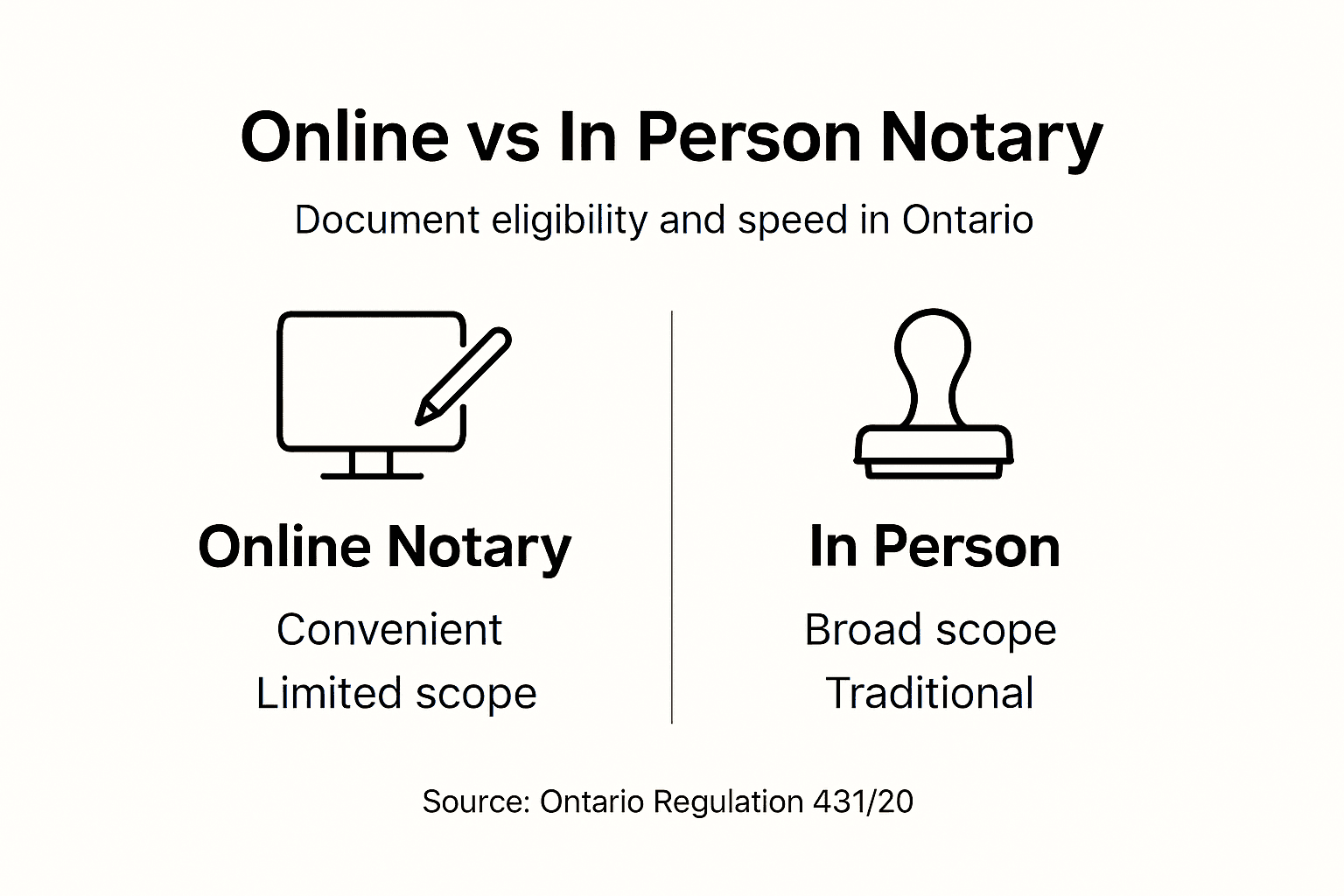
| Attribute | Online Notarization | In Person Notarization |
|---|---|---|
| Location | Anywhere with internet | Notary’s office or mobile service |
| Document Types | Affidavits and statutory declarations only | All notarizable documents |
| Scheduling | Flexible, including evenings and weekends | Limited to business hours |
| Time Required | 15 to 30 minutes total | 30 minutes to 2 hours including travel |
| Cost | $50 to $100 typically | $75 to $150 plus potential travel fees |
| Legal Recognition | Full legal validity for eligible documents | Full legal validity for all documents |
| Accessibility | High for those with technology | Requires transportation |
| Document Delivery | Immediate digital copy | Physical copy at appointment |
Best use scenarios:
- Choose online notarization when: You need an affidavit or statutory declaration notarized quickly, you have limited mobility, you live far from notary offices, or you need service outside business hours.
- Choose in person notarization when: Your document is excluded from online eligibility (will, power of attorney, real estate), you prefer face to face interaction, you lack required technology, or you need certified true copies.
Both methods provide legally equivalent results for documents that qualify for online services. The distinction lies in convenience and document scope rather than legal weight. Understanding the comparison of notarization methods Ontario offers helps you select the most efficient option for your situation.
Step by Step Guide: Using Online Notary Services in Ontario
Following a clear process ensures your online notarization experience goes smoothly from start to finish.
- Verify document eligibility. Confirm your document is an affidavit or statutory declaration before proceeding. Review the document requirements with the notary if uncertain.
- Select a licensed notary service. Research providers, check credentials, and compare pricing. Read reviews from other Ontario users.
- Book your appointment. Use the online scheduling system to choose a convenient date and time. Provide your contact information and document details.
- Prepare your documents. Keep your document unsigned until the video session. Save it as a PDF file for easy upload.
- Gather your identification. Have your valid government issued photo ID ready. Ensure it’s not expired and the photo is clear.
- Upload required materials. Submit your unsigned document and ID photo through the secure portal. Follow file format and size guidelines.
- Test your technology. Check camera, microphone, and internet connection before the appointment. Download any required software.
- Join the video session. Click the meeting link at your scheduled time. Position yourself in good lighting where your face is clearly visible.
- Complete identity verification. Answer the notary’s questions and show your ID to the camera. Verify all document details.
- Sign electronically. Follow the notary’s instructions to sign your document digitally while they witness in real time.
- Receive your notarized document. Download the completed document with the notary’s digital seal from your email or the portal.
Pro Tip: Have your government issued ID in JPG or PNG format ready for quick upload. Scan or photograph it against a contrasting background to ensure text and photo are crisp and readable.
Common pitfalls to avoid include signing your document before the appointment (invalidates the notarization), using poor lighting during video calls, and failing to check internet stability beforehand. For comprehensive guidance, explore this online notarization step by step Ontario walkthrough. If you need to legalize documents online Ontario, additional authentication steps may apply after notarization.
Practical Applications and Use Cases
Online notarization serves diverse needs across Ontario, making legal processes more accessible for residents and businesses.
Common documents notarized online:
- OSAP affidavits: Students declare financial information or parental separation for student loan applications without traveling to campus offices.
- Vehicle ownership affidavits: Buyers and sellers complete sworn statements for Ministry of Transportation transfers remotely.
- Invitation letters for visas: Canadians sponsor international visitors by notarizing invitation letters from home, streamlining immigration processes.
- Employment statutory declarations: Job applicants affirm background information, criminal record status, or professional credentials.
- Affidavits of common law relationship: Couples declare their relationship status for insurance, immigration, or legal purposes.
- Name change statutory declarations: Individuals affirm their identity change for government records and documents.
Online notarization adds value by eliminating the need to coordinate schedules with notary office hours, saving hours of travel time, and providing immediate document delivery. A parent working shift hours can complete an OSAP affidavit at 8 PM after their kids sleep. A business owner traveling for work can notarize supplier declarations from their hotel.
These scenarios show how digital services meet real needs where traditional methods create barriers. Understanding types of affidavits Ontario residents commonly use helps you identify when this service applies to your situation. For court related documents, review statutory declarations Ontario requirements to ensure compliance.
Conclusion and Next Steps for Ontario Users
Digital notary services represent a significant convenience upgrade for Ontario residents needing affidavits and statutory declarations notarized. Online notarization delivers legally valid documents through secure technology, saving you time and travel while maintaining full legal recognition. The process is straightforward, accessible, and regulated under Ontario law to protect your interests.
While document eligibility remains limited to specific types, those that qualify benefit tremendously from the flexibility and efficiency of remote notarization. You can complete notarizations around your schedule, from any location, with immediate digital delivery. The technology barriers are minimal, requiring only basic devices and internet access.
Your next steps: verify your document qualifies for online notarization, choose a licensed provider compliant with Regulation 431/20, and book your appointment. Test your technology beforehand and prepare your ID in advance. Most sessions take 15 to 30 minutes from start to finished document.
Explore the benefits of online notaries Ontario offers to understand how this service fits your personal or business needs. Digital notarization isn’t just about convenience; it’s about making legal services accessible when and where you need them.
Discover Expert Online Notary Services in Ontario
When you need reliable online notarization, The Online Notary provides licensed professionals available 24/7 to serve Ontario residents. Our platform handles affidavits, statutory declarations, and invitation letters with secure video verification and immediate digital delivery. We follow Ontario Regulation 431/20 compliance standards to protect your documents and privacy.

Explore our trusted online notary services designed for busy Ontarians who value efficiency without compromising legal validity. Our online notary public tips and guides offer practical advice for first time users and complex scenarios. Compare providers and features through our best online notary solutions 2025 analysis. Book your appointment today and experience the convenience of professional notarization from home.
Frequently Asked Questions About Digital Notary Services in Ontario
What documents can I notarize online in Ontario?
You can notarize affidavits and statutory declarations online under Ontario Regulation 431/20. Documents like wills, powers of attorney, real estate transfers, and certified copies require traditional in person notarization. Check this online notarization guide Ontario for specific eligibility criteria.
Is an online notarized document accepted by courts?
Yes, courts fully accept online notarized documents when properly executed under Ontario law. Digital notarizations carry identical legal weight to traditional methods for eligible documents. Government agencies, financial institutions, and legal entities recognize these documents without distinction.
What technology do I need for online notarization?
You need a device with a working camera and microphone, stable internet, and video conferencing software like Zoom or Teams. A government issued photo ID and the ability to upload PDF documents complete your requirements. Most smartphones, tablets, and computers meet these specifications.
Can multiple documents be notarized in one session?
Yes, notaries can notarize multiple affidavits or statutory declarations in a single video session. Inform the notary when booking so they allocate sufficient time. Each document requires separate witnessing and digital sealing, which may affect the total appointment cost.
Is my private information safe during online notarization?
Your information is protected through encrypted video platforms, secure document portals, and privacy compliant storage systems. Licensed notaries follow strict confidentiality requirements and data protection regulations. Online notarization often provides stronger security than traditional paper handling methods.
Recommended
- Digital Notary Security: Legal Compliance in Ontario – The Online Notary
- Online Notary Public – 100+ Essential Tips & Proven Guides
- How to Prepare for Online Notary: Step-by-Step Guide – The Online Notary
- How to Get Documents Notarized Online in Ontario 2025 – The Online Notary
- What Is Digital Currency And Its Impact On Nigerians
- Richiedere SPID Aziendale InfoCert: guida completa e pratica • Gio Talente





