
Nearly one-third of Ontario notary appointments suffer delays or cancellations due to incomplete documentation. Whether you need an affidavit notarized, a statutory declaration prepared, or an invitation letter certified, proper preparation makes the difference between a smooth appointment and frustrating setbacks. This guide provides a comprehensive Ontario-specific checklist to ensure your 2026 notary appointment proceeds without complications, covering everything from ID requirements to digital document formats.
Table of Contents
- Introduction To Notary Appointments In Ontario
- Essential Notary Appointment Document Checklist For Ontario
- Verification Of Identity Documents Accepted In Ontario Notarization
- Common Misconceptions About Notary Appointments In Ontario
- Comparison Of In-Person Vs Online Notary Appointment Preparation In Ontario
- Practical Tips To Ensure Compliance With Ontario Legal Standards
- Step-By-Step Procedure For Uploading Documents For Online Notarization In Ontario
- Summary And Final Checklist For Ontario Notary Appointments
- Streamline Your Ontario Notary Needs With The Online Notary
- Frequently Asked Questions About Notary Appointments In Ontario
Key Takeaways
| Point | Details |
|---|---|
| Valid Photo ID Required | Government-issued identification with photo is mandatory for all Ontario notary appointments |
| Document Format Matters | Legal documents must follow Ontario-specific templates and wording standards for court acceptance |
| Online Notarization Standards | Digital submissions require compliant PDF formats and secure multi-factor identity verification |
| Preparation Reduces Delays | Using a proper checklist can reduce appointment delays by up to 45% |
| Method Differences Exist | In-person and online notarizations have distinct procedural requirements but equal legal validity |
Introduction to Notary Appointments in Ontario
Notaries public in Ontario hold legal authority to witness signatures, administer oaths, and certify document copies under provincial law. Their role ensures documents meet court standards and prevents fraud through identity verification. Understanding what notaries can and cannot do helps you prepare properly.
Ontario residents commonly require notarization for several document types. Affidavits provide sworn statements for legal proceedings. Statutory declarations confirm facts without court involvement. Invitation letters support immigration applications by verifying sponsor commitments. Each document type has specific format requirements that must be satisfied.
Careful preparation matters because improperly formatted documents get rejected by courts and government agencies. Missing identification causes appointment cancellations, wasting your time. Incorrect wording means starting over with new documents. Following a systematic checklist eliminates these problems and ensures your documents achieve their intended legal purpose on the first attempt.
Key reasons to prepare thoroughly:
- Legal compliance with Ontario court standards
- Avoiding costly appointment rescheduling
- Ensuring document acceptance by receiving parties
- Preventing delays in time-sensitive matters like immigration deadlines
- Building a complete record for future reference
Essential Notary Appointment Document Checklist for Ontario
Before attending your notary appointment, gather these critical items. Ontario law requires notarized affidavits to include specific personal identification matching government-issued ID at the time of signing. Missing even one element can derail your appointment.
Acceptable government-issued photo ID requirements in Ontario include:
- Valid Ontario driver’s license
- Canadian passport (not expired)
- Ontario Photo Card
- Permanent Resident Card
- Canadian citizenship card with photo
Your document preparation depends on appointment purpose. For affidavits, bring the completed statement with accurate personal details matching your ID exactly. Statutory declarations need similar precision in wording and personal information. Invitation letters for immigration require sponsor and visitor details verified against supporting documents.
Legal format requirements are strict. Affidavits must include a jurat clause stating you swear or affirm truthfulness. Statutory declarations need a declaration statement instead. Personal information like full legal name, address, and occupation must appear correctly. Any mismatch between your ID and document information causes rejection.
Critical preparation steps:
- Verify all names match ID spelling exactly, including middle names
- Confirm addresses are current and complete
- Check document dates for accuracy
- Ensure all pages are numbered if multiple pages exist
- Leave signature lines blank until the notary witnesses your signing
Verification of Identity Documents Accepted in Ontario Notarization
Identity verification forms the foundation of notarization’s legal validity. Ontario notaries must confirm you are who you claim to be before witnessing signatures or administering oaths. Understanding strict Ontario ID verification requirements prevents appointment failures.
Your photo ID must be government-issued and current. Expired identification is not acceptable under any circumstances. The photo must clearly show your current appearance. If your appearance has changed significantly since ID issuance, bring secondary identification as backup.
Missing or invalid ID results in immediate appointment cancellation. The notary cannot proceed without proper identification, regardless of how urgent your need. This protects both you and the notary from potential fraud allegations. No exceptions exist to this requirement.
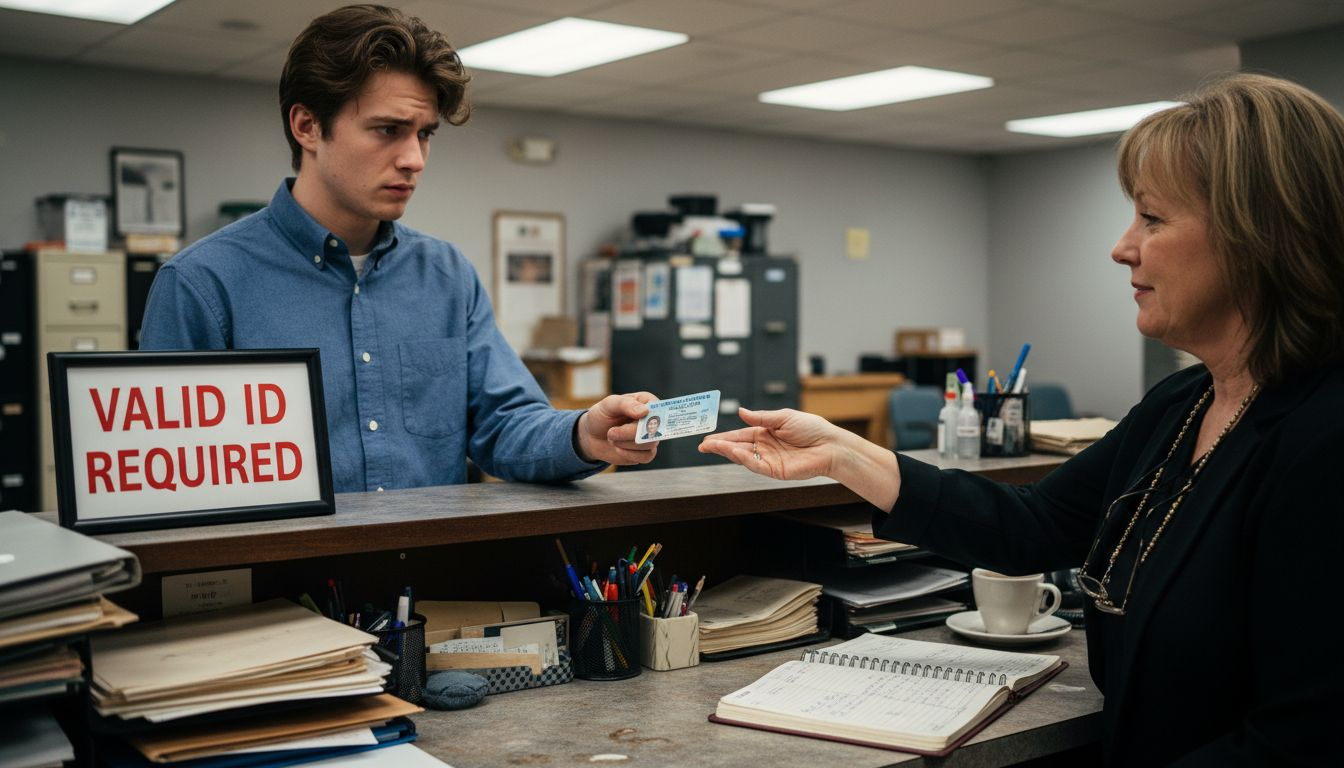
Online notarizations add authentication layers. You must verify identity through multi-factor authentication, typically combining knowledge-based questions with photo ID verification via video. Some platforms use facial recognition technology to match your live appearance with your ID photo.
Acceptable backup identification options:
- Birth certificate with supporting photo ID
- Health card (Ontario) combined with another document
- Credit cards showing your name and signature
- Utility bills confirming your address
Pro Tip: Check all ID expiration dates one week before your appointment, not the day of. This gives you time to renew expired documents if needed.
Common Misconceptions About Notary Appointments in Ontario
Many people hold incorrect beliefs about notarization that cause preparation errors. Understanding the truth helps you approach appointments with realistic expectations and proper documentation.
Myth: Any document can be notarized. Reality: Ontario notaries can only notarize specific document types within their authority. They cannot notarize wills, powers of attorney requiring lawyer oversight, or documents where they have personal interest. Asking a notary to certify an inappropriate document wastes everyone’s time.
Myth: Online notarization is less secure or legally inferior. Reality: Ontario law grants online notarizations equal legal standing with in-person appointments when proper protocols are followed. Digital platforms often provide superior security through encrypted communications, recorded sessions, and multi-factor authentication that paper processes cannot match.
Notaries cannot provide legal advice about document contents. They verify identity and witness signatures but do not interpret legal language or recommend changes. If you need content guidance, consult a lawyer before the notary appointment.
Key limitations to understand:
- Notaries cannot notarize blank or incomplete documents
- They cannot backdate documents to earlier signing dates
- They must personally witness your signature in real time
- They cannot notarize documents where you appear under duress
- They cannot verify facts stated in your document, only your identity
“A notary’s role is authentication, not validation. We confirm who signed a document and when, but we do not verify whether the document’s contents are true or legally sound.”
Comparison of In-Person vs Online Notary Appointment Preparation in Ontario
Choosing between in-person and online notarization affects your preparation approach. Both methods hold equal legal validity in Ontario, but procedural differences require different preparation strategies.
| Aspect | In-Person Notarization | Online Notarization |
|---|---|---|
| Identity Verification | Physical ID inspection | Multi-factor digital authentication |
| Document Format | Paper or digital accepted | Must be digital (PDF preferred) |
| Scheduling | Business hours only | Often 24/7 availability |
| Location | Travel to notary office | Anywhere with internet |
| Technology Needs | None | Computer, webcam, stable internet |
| Session Recording | Optional | Usually mandatory |
In-person appointments offer simplicity. You bring physical documents and ID, meet the notary face to face, and sign paper copies. No technology concerns exist. However, you must travel during business hours and wait if appointments run late.
Online notarization provides convenience but requires technical preparation. You need reliable internet, a device with webcam, and documents in digital format. Platform familiarity helps avoid delays. The trade-off is accessing notary services from home at times that suit your schedule.
Document preparation differs significantly:
- In-person: Print documents clearly on quality paper; bring multiple copies
- Online: Scan or create PDFs with high resolution; test file uploads beforehand
- In-person: Original signatures in ink required
- Online: Electronic signatures captured through secure platform
Pro Tip: For online notarization, log into the platform 15 minutes early to test your audio, video, and document upload functionality. Technical glitches during the appointment cause unnecessary stress and delays.
Practical Tips to Ensure Compliance with Ontario Legal Standards
Systematic preparation eliminates errors that cause document rejection or appointment cancellation. These proven strategies help you meet Ontario’s legal requirements consistently.
- Use official templates from government sources whenever possible
- Review documents for completeness before scheduling your appointment
- Verify personal information matches your ID exactly across all documents
- Prepare questions about unclear requirements to ask the notary
- Arrive or log in 10 minutes early to handle unexpected issues
- Keep copies of all notarized documents for your records
Common pitfalls that derail appointments include misspelled names, incorrect dates, missing page numbers on multi-page documents, and unsigned witness lines where required. Each error necessitates document revision and appointment rescheduling.
Document format compliance goes beyond content accuracy. Courts and government agencies reject documents with improper margins, incorrect font sizes, or missing reference numbers. Following official templates eliminates these formatting mistakes.
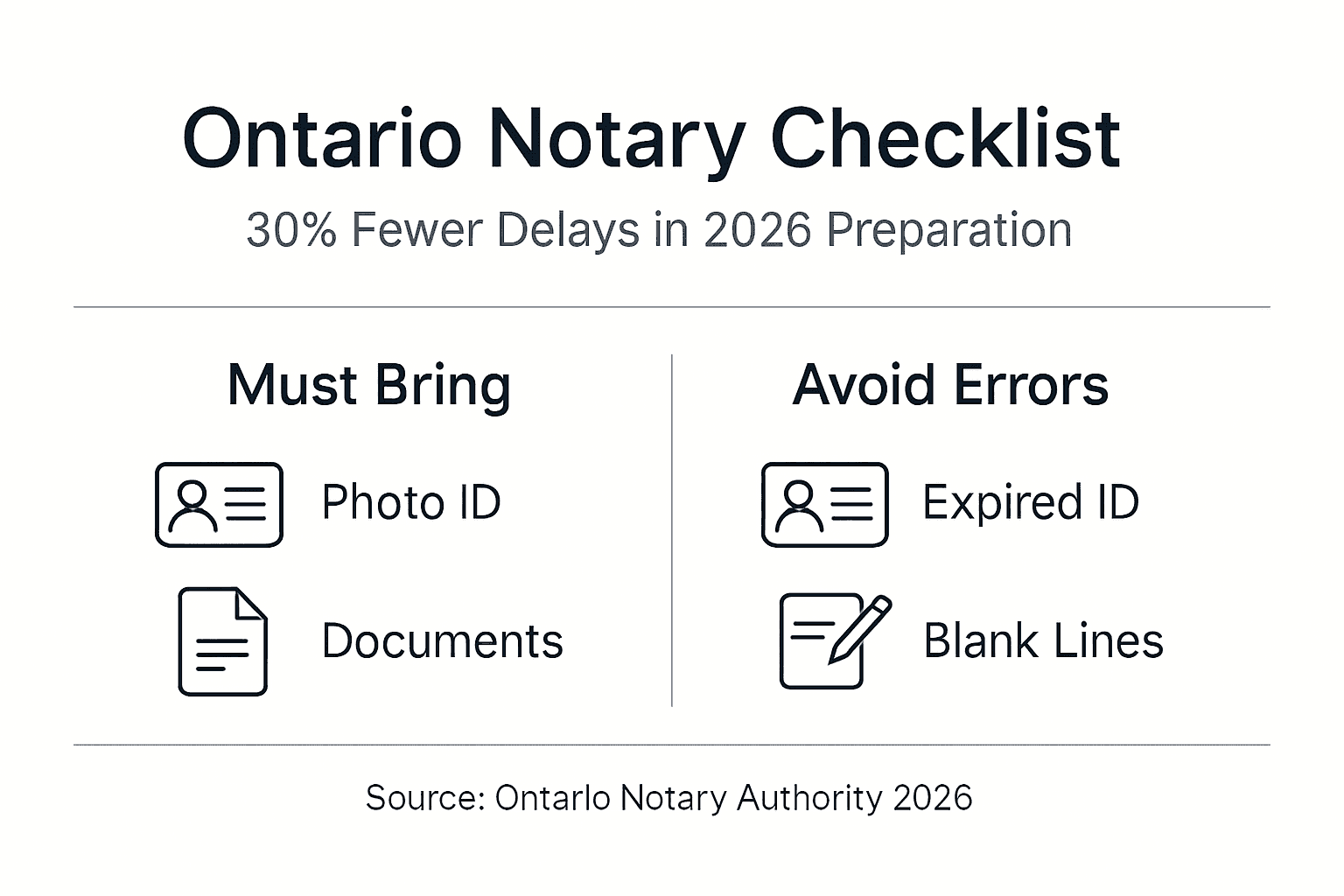
Identity confirmation extends beyond bringing ID. Ensure your appearance matches your photo. If you have facial hair in person but not in your ID photo, or vice versa, mention this to the notary immediately. If you recently changed your legal name, bring supporting documentation like a marriage certificate.
Pre-appointment verification steps:
- Read every line of your document for typos and errors
- Confirm all dates are accurate and consistent
- Check that required fields are completed, not left blank
- Verify addressee information if the document is directed to specific recipients
- Review appointment confirmation details: date, time, platform for online sessions
Pro Tip: Download and review official document templates from Ontario government websites before drafting your documents. Starting with correct formatting prevents revision cycles and speeds up the entire process.
Step-by-Step Procedure for Uploading Documents for Online Notarization in Ontario
Online notarization requires properly formatted digital files. Document upload for online notarization must be in a specified compliant format (PDF preferred) and legible to avoid rejection in Ontario. Follow these steps for successful submission.
- Scan paper documents at 300 DPI minimum resolution for clarity
- Convert documents to PDF format using reliable software
- Verify file size meets platform limits (typically 10MB maximum per file)
- Name files descriptively (example: Smith_Affidavit_2026.pdf)
- Upload files through the secure platform portal
- Confirm receipt notification before closing the upload window
| File Type | Accepted | Resolution Requirement |
|---|---|---|
| Yes | 300 DPI minimum | |
| JPEG/JPG | Sometimes | 300 DPI minimum |
| PNG | Sometimes | 300 DPI minimum |
| Word/DOCX | Rarely | Convert to PDF first |
| TIFF | Rarely | Convert to PDF first |
Document quality matters for legal acceptance. Blurry scans, low-resolution photos, and poorly lit images get rejected. Use a scanner rather than phone camera when possible. If using a phone, ensure good lighting and hold the device steady.
Security features protect your sensitive information during upload. Reputable platforms use 256-bit encryption for file transmission. Multi-factor authentication prevents unauthorized access to your documents. Session recordings create audit trails that prove document integrity.
After uploading identification documents for online notarization, verify the notary can view them clearly during your video session. Technical issues occasionally prevent file display despite successful upload. Being prepared to show physical ID as backup prevents delays.
Confirmation steps ensure completion:
- Check email for upload confirmation receipts
- Log back into the platform to verify files appear in your session folder
- Test document visibility by opening preview mode if available
- Note any error messages immediately and resolve before appointment time
Summary and Final Checklist for Ontario Notary Appointments
Consolidating preparation elements into one master checklist ensures nothing gets overlooked. Review this list 24 hours before your appointment to catch any missing items.
Required documents and identification:
- Government-issued photo ID (not expired)
- Completed document ready for notarization
- Supporting documents referenced in your main document
- Payment method for notary fees
- Appointment confirmation number or link
- Backup ID if appearance has changed significantly
Last-minute verification prevents cancellations. Confirm your appointment time accounting for time zones if booking online. For video sessions, test your internet connection speed. Ensure your computer battery is charged or plugged in. Close unnecessary programs that might interfere with video quality.
Red flags that require immediate attention include expired ID discovered at the last moment, documents with blank sections that should be completed, mismatched personal information between ID and documents, and unclear appointment instructions. Address these issues before the scheduled time.
Resources for additional assistance include Ontario Ministry of the Attorney General website for official templates, legal aid clinics for document preparation guidance, and notary platforms offering preparation guides. Having these resources bookmarked saves time during urgent situations.
Final preparation timeline:
- One week before: Verify ID validity and gather all documents
- Three days before: Review documents for errors and completeness
- One day before: Complete final checklist review
- One hour before: Set up technology for online sessions or prepare for travel
- 15 minutes before: Log in or arrive at location
Pro Tip: Print a physical copy of this checklist and check off each item as you complete it. The tactile act of checking boxes reduces the chance of overlooking critical items in the rush before your appointment.
Streamline Your Ontario Notary Needs with The Online Notary
Preparing for notary appointments becomes simpler with professional guidance tailored to Ontario requirements. Whether you need affidavits, statutory declarations, or invitation letters notarized, having expert support eliminates uncertainty and prevents costly mistakes.

The Online Notary offers 24/7 online notarization services designed specifically for Ontario residents and businesses. Access comprehensive online notary guides covering every document type and preparation scenario. Our platform streamlines the entire process with secure document upload, identity verification, and instant appointment scheduling.
Skip the uncertainty of document formatting with our Ontario statutory declaration guide and other specialized resources. Get your documents notarized correctly the first time with trusted Ontario online notary services that meet all legal requirements while fitting your schedule.
Frequently Asked Questions About Notary Appointments in Ontario
What happens if I forget my photo ID for a notary appointment in Ontario?
The notary cannot proceed without valid government-issued photo identification. Your appointment will be cancelled and must be rescheduled. No exceptions exist to this requirement, as identity verification is legally mandatory for notarization validity.
Can I notarize any legal document online in Ontario?
Most standard documents like affidavits, statutory declarations, and invitation letters qualify for online notarization. However, some documents requiring lawyer oversight, such as certain powers of attorney, must be completed in person. Verify your specific document type with the notary service beforehand.
What are the accepted file formats for uploading documents online?
PDF format is universally accepted and strongly preferred for online notarization. Some platforms accept high-resolution JPEG or PNG files, but converting to PDF ensures compatibility. Files must be at least 300 DPI resolution for legibility.
How far in advance should I prepare my documents before the appointment?
Start preparation at least three business days before your appointment. This allows time to identify errors, gather supporting documents, and address any ID issues. Rush preparation increases error risk and causes unnecessary stress.
Is an online notarization as legally valid as an in-person appointment in Ontario?
Yes, Ontario law grants online notarizations equal legal validity when conducted through compliant platforms with proper identity verification. Courts and government agencies accept online notarized documents on the same basis as in-person notarizations.





