
Most Ontarians searching for an “online notary” don’t realize they’re looking for two completely different things. The term gets used loosely online, but Ontario law draws a sharp line between true notary public acts and remote commissioning of documents. Getting this wrong doesn’t just waste your time. It can invalidate a legal document you urgently need. This article breaks down exactly what you can do online, what still requires an in-person visit, and how to protect yourself from the most common mistakes people make when trying to handle legal documents remotely.
Table of Contents
- What are notary services in Ontario?
- Remote commissioning versus notary: What’s allowed online?
- Who can use online remote commissioning and for what documents?
- How to safely commission documents online in Ontario
- Ontario’s online notary confusion: What most guides leave out
- Choose the right online document solution in Ontario
- Frequently asked questions
Key Takeaways
| Point | Details |
|---|---|
| Physical presence required | Notary public services in Ontario must be done in person, not online. |
| Online commissioning allowed | Remote video commissioning is legal for affidavits and statutory declarations with proper identification and wording. |
| Know document eligibility | Not all legal documents can be handled online—check eligibility before proceeding. |
| Follow compliance steps | Proper ID, Ontario location, and document wording are crucial for valid online commissioning. |
What are notary services in Ontario?
In Ontario, a notary public is a lawyer authorized to perform specific legal acts: certifying copies of documents, attesting signatures for international use, and authenticating records for use abroad. These are not just administrative tasks. They carry legal weight in courts and government offices both inside and outside Canada.
The critical point most people miss is that notary services require physical presence under the Notaries Act. You cannot get a document truly notarized over a video call in Ontario. The notary must physically see you, verify your identity in person, and witness your signature. There are no exceptions to this rule under current Ontario law.
Separate from notaries are Commissioners for Taking Affidavits. These are individuals authorized to administer oaths and take sworn statements. They are not lawyers by default, and their authority is narrower. They can witness affidavits and statutory declarations, but they cannot certify documents for international use or perform the broader functions a notary public handles.
Understanding are online notaries legal in Ontario means first understanding this split. The two roles are often confused because both involve legal documents and witnessing signatures. But the legal framework governing each is entirely different.
Here’s a quick breakdown of the key differences:
- Notary public: Lawyer-authorized, certifies documents for international or interprovincial use, requires in-person presence
- Commissioner for oaths: Administers oaths and declarations, witnesses affidavits, can now operate remotely under specific rules
- Scope: Notary acts cover a broader range of legal documents; commissioners are limited to sworn statements
For more on what qualifies someone to perform these acts, see the public notary requirements in Ontario.
“The distinction between a notary and a commissioner isn’t just technical. It determines whether your document will be accepted by a foreign government, a Canadian court, or a financial institution.”
Remote commissioning versus notary: What’s allowed online?
Here’s where things get genuinely useful for most people reading this. While true notary acts cannot be performed online, Ontario did make a significant legal change that allows certain documents to be commissioned remotely.

Remote commissioning is permitted via video under O. Reg. 431/20 of the Commissioners for Taking Affidavits Act. This regulation was introduced during the pandemic and has since been made permanent. It specifically authorizes commissioners to administer oaths and take sworn declarations over a live video call.
But this only applies to certain document types. Not everything qualifies.
| Document type | Remote commissioning allowed? |
|---|---|
| Affidavits | Yes |
| Statutory declarations | Yes |
| Invitation letters (sworn) | Yes |
| Solemn declarations | Yes |
| Wills | No |
| Powers of attorney | No |
| Land title documents | No |
| Certified true copies | No |
The process for remote commissioning through online notary services typically follows these steps:
- Book a video appointment with a licensed commissioner
- Submit your document digitally before the call
- Present valid government-issued photo ID on camera
- Confirm your physical location in Ontario
- Read and swear your oath or declaration on video
- Receive your commissioned document with the required remote jurat wording
The jurat is the certification block at the bottom of a commissioned document. For remote commissioning, it must include specific language indicating the oath was taken via audio-visual technology. If that language is missing, the document may be rejected.
Pro Tip: Before your appointment, ask your commissioner to confirm the exact jurat wording they use for remote commissioning. If they can’t show you a sample, that’s a red flag. You can also review what notarize documents remotely means in practice before booking.
Who can use online remote commissioning and for what documents?
Remote commissioning is genuinely useful for individuals and small businesses in Ontario who need sworn documents quickly without traveling to an office. The most common use cases include immigration-related affidavits, invitation letters for visa applications, and statutory declarations for insurance, name changes, or business purposes.
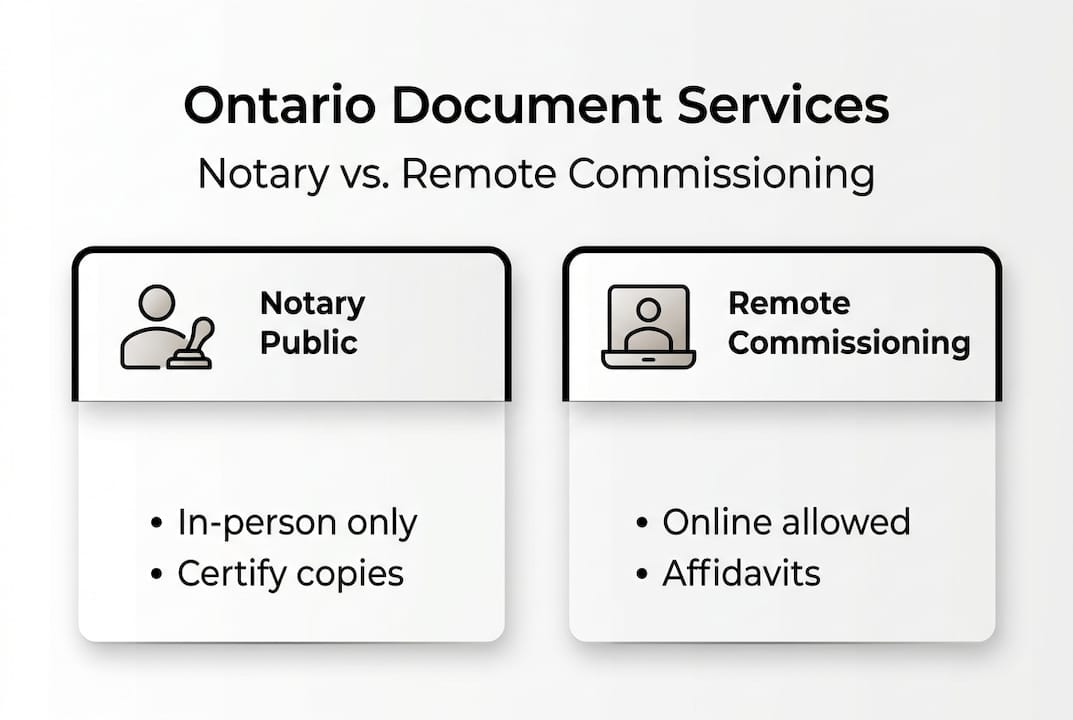
O. Reg. 431/20 outlines eligible document types for remote commissioning, and the list is more specific than most people expect. Understanding what’s in and what’s out saves you from booking an appointment that can’t legally proceed.
Documents eligible for remote commissioning:
- Affidavits of all kinds (financial, general, immigration)
- Statutory declarations
- Invitation letters (when sworn as an affidavit)
- Solemn declarations
- Consent letters for minors traveling abroad (when structured as a sworn declaration)
Documents NOT eligible for remote commissioning:
- Wills and codicils
- Powers of attorney (property or personal care)
- Land title documents and real estate transfers
- Certified true copies of original documents
- Notarized documents intended for international authentication
Here’s a practical comparison to help you decide:
| Your situation | What you need | Can it be done online? |
|---|---|---|
| Visa application support letter | Sworn affidavit | Yes |
| Proving marital status | Statutory declaration | Yes |
| Selling property | Land transfer document | No |
| Setting up a power of attorney | Notarized POA | No |
| Travel consent for your child | Sworn consent letter | Yes |
For a deeper look at the different sworn statement formats, the guide on types of affidavits is worth reading before you decide which document you actually need.
How to safely commission documents online in Ontario
Knowing you’re eligible is only half the job. The other half is making sure the process is done correctly so your document holds up legally. A commissioned document with procedural errors can be rejected by courts, government agencies, or foreign embassies.
Regulation 431/20 requires ID verification, location confirmation, and exact jurat wording on all remotely commissioned documents. These aren’t suggestions. They’re legal requirements, and skipping any one of them can invalidate the entire document.
Follow these steps to commission your document safely online:
- Verify your commissioner’s credentials. Only use someone who holds a valid commission under the Commissioners for Taking Affidavits Act in Ontario. Ask directly if you’re unsure.
- Prepare your document in advance. Have a clean digital copy ready before the appointment. Do not sign it beforehand. The signature must happen during the live video call.
- Use valid government-issued photo ID. A driver’s license or passport works. Expired ID does not. Hold it clearly up to the camera.
- Confirm your Ontario location. Both you and the commissioner must be physically in Ontario during the call. This is a legal requirement, not a preference.
- Check the jurat after commissioning. The final document must include language stating the oath was administered via audio-visual communication technology.
Pro Tip: If you’re commissioning a document for immigration purposes, double-check with the receiving authority (like IRCC) whether they accept remotely commissioned documents. Most do, but some specific forms require additional steps. You can also review how to complete a statutory declaration online to prepare.
Ontario’s online notary confusion: What most guides leave out
Here’s what bothers us about how online notary services are marketed in Ontario. The phrase “online notary” is everywhere, but it technically describes something that doesn’t exist under Ontario law. True notary acts cannot be performed online. Full stop. Yet dozens of websites use the term freely, and clients book appointments expecting full notarization, only to discover their document still needs an in-person visit.
The real risk isn’t just confusion. It’s that someone submits a remotely commissioned document to an authority that requires true notarization, and the document gets rejected. That can delay a visa, stall a business transaction, or create legal complications that take weeks to fix.
What most guides don’t tell you is that being an informed client is your best protection. Before booking anything, ask two questions: Does my document require a notary public or a commissioner? And does the receiving authority accept remotely commissioned documents? Those two questions eliminate most of the risk.
We also think the online notary accessibility conversation matters here. Remote commissioning genuinely helps people who can’t easily travel, live in rural areas, or have tight schedules. That’s real value. But it only works when clients understand exactly what they’re getting.
Choose the right online document solution in Ontario
If you’ve read this far, you now understand something most people don’t: online commissioning and notarization are not the same thing, and using the wrong service can cost you time, money, and legal standing.

For affidavits, statutory declarations, invitation letters, and solemn declarations, remote commissioning through a trusted Ontario provider is fast, legal, and fully compliant. The Online Notary offers secure video-based commissioning for all eligible document types, handled by licensed commissioners who follow every requirement under Regulation 431/20. Browse all available Ontario notary services or review the notary public requirements to confirm what your specific document needs before you book.
Frequently asked questions
Is online notary legal in Ontario?
True notary public acts are not recognized online in Ontario under the Notaries Act, but remote commissioning is permitted for affidavits and statutory declarations under O. Reg. 431/20.
What documents can I commission remotely in Ontario?
You can remotely commission affidavits, statutory declarations, and solemn declarations, but documents requiring true notarization such as wills or land title forms are not eligible under O. Reg. 431/20.
Do I have to be in Ontario to commission a document online?
Yes, both you and the commissioner must be physically located in Ontario during the video call, as Regulation 431/20 requires location confirmation for all remote commissioning appointments.
What’s the difference between a notary public and a commissioner for oaths?
A notary public can certify and authenticate documents for international or interprovincial use, while a commissioner is limited to administering oaths and declarations, as defined under the Notaries Act.





