
TL;DR:
- Virtual notary services, or Remote Online Notarization (RON), face limitations including identity verification failures, uneven institutional acceptance, and platform restrictions. These issues can cause document rejection, legal delays, and wasted fees, especially in Ontario where acceptance by institutions is not guaranteed despite legal permission. Proper preparation, such as ensuring ID clarity and confirming acceptance with the receiving organization, can mitigate these risks and improve success rates.
Virtual notary services, formally called Remote Online Notarization (RON), are defined by three core constraints: automated identity verification failures, uneven institutional acceptance, and platform workflow restrictions. These limitations matter most to Ontario individuals and businesses who assume a remotely notarized document will be accepted anywhere a traditionally notarized one would be. That assumption is often wrong. Understanding the limitations of virtual notary services before you start a session saves you from rejected documents, wasted fees, and legal delays.
What are the main limitations of virtual notary services?
Remote Online Notarization depends on automated systems to do work that a human notary handles through direct judgment. That shift creates specific, predictable failure points. The three most significant limitations are identity verification brittleness, institutional acceptance gaps, and platform capability restrictions. Each one operates independently, meaning a session can fail on any one of them even when the other two are fine.
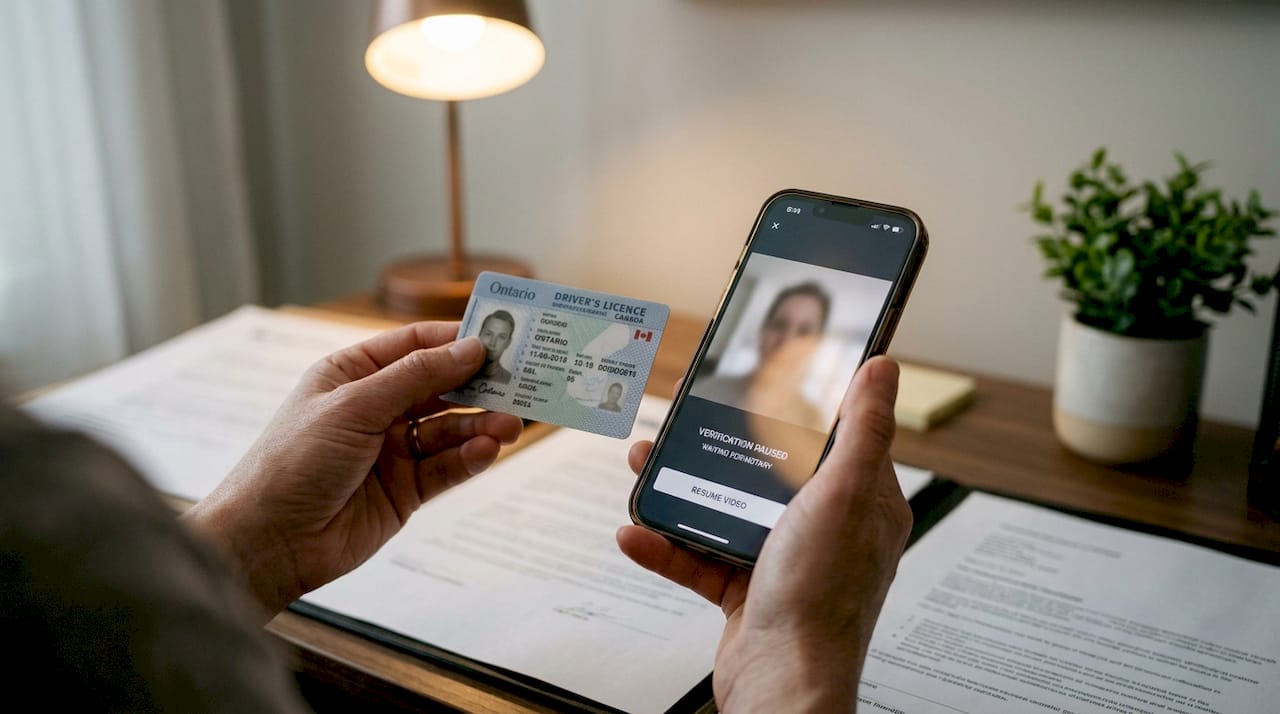
The challenges of online notarization go beyond simple technical glitches. Remote notarization growth depends more on trust, legal clarity, and institutional acceptance than on convenience alone. For Ontario users, this means the legal permission to use RON does not guarantee that your bank, employer, or foreign consulate will honor the result.
How identity verification challenges limit virtual notary reliability
Identity verification is the most technically fragile part of any virtual notary session. Two automated systems handle this process: credential analysis, which scans your government-issued ID for authenticity markers, and knowledge-based authentication (KBA), which asks questions drawn from your credit and address history. Both systems fail more often than most users expect.
Remote sessions often fail at automated ID verification due to glare, blur, unsupported ID formats, or name mismatches. A reflective plastic driver’s license photographed under overhead lighting is enough to trigger a rejection. This is a fundamentally different failure mode than in-person notarization, where a notary can ask you to tilt the ID, move to better light, or accept a secondary document.
KBA creates a separate problem. The system pulls questions from your credit bureau file, such as previous addresses, loan amounts, or vehicle registrations. If you have a thin credit history, recently moved, or recently changed your name, the questions may not match your current records. Name changes and limited credit history increase failure risk significantly, and a failed KBA attempt can lock you out of the session entirely.
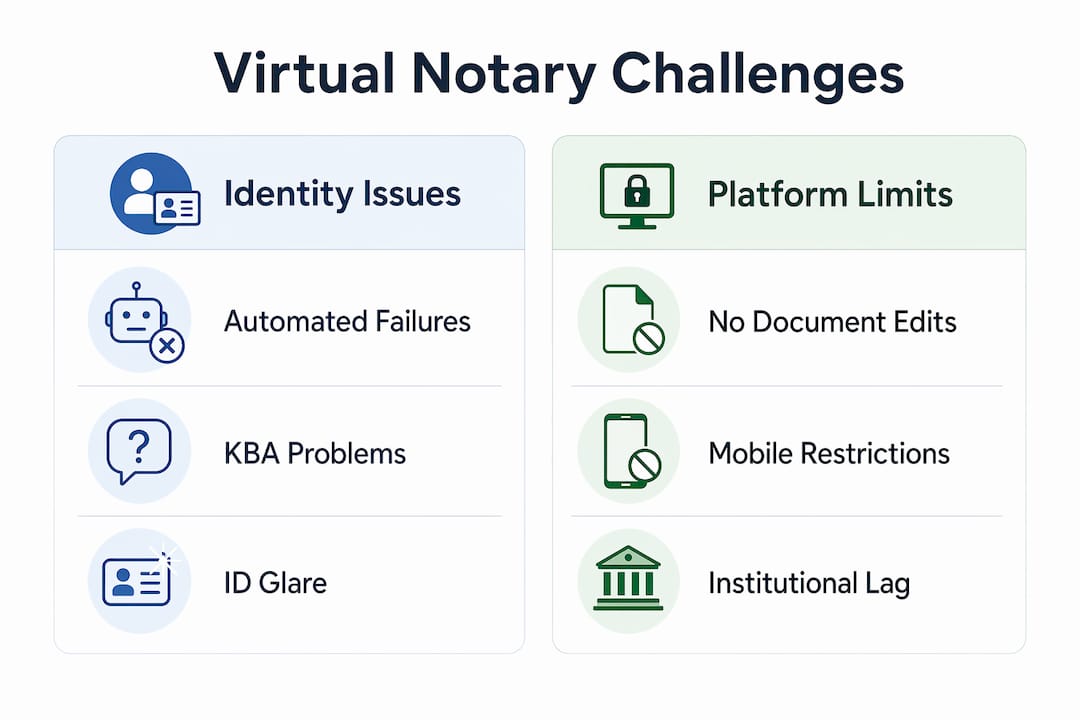
A human notary exercises discretion. A virtual system does not. Automated ID verification is more brittle than human judgment, which means careful document preparation is not optional. It is the difference between a completed notarization and a failed session.
Common causes of identity verification failure in virtual notary sessions include:
- Glare or blur on a physical government-issued ID during the camera scan
- Use of a photocopy, digital wallet ID, or expired document instead of a current physical ID
- Name on the ID that does not match the name on the document being notarized
- Thin credit file or recent address changes that prevent KBA questions from generating correctly
- Unsupported ID formats, such as certain provincial health cards or foreign passports
Pro Tip: Before starting any RON session, photograph your ID under natural light at a slight angle to eliminate glare, and confirm that the name on your ID exactly matches the name on the document you are notarizing.
“Practitioners reduce remote notarization failure risk by ensuring ID clarity, matching current legal names, and stable address and identity records before starting sessions.” — Remote Online Notarization vs In Person ID Checks
Does institutional acceptance limit where virtual notarization is recognized?
Legal permission and institutional acceptance are two entirely different things. Ontario law may permit remote notarization for a given document type, but the organization receiving that document sets its own acceptance policy. Banks, government agencies, foreign embassies, and real estate registries each maintain independent rules, and many have not updated those rules to reflect current RON legislation.
Uneven adoption and institutional policy lag remain major hurdles for remote notarization, even where it is lawful. The practical result is that a document notarized through a fully compliant RON platform may still be rejected by the receiving institution, forcing you to repeat the process in person. This is not a rare edge case. It is a documented pattern across financial, legal, and government sectors.
Certain document types carry additional restrictions. In jurisdictions like Texas, the Business Code restricts online notarizations of wills and testamentary trusts entirely. Ontario has its own category-specific rules, and documents intended for use abroad face an additional layer of scrutiny from foreign authorities who may not recognize RON at all.
Before booking a virtual notary session, confirm acceptance with the receiving party by following these steps:
- Contact the institution directly and ask whether they accept remotely notarized documents.
- Request their specific requirements in writing, including any platform or seal specifications.
- Confirm whether the document type you need notarized falls under any category restrictions.
- Ask whether documents intended for foreign use require apostille or additional authentication.
- If the institution is uncertain, treat that as a no and arrange in-person notarization instead.
Understanding Ontario notary legalities is a prerequisite for choosing the right notarization method. The legal framework and the institutional reality do not always align.
What platform limitations affect virtual notary workflows?
Even when identity verification succeeds and the receiving institution accepts RON documents, the platform itself can create workflow failures. Most RON platforms are built for standard single-signer scenarios. Anything more complex exposes their technical boundaries quickly.
DocuSign’s eNotary limitations illustrate the pattern clearly: no document editing or markup after upload, no flexible field assignment for multiple signers, and incomplete mobile app support for notary sessions. These are not minor inconveniences. If you discover mid-session that a field needs to be added or a co-signer needs to be assigned differently, the session must be abandoned and restarted from scratch.
Mobile access is a particular problem. Many users assume that a smartphone is sufficient for a RON session, but platform support for mobile notary workflows is inconsistent. Verifying platform capabilities around document editing and mobile app use before starting is the only way to avoid operational failures and delays.
| Feature | Virtual notary platform | In-person notarization |
|---|---|---|
| Document editing mid-session | Not supported on most platforms | Notary can annotate or correct on the spot |
| Multiple signer flexibility | Restricted or unsupported | Fully flexible |
| Mobile device support | Inconsistent across platforms | Not applicable |
| Session recording requirement | Mandatory audio-video with digital seal | Not required |
| ID verification method | Automated credential analysis and KBA | Direct human judgment |
Pro Tip: Download and test your chosen RON platform at least 24 hours before your scheduled session. Confirm that your document is fully finalized, your device meets the technical requirements, and that the platform supports your specific notarization type.
Following step-by-step notarization instructions specific to Ontario reduces the chance of a platform-related failure on the day of your session.
How do virtual notary limitations compare to in-person notarization?
In-person notarization has one structural advantage that no RON platform can replicate: a trained human being who can adapt in real time. That adaptability covers identity proofing, document review, and signer circumstances that automated systems cannot handle.
Virtual notarization is less reliable when identity history is complicated, including recent name changes, limited credit history, or thin address trails. In those situations, in-person notarization is the safer choice. RON performs well when the signer has a stable identity record, a clear physical ID, and a straightforward document that the receiving institution already accepts remotely.
Situations where in-person notarization is the stronger choice include:
- Recent legal name change not yet reflected across credit and address records
- Documents intended for use in countries that do not recognize RON
- Complex multi-party agreements requiring flexible signer assignment
- Wills, trusts, or other document types with category-specific restrictions
- Receiving institutions that have not confirmed RON acceptance in writing
Virtual notarization works well for affidavits, statutory declarations, invitation letters, and solemn declarations where the signer’s identity record is clean and the receiving party accepts RON. For everything outside that profile, the virtual notary drawbacks outweigh the convenience.
Online notary safety practices for Ontario users cover both scenarios and help you assess which method fits your specific document and circumstances.
Key takeaways
The limitations of virtual notary services are structural, not incidental. Knowing them in advance is the only reliable way to avoid failed sessions, rejected documents, and unnecessary delays.
| Point | Details |
|---|---|
| Identity verification is brittle | Automated credential analysis and KBA fail on glare, blur, name mismatches, and thin credit history. |
| Institutional acceptance is not guaranteed | Legal permission to use RON does not mean every organization will accept the result. |
| Platform capabilities vary significantly | Most RON platforms do not support document editing, flexible signer assignment, or full mobile use. |
| Document type restrictions apply | Certain documents, including wills and foreign-use instruments, may be excluded from virtual notarization. |
| Preparation reduces failure risk | Confirming ID clarity, name alignment, platform suitability, and institutional acceptance before the session prevents most failures. |
Why I think most people underestimate these limitations
Most people discover the limitations of virtual notary services at the worst possible moment: after the session, when the receiving institution rejects the document. I have seen this pattern repeatedly with Ontario users who treated RON as a guaranteed shortcut rather than a conditional tool.
The identity verification problem is the one that surprises people most. They assume that showing a valid ID on camera is equivalent to showing it in person. It is not. The automated system checking that ID has no ability to ask you to adjust the angle, move to better light, or accept a secondary document. One bad scan ends the session.
The institutional acceptance gap is equally underestimated. A document notarized through a fully compliant platform, with a valid digital seal and session recording, can still be rejected by a bank or government office that has not updated its internal policy. That is not a legal failure. It is an organizational one, and it is your problem to solve.
My practical advice for Ontario users is this: use virtual notarization for straightforward cases where you have confirmed acceptance in writing from the receiving party. For anything involving a recent name change, a foreign destination, a complex document type, or an institution that is uncertain about RON, book an in-person appointment. The digital notary security framework in Ontario is solid. The human and institutional factors around it are not always.
— Ken
How Theonlinenotary helps Ontario users navigate these challenges
Theonlinenotary provides online notary services for affidavits, invitation letters, statutory declarations, solemn declarations, and more across Ontario. The platform is built to minimize the failure points described in this article, with expert support available 24/7 and clear guidance on document preparation before your session begins.

If you are unsure whether your document qualifies for virtual notarization or whether your receiving institution will accept it, Theonlinenotary’s team can advise you before you book. Visit the Ontario notary services page to review available document types, session requirements, and pricing. For users comparing platforms, the best online notary solutions guide covers what to look for and what to avoid.
FAQ
What causes most virtual notary session failures?
Most failures occur at the automated identity verification stage, where glare, blur, unsupported ID formats, or name mismatches trigger a rejection. Automated checks cannot exercise the discretion a human notary uses, making document preparation critical.
Are remotely notarized documents accepted everywhere in Ontario?
No. Even where remote notarization is legally permitted, institutional policy lag means banks, government agencies, and foreign authorities may still reject RON documents. Always confirm acceptance with the receiving party before your session.
Can all document types be notarized virtually?
No. Certain document types, including wills and testamentary trusts, face category-specific restrictions in multiple jurisdictions. Confirm with your notary and the receiving institution whether your specific document qualifies for remote notarization.
Does a mobile phone work for a virtual notary session?
Mobile support varies by platform. Many RON platforms do not fully support notary sessions on smartphones, and mobile app incompatibility is a documented limitation on major platforms including DocuSign’s eNotary product. Use a desktop or laptop computer for reliability.
When should I choose in-person notarization over virtual?
Choose in-person notarization when you have a recent name change, a thin credit history, a document intended for foreign use, or a receiving institution that has not confirmed RON acceptance. Verifying online notarization validity with the receiving party first is the clearest way to make that decision.
Recommended
- Online Notary Public in Ontario: Services and Benefits 2025 – The Online Notary
- Virtual notary safety in Ontario: secure online 2026 – The Online Notary
- Master virtual notary documents: secure online notarization – The Online Notary
- How to prepare for virtual notary services in Ontario – The Online Notary





