
TL;DR:
- In Ontario, remote commissioning via video is legally limited to affidavits, statutory, and solemn declarations under Regulation 431/20. Full notarial acts, such as certifying copies or notarizing for international use, require in-person presence and cannot be done remotely. Using unauthorized online services risks document invalidation, regulatory action, and data breaches, so verifying licensed providers is essential.
If you’ve searched for a video notary in Ontario, you’ve likely hit a wall of confusing, contradictory information. What is video notary, exactly, and can it legally handle your affidavit or statutory declaration? The short answer is: it depends on what kind of notarization you actually need. Ontario’s rules are specific, and many people waste time booking services that cannot legally process their documents. This guide cuts through the confusion and explains exactly what remote commissioning allows, what it doesn’t, and how to use it correctly.
Table of Contents
- Understanding the legal framework for video notary services in Ontario
- Distinguishing notary public services from commissioners of oaths in the video context
- Step-by-step process for completing remote oath commissioning via video in Ontario
- Common pitfalls and risks of using unauthorized video notary services in Ontario
- Benefits and practical applications of video commissioning for affidavits and statutory declarations
- Why knowing the limits of video notary services protects your legal documents
- Find trusted online video notary services for Ontario affidavits and statutory declarations
- Frequently asked questions
Understanding the legal framework for video notary services in Ontario
The phrase “video notary” gets used loosely online, which creates real problems for people who rely on these services for court filings, immigration applications, or business documents. Ontario law draws a hard line between two different things: full notarization and remote commissioning of oaths.
Under the Notaries Act, notaries public in Ontario must physically be present with the person signing a document to perform a notarial act. There are no exceptions to this rule for video or online services. What is permitted under Ontario Regulation 431/20 is something narrower but still genuinely useful: a commissioner for taking affidavits can administer oaths and witness signatures on affidavits and statutory declarations using real-time audio-visual communication. That is the legal version of what most people call “video notary.”
Here is what Ontario’s regulatory framework actually permits and prohibits for remote services:
- Permitted via video: Commissioning affidavits and statutory declarations under Ontario Regulation 431/20
- Permitted via video: Solemn declarations witnessed by an authorized commissioner
- Not permitted via video: Certified true copies of documents
- Not permitted via video: Notarizations for international use (apostilles, consular documents)
- Not permitted via video: Any act that requires a notary public’s seal under the Notaries Act
“Online notary services are not permitted under the Notaries Act, which requires physical presence, but remote commissioning of oaths for affidavits and statutory declarations is allowed under Ontario Regulation 431/20.”
— Law Society of Ontario
Understanding the online notarization legalities Ontario residents face is the first step toward making sure your document is actually valid when you need it.
Distinguishing notary public services from commissioners of oaths in the video context
This distinction matters more than most people realize, and getting it wrong can cost you. A notary public and a commissioner for taking oaths are not the same role, and they do not share the same powers under Ontario law.

A notary public is a lawyer licensed to perform a broader range of legal authentication acts, including certifying true copies of documents and preparing notarial certificates for use abroad. These services require the person to appear in person. No workaround exists.
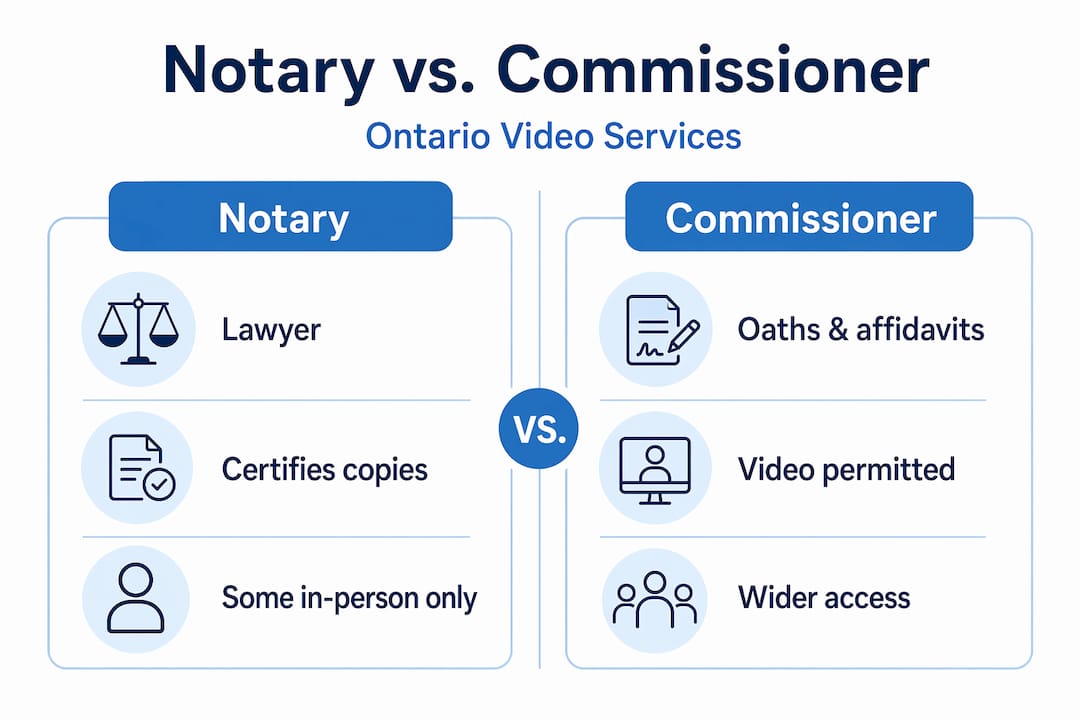
A commissioner for taking oaths (also called a commissioner of oaths) is authorized specifically to administer oaths and witness signatures on affidavits and statutory declarations. Under Ontario Regulation 431/20, this role can be performed remotely via real-time audio-visual technology. That is the legal mechanism behind what is commonly called video notary or what is e-notarization in casual usage.
| Service type | In-person required? | Remote via video permitted? |
|---|---|---|
| Certified true copies | Yes | No |
| Notarial certificates for international use | Yes | No |
| Affidavit commissioning | Yes (or remote) | Yes, under Reg 431/20 |
| Statutory declaration witnessing | Yes (or remote) | Yes, under Reg 431/20 |
| Solemn declarations | Yes (or remote) | Yes, under Reg 431/20 |
The Law Society of Ontario is clear that misusing remote services for documents requiring full notary acts may render those documents invalid. If you send a video-commissioned document to an institution expecting a notarized copy, it will likely be rejected.
Pro Tip: Before booking any video session, ask the service provider explicitly: “Are you a licensed commissioner of oaths authorized for remote commissioning under Ontario Regulation 431/20?” If they can’t answer that clearly, look elsewhere.
For a deeper look at the difference in roles, the remote notary understanding Ontario guide explains the distinction in practical detail. You can also review Ontario notary services online to see which document types qualify.
Step-by-step process for completing remote oath commissioning via video in Ontario
The video notarization process for eligible documents is straightforward once you know what to expect. Here is how it typically works:
- Confirm your document qualifies. Check whether your document is an affidavit, statutory declaration, or solemn declaration. These are the only types currently eligible for remote commissioning in Ontario.
- Prepare your document. Fill in all required information before your session. Do not sign the document yet. The commissioner must witness your signature in real time.
- Gather valid government-issued ID. You will need to show photo identification during the video session. A passport, driver’s license, or provincial ID card works.
- Schedule a session with a licensed commissioner. Book with a provider who is explicitly authorized for remote commissioning under Ontario Regulation 431/20.
- Join the real-time audio-visual session. Both parties must be connected simultaneously. Pre-recorded video is not legally acceptable.
- Swear or affirm and sign live on camera. The commissioner will administer the oath or affirmation, then witness you signing the document in real time.
- Receive your commissioned document. After the session, you will receive the completed, legally valid document, typically by secure digital delivery or mail.
Remote commissioning sessions via video typically take 15 to 30 minutes depending on document complexity. Straightforward affidavits often wrap up in under 20 minutes.
Pro Tip: If you are filing an affidavit for a court proceeding, confirm the specific wording requirements with the court clerk before your video session. Different courts have different formatting standards, and fixing errors after commissioning can mean starting over.
Need to get started? The guide on how to complete a statutory declaration online walks through the document preparation stage in full detail.
Common pitfalls and risks of using unauthorized video notary services in Ontario
The benefits of video commissioning attract a number of services that operate outside Ontario’s legal framework. Some are simply uninformed. Others are outright scams targeting people who are stressed about a legal deadline.
Here are the key risks you need to watch for:
- Invalid documents: A document commissioned by an unauthorized provider may be rejected by courts, government agencies, or financial institutions. You would need to start over, often under time pressure.
- Regulatory violations: Licensed professionals who offer notary services they are not authorized to perform remotely may face regulatory action from the Law Society of Ontario.
- Personal data exposure: Fraudulent services may collect your identification documents, personal details, and signatures without any legitimate purpose or data protection.
- Financial loss: Some services charge significant fees upfront and deliver documents that are legally worthless.
“Licensees offering unpermitted online notary services may face regulatory action, and documents notarized incorrectly may be invalid and unusable for their intended purpose.”
— Law Society of Ontario
Knowing how to spot scams online is genuinely useful when evaluating unfamiliar notary platforms. Look for clear licensing information, a physical Ontario address, and explicit references to Ontario Regulation 431/20 on their website.
You can also review your options for securing your documents in Ontario before committing to any provider.
Benefits and practical applications of video commissioning for affidavits and statutory declarations
When used correctly for eligible documents, video commissioning is a genuinely practical tool. The benefits go beyond simple convenience.
- Time savings: No travel, no waiting rooms, no parking. A video session fits into a lunch break.
- Cost reduction: You avoid transportation costs, parking fees, and time away from work or childcare.
- Urgent filing support: Remote commissioning helps clients meet tight legal deadlines without the friction of scheduling an in-person appointment.
- Accessibility: People with mobility limitations, rural residents, or those with demanding work schedules can access legal services that were previously difficult to reach.
- Business use cases: Small business owners filing compliance affidavits, responding to regulatory inquiries, or supporting real estate transactions can handle these needs without leaving the office.
- Immigration applications: Statutory declarations for spousal sponsorships, visitor visa support letters, and similar documents can be commissioned entirely via video.
Understanding the purpose of statutory declarations helps you confirm whether your document falls into this category before you book.
The key word throughout is eligible. The benefits only apply when the document type actually qualifies for remote commissioning. That one check prevents every problem downstream.
Why knowing the limits of video notary services protects your legal documents
Here is the uncomfortable truth that most “online notary” marketing glosses over: the demand for convenience has outpaced the legal framework in Ontario. People want a fully digital notarization experience, and some providers are happy to sell exactly that, regardless of whether it is lawful.
The problem is not the technology. Real-time video is secure, reliable, and entirely capable of supporting legal witness processes. The problem is that Ontario’s Notaries Act was written around the concept of physical co-presence, and updating it requires deliberate legislative action. That has not fully happened yet for the full range of notarial services.
What this means in practice: misusing remote services for documents that require full notarization does not just create an administrative headache. It can mean a rejected immigration application, a stalled real estate deal, or a court filing that gets thrown out. The consequences are real.
The smarter approach is to treat the legal boundary not as a frustration but as a filter. If your document qualifies for video commissioning, you get a fast, accessible, legally valid result. If it doesn’t, you need an in-person appointment, and knowing that upfront saves you from wasting time and money on a service that cannot help you.
Spending five minutes confirming your document type and your provider’s credentials is the most valuable thing you can do before booking. Review the online notary legality Ontario guidance if you are unsure where your document falls.
Find trusted online video notary services for Ontario affidavits and statutory declarations
Now that you understand the legal landscape, finding the right service comes down to one thing: working with a platform that operates fully within Ontario’s rules.

At The Online Notary, our commissioners are licensed and authorized for remote commissioning under Ontario Regulation 431/20. We handle affidavits, statutory declarations, solemn declarations, and invitation letters through secure, real-time video sessions. You can explore all trusted online notary services we offer and book a session at a time that works for you, including evenings and weekends. If you need help preparing your document first, the step-by-step guide on completing a statutory declaration online is a good starting point. Not sure if your document qualifies? Browse our full list of document types for notarization in Ontario to confirm before you book.
Frequently asked questions
Is video notarization legal for all documents in Ontario?
No. Full video notarization is not permitted under the Notaries Act for all document types; only remote commissioning of affidavits and statutory declarations is currently allowed under Ontario Regulation 431/20.
What types of documents can I notarize using video services in Ontario?
Affidavits, statutory declarations, and solemn declarations can be commissioned remotely by video, but certified copies and other full notary services still require an in-person appointment.
How long does a video commissioning session typically take?
A remote commissioning session via video generally takes 15 to 30 minutes depending on the number and complexity of documents involved.
Are online notary services safe to use in Ontario?
They are safe when the provider is a licensed commissioner authorized under Ontario Regulation 431/20. Unauthorized services may invalidate your documents and expose you to data and financial risks.
Where can I find reliable online video notary services for Ontario?
Authorized remote commissioning services for Ontario affidavits and statutory declarations are available through The Online Notary, which operates fully within Ontario’s regulatory requirements.





