
TL;DR:
- Secure online notarization is legally recognized in Ontario under regulation O. Reg. 431/20.
- It offers a faster, safer alternative to in-person notarization with stringent security measures.
- The process requires real-time video verification and compliance with specific legal standards.
Getting a document notarized in Ontario used to mean booking an appointment, taking time off work, driving across town, and hoping the notary’s office was actually open. For affidavits, statutory declarations, and similar legal documents, that process could stretch into days. The good news is that secure online notarization is now legally recognized in Ontario, giving individuals and businesses a faster, safer alternative. This article walks you through the legal framework, the security protections in place, the exact steps involved, and real-world examples of how remote notarization works for common Ontario documents.
Table of Contents
- Understanding secure online notarization in Ontario
- How security and privacy are protected in online notarization
- Step-by-step process for secure online notarization
- Practical scenarios: Using secure online notarization for affidavits and declarations
- What most people miss about secure online notarization
- Trusted secure online notarization for Ontario
- Frequently asked questions
Key Takeaways
| Point | Details |
|---|---|
| Remote notarization is legal | Ontario law permits secure online notarization for many key documents using real-time video. |
| Strong security safeguards | Encryption, verification, and privacy protocols protect you during online notarization sessions. |
| Clear step-by-step process | Following Ontario guidelines ensures your online notarized documents are valid and recognized. |
| Accessible for businesses | HR and compliance documents can be securely notarized online, streamlining legal workflows. |
Understanding secure online notarization in Ontario
Secure online notarization means a commissioner of oaths or notary public administers an oath or declaration to a person remotely, using a live video connection instead of meeting face to face. This is not a loophole or a workaround. It is a formally recognized process under Ontario law.
The legal foundation is Ontario remote commissioning regulation, which came into force in 2020. Under this regulation, O. Reg. 431/20 permits remote commissioning when the commissioner and the person swearing the document can see each other through an electronic method in real time. That single requirement, visual real-time contact, is what makes remote commissioning legally valid.
It is important to understand the difference between remote commissioning and full notarization. Remote commissioning covers oaths and declarations, which includes affidavits and statutory declarations. Full notarization, which involves certifying copies or authenticating documents for international use, may have different requirements depending on the document and the receiving jurisdiction.
Here is a quick look at how the two compare:
| Feature | Remote commissioning | Full notarization |
|---|---|---|
| Legal basis in Ontario | O. Reg. 431/20 | Notaries Act + common law |
| Requires video connection | Yes | Varies |
| Covers affidavits | Yes | Yes |
| Covers certified true copies | Limited | Yes |
| Accepted internationally | Varies | Often yes, with apostille |
Documents commonly handled through secure online notarization in Ontario include:
- Affidavits for court or immigration purposes
- Statutory declarations for government applications
- Solemn declarations for professional or regulatory bodies
- Invitation letters for visa applications
- Consent letters for minors traveling abroad
For a deeper look at how digital notary security works in practice, it helps to understand both the legal standards and the technology behind each session. If you want a full walkthrough of the process before booking, reviewing online notarization instructions can remove a lot of uncertainty before you even start.
“Ontario’s O. Reg. 431/20 permits remote administering of oaths and declarations when the commissioner and deponent can see each other via an electronic method.” This is the core requirement that makes the entire online process legally sound.
How security and privacy are protected in online notarization
One of the most common concerns people raise about online notarization is whether it is actually secure. The short answer is yes, and in some ways it is more secure than walking into an office with a paper document.
Identity verification in a remote session is more rigorous than many people expect. The commissioner must be able to see you clearly in real time, which means you will typically need to hold up a government-issued photo ID to the camera. Many platforms also require you to state your name, confirm the document content, and answer questions to confirm your identity before the oath is administered.

Remote notarization sessions must enable both parties to see and hear each other in real time, which directly supports fraud prevention. If someone is impersonating you, a live video call makes that far harder to pull off than a forged signature on a paper form.
Here is what a compliant, secure online notarization session typically involves:
- Encrypted video platform: Sessions are conducted over platforms that use end-to-end encryption, not a standard consumer video call app
- Real-time identity check: The commissioner visually verifies your government ID during the session
- Document review on screen: Both parties view the document together before the oath is administered
- Session records: Platforms typically retain a record of the session for audit purposes
- Secure document delivery: Signed and commissioned documents are delivered through encrypted channels, not unprotected email
For a full breakdown of what makes a session compliant, reviewing virtual notary safety standards gives you a clear picture of what to expect and what to demand from any provider.
Pro Tip: Never complete an online notarization session over public Wi-Fi. Use a private, password-protected network to protect your identity information and document content during the session. A mobile data connection is a safer backup if you are not at home.
Following online notary best practices also means choosing a provider who uses a dedicated, legally compliant platform rather than a generic video conferencing tool.
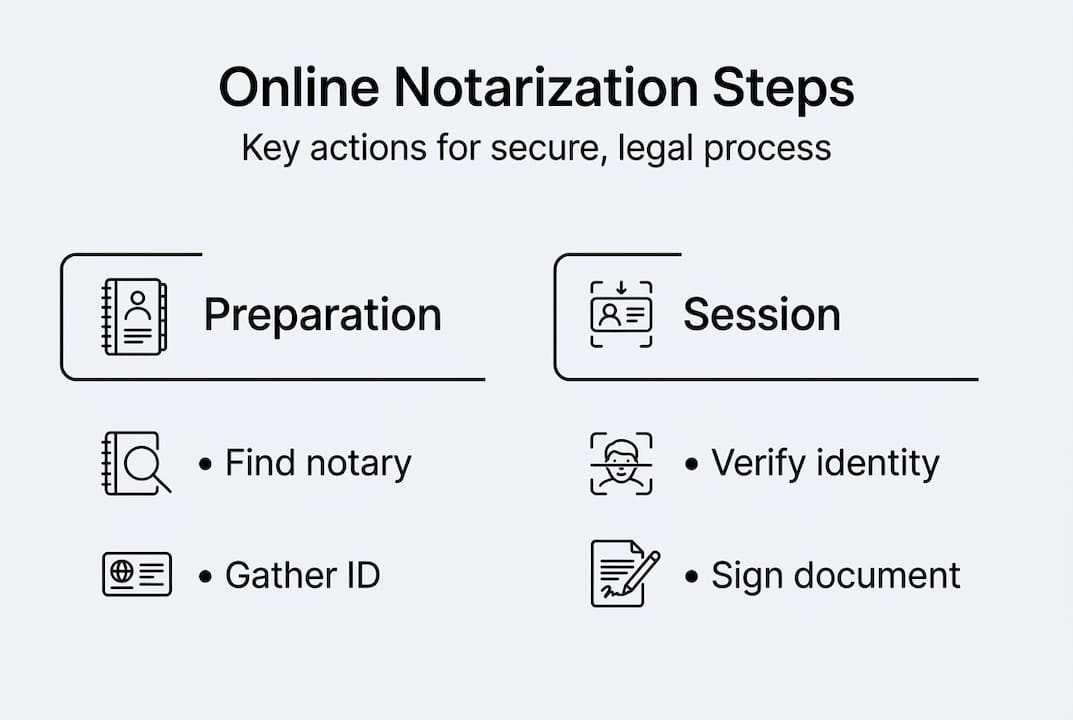
Step-by-step process for secure online notarization
Knowing the process ahead of time makes the experience much smoother. Here is exactly how a secure online notarization session unfolds in Ontario.
- Confirm document eligibility: Check whether your document qualifies for remote commissioning under Ontario law. Affidavits and statutory declarations generally do.
- Choose a qualified provider: Select a commissioner of oaths or notary public who offers compliant remote services in Ontario.
- Submit your document in advance: Send the document to the notary before your appointment so they can review it and flag any issues.
- Book your video session: Schedule a time for the live video call. You will receive a link or platform invitation.
- Prepare your ID: Have a valid, government-issued photo ID ready to show on camera.
- Join the session: Connect at the scheduled time. The commissioner will verify your identity, review the document with you, and administer the oath.
- Sign the document: Depending on the platform, you may sign electronically during the session or via a secure signing tool immediately after.
- Receive your commissioned document: The completed document is delivered to you through a secure channel.
Remote commissioning must allow for real-time interaction at every stage, so any provider who asks you to pre-record a video or submit a photo instead of joining a live session is not following Ontario’s regulations.
Here is how online and in-person notarization compare on the factors that matter most:
| Factor | Online notarization | In-person notarization |
|---|---|---|
| Travel required | No | Yes |
| Appointment availability | Often same-day | Days to weeks |
| Identity verification | Video and ID check | In-person ID check |
| Document delivery | Digital, encrypted | Physical or scanned |
| Legal validity in Ontario | Yes, under O. Reg. 431/20 | Yes |
For a detailed look at each stage, the Ontario notarization steps guide covers every requirement in plain language. If you are comparing providers, understanding what professional notary services should include helps you avoid underprepared or non-compliant options.
Pro Tip: Do not sign your affidavit before the session. The whole point of commissioning is that the oath is administered before you sign. Signing early is one of the most common mistakes that invalidates a document.
Practical scenarios: Using secure online notarization for affidavits and declarations
Understanding the rules is one thing. Seeing how they apply to real situations makes the process click.
Individuals applying for immigration documents often need affidavits or statutory declarations as part of their application. Instead of finding a local commissioner and scheduling around work hours, they can complete the entire process online from home, often the same day they identify the need.
Businesses handling HR compliance frequently require employees to sign statutory declarations related to background checks, conflict of interest disclosures, or regulatory filings. Online notarization allows HR teams to manage this across multiple locations without requiring employees to travel or take time off.
Families supporting visa applications often need notarized invitation letters or consent letters. These documents can be notarized online in Canada quickly and securely, removing the logistical friction that used to delay applications.
Online notarization is permitted for affidavits and statutory declarations as long as the session meets Ontario’s visibility requirements under O. Reg. 431/20. That means any document in those categories is a candidate for remote processing, provided the session is conducted correctly.
Practical tips for ensuring your online document is valid:
- Use the exact document format required by the receiving authority
- Do not alter the document after commissioning
- Confirm the commissioner is authorized to administer oaths in Ontario
- Keep a digital copy of the commissioned document in a secure location
- Ask the provider whether their platform meets Ontario’s electronic communication standards
For people who face barriers to in-person services, whether due to disability, distance, or schedule, online notary accessibility has become a genuine equalizer. The shift toward remote commissioning is not just a convenience trend. It reflects a broader recognition that legal services should be reachable by everyone.
What most people miss about secure online notarization
Most people assume that online notarization is a lesser version of the real thing. That assumption is wrong, and it costs people time and money.
Here is the reality: the regulatory safeguards built into Ontario’s remote commissioning framework often exceed what happens in a typical in-person appointment. A live video session with identity verification, a real-time oath, and an encrypted record trail is more auditable than a paper form signed across a desk with no recording.
The bigger risk is not the technology. It is the human side. A notary who does not follow the session requirements, skips identity verification, or uses a non-compliant platform creates a document that could be challenged. Technology is the vehicle. The commissioner’s judgment and compliance are what actually protect the document’s validity.
Understanding online notary legalities in Ontario means recognizing that the law is specific about how a session must be conducted, not just whether it can be done remotely. Choosing a provider based on price alone, without checking their compliance practices, is where most problems start. A notary services comparison focused on compliance, not just cost, will serve you far better in the long run.
Trusted secure online notarization for Ontario
If you have reached this point, you now have a clear picture of how secure online notarization works, what the law requires, and how to protect yourself through the process. The next step is working with a provider who takes all of that seriously.

At The Online Notary, we offer fully compliant remote notarization services for individuals and businesses across Ontario. Whether you need an affidavit commissioned, a statutory declaration witnessed, or an invitation letter notarized, our sessions meet every requirement under O. Reg. 431/20. Explore our online notary services or review the Ontario notary requirements to confirm your document qualifies. Booking is straightforward, sessions are available quickly, and your documents are handled with the security and legal rigor they deserve.
Frequently asked questions
Is secure online notarization legal in Ontario?
Yes, Ontario law allows remote commissioning of oaths and declarations when both parties participate via real-time electronic communication. Ontario legalizes remote administration under O. Reg. 431/20, which has been in force since 2020.
Which documents can be notarized online in Ontario?
Affidavits, statutory declarations, and other documents permitted under O. Reg. 431/20 can generally be notarized online if all regulatory requirements are met. O. Reg. 431/20 allows remote commissioning for affidavits and declarations specifically.
How is my privacy protected during online notarization?
Online notarization platforms use encrypted video and strict verification to protect your privacy and ensure compliance with Ontario laws. The regulation requires electronic communication for real-time interaction and identity verification throughout the session.
Can businesses notarize HR or compliance documents online?
Yes, as long as documents are eligible and sessions meet Ontario’s real-time electronic requirements, business documents can be notarized securely online. Ontario remote commissioning covers business documents when the proper session procedures are followed.





