
TL;DR:
- Remote notarization in Ontario is limited to affidavits and statutory declarations under strict rules.
- In-person presence is legally required for certified true copies, powers of attorney, and international documents.
- Proper preparation, verification of recipient acceptance, and licensed providers ensure a smooth, compliant notarization process.
Most people booking an online notary appointment in Ontario assume the process works the same way as a standard in-person visit. It does not. Ontario draws a clear legal line between remote commissioning and full notarization, and crossing that line by accident can mean rejected documents, missed deadlines, and real legal headaches. This guide answers the most common notary appointment questions in plain language, so you know exactly what you can do remotely, what still requires a physical visit, and how to make sure your documents are accepted the first time.
Table of Contents
- What can and can’t be done remotely in Ontario?
- How remote notary appointments work in practice
- choosing a reliable online notary: what to watch for
- Common questions and costly mistakes to avoid
- Why ‘notary appointment’ FAQs matter more than you think
- simplify your Ontario notary appointment with trusted experts
- frequently asked questions
Key Takeaways
| Point | Details |
|---|---|
| Remote options are limited | Only affidavits and statutory declarations can be commissioned remotely in Ontario. |
| ID and video are mandatory | You must show your ID on camera in a live video call for remote notary appointments. |
| Choose licensed providers | Pick an LSO-licensed online notary and confirm that your recipient accepts remote documents. |
| Avoid common pitfalls | Understand key differences and requirements to prevent rejected documents or legal delays. |
What can and can’t be done remotely in Ontario?
The rules around remote notary services in Ontario confuse even experienced professionals. Here is the reality: Ontario does allow certain documents to be commissioned remotely, but the term “online notary” is often used loosely in ways that do not reflect the actual legal framework.
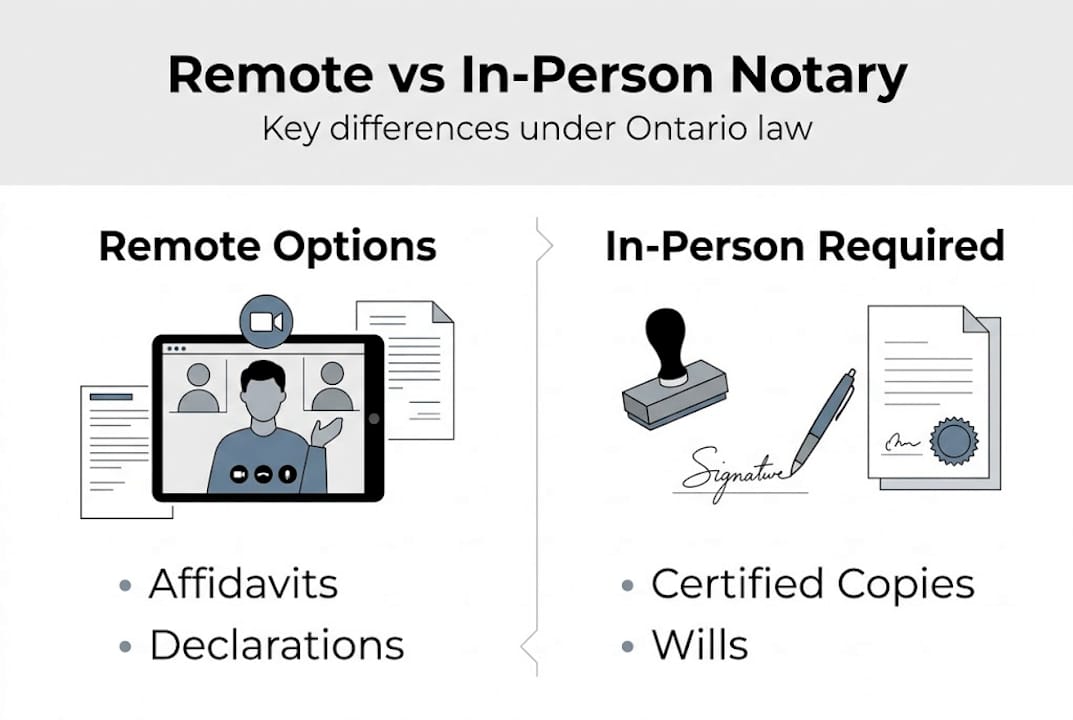
Remote commissioning is legal for affidavits and statutory declarations under O. reg. 431/20, which came into effect during the COVID-19 pandemic and was made permanent. This regulation specifically permits commissioners of oaths and lawyers to commission these documents via real-time video technology. That is the good news.
Here is what surprises most people: the title “notary public” in Ontario still carries different obligations. Full notarization for true copies and international documents generally requires physical presence under Law Society of Ontario guidance. So if you need a certified true copy of your passport for immigration purposes, a remote appointment will not cut it legally.
Consult our remote notary guide for a deeper breakdown of these rules.
Documents allowed remotely vs. in-person only:
| Document type | Remote allowed? | Notes |
|---|---|---|
| Affidavit | Yes | Under O. reg. 431/20 |
| Statutory declaration | Yes | Common remote service |
| Solemn declaration | Yes | Similar to stat dec |
| Certified true copy | No | In-person required |
| Power of attorney | No | Physical presence needed |
| International notarization | No | Physical presence required |
A few things to keep in mind before you book any appointment:
- Check whether your receiving party (a government agency, employer, or foreign embassy) accepts remotely commissioned documents
- Not all “online notary” services advertise their legal limits clearly
- Remote commissioning and notarization are not the same thing, even if some providers use both terms interchangeably
- Ontario solemn declarations and invitation letter supporting documents can often be handled remotely as well
The practical difference matters enormously. If you book a remote appointment for a document that legally requires in-person notarization, you may have to start over from scratch.
How remote notary appointments work in practice
Once you know what can be done remotely, here is exactly what to expect at your remote notary appointment.

The process is more structured than most people expect. It is not a casual video call. Remote appointments require real-time video, ID shown on camera, specific jurat wording noting the remote method and locations of both parties, and complete record-keeping by the commissioner. Every step matters for legal compliance.
Here is how a typical compliant remote appointment flows:
- Book and prepare. Send your document to the commissioner in advance. Review what ID is needed for online notary appointments so there are no last-minute surprises.
- Join the video call. Use a platform that supports real-time audio and video, such as Microsoft Teams or a similar tool. Pre-recorded video does not meet legal requirements.
- Present your ID on camera. The commissioner must be able to clearly see your government-issued photo ID during the call. Learn how to upload ID in advance to speed up this step.
- Read and declare. You will be asked to read and declare the contents of your document aloud. This is your sworn statement.
- Commissioner signs and seals. After the call, the commissioner applies the correct jurat language noting the remote method and both parties’ locations.
- Record kept. The commissioner retains a record of the appointment for compliance purposes.
Pro tip: Run a tech check 10 minutes before your appointment. Poor camera quality or a shaky internet connection can disrupt the ID verification step and force you to reschedule. See our tips on preparing for remote notary appointments for a full checklist.
Common mistakes that derail remote appointments: blurry camera footage during ID check, expired or non-government-issued ID, mismatched names on documents, and forgetting that the commissioner must note both parties’ locations in the jurat.
Avoiding these mistakes is not complicated. It just requires knowing them ahead of time, which most first-time clients do not.
choosing a reliable online notary: what to watch for
Not all providers advertise in good faith. Here is how to confidently pick a reputable and compliant online notary.
The single most important criterion is Law Society of Ontario licensing. A legitimate provider will be an LSO-licensed lawyer or paralegal (where applicable) or a certified commissioner of oaths operating within the scope of O. reg. 431/20. LSO-licensed providers are your safest option, and verifying recipient acceptance before the appointment can save you from costly rejections.
Follow these digital notary best practices to screen providers effectively.
Red flags to watch for when choosing an online notary:
- Claims to notarize any document online with no caveats or limitations
- No visible LSO credentials, license number, or professional designation
- No mention of O. reg. 431/20 or remote commissioning rules
- Does not ask you to verify whether the recipient accepts remote documents
- No process for real-time video or ID verification
- Unable to produce sample jurat language or document templates on request
Green flags that signal a compliant provider:
- Clear disclosure of which document types are and are not eligible for remote commissioning
- LSO registration visible on their website or available on request
- Written confirmation of the appointment record
- Pre-appointment checklist or intake form covering your ID and document type
Pro tip: Ask the provider directly whether your specific document has been accepted remotely by the receiving party before. An experienced commissioner will know common recipient requirements and can flag issues before you waste time and money.
One more step many people skip: confirm acceptance with the receiving party before you book. A government agency in another province or a foreign consulate may have stricter standards than Ontario law requires.
Common questions and costly mistakes to avoid
Now let’s tackle the most frequently asked questions and the missteps that trip up even careful clients.
The biggest source of confusion remains the terminology. Some services market “online notary” but what they legally provide is remote commissioning. The LSO is clear about this distinction, and it matters because the two services carry different legal weights depending on the document and the recipient.
Here is what that distinction looks like in practice:
| Document | Remote commissioning OK? | Full notarization required? | Common use case |
|---|---|---|---|
| Affidavit | Yes | No | Court filings, benefit claims |
| Statutory declaration | Yes | No | Immigration, employment |
| Power of attorney | No | Yes | Estate, financial planning |
| Certified true copy | No | Yes | International applications |
| Invitation letter support | Often yes | Sometimes | Family visitor visas |
Learn more about what remote notary means under Ontario law before booking.
Here are the most common costly mistakes and how to avoid them:
- Using remote commissioning for a document that requires full notarization. Result: document rejected by recipient. Fix: verify document type requirements before booking.
- Not confirming recipient acceptance. Result: the receiving party refuses the document even though it was lawfully commissioned. Fix: call or email the recipient first.
- Using an unlicensed provider. Result: document may be invalid. Fix: check LSO credentials.
- Poor preparation for the video call. Result: appointment cannot proceed, time is wasted. Fix: follow a pre-appointment checklist.
- Name mismatches between your ID and your document. Result: commissioner cannot verify identity, appointment is cancelled. Fix: review all documents for consistency before the call.
These are not rare edge cases. They are the most common reasons people have to repeat their notary appointments.
Why ‘notary appointment’ FAQs matter more than you think
Here is the part most articles skip. The confusion around notary appointment FAQs is not really about the appointment itself. It is about the legal gap between what people assume and what Ontario law actually permits.
We see it regularly. Someone books a remote appointment for a certified true copy because a quick internet search returned results for “online notary Ontario.” The appointment goes smoothly. Then the document is rejected by an embassy. Now they need to start over, in person, often under time pressure.
The hard-won lesson: always confirm requirements with both your provider and your receiving party. Those two conversations take maybe 15 minutes combined, and they can prevent weeks of frustration. The Ontario remote notary facts are publicly available, but most people never read them before booking.
Education is genuinely underused here. The people who do their homework, who understand the legal difference between remote commissioning and notarization, almost never run into rejection problems. They book the right appointment, prepare the right ID, and confirm acceptance in advance. It is not complicated once you know the framework.
simplify your Ontario notary appointment with trusted experts
Now that you understand the legal landscape, the next step is making sure your appointment goes smoothly from start to finish.

At The Online notary, we offer licensed remote commissioning for affidavits, statutory declarations, solemn declarations, and more across Ontario. Our team verifies your document type, walks you through ID requirements, and confirms the process before your appointment so there are no surprises. Browse our full range of Ontario notary services to find the right fit for your situation. Not sure what you need? Review the public notary requirements page or check the notary ID rules before booking. We make it simple, compliant, and stress-free.
frequently asked questions
Can I get any document notarized online in Ontario?
No. Only affidavits and statutory declarations can be commissioned remotely in Ontario; most other notary acts, including certified true copies and powers of attorney, require in-person service.
What happens if my recipient rejects a remotely commissioned document?
You will likely need to have the document redone in person, which costs time and money. Always verify recipient acceptance before booking your remote appointment.
Do I need special technology for a remote notary appointment?
Yes. You need a device with a working camera and microphone and a stable internet connection. Real-time audio-video communication is a legal requirement, so pre-recorded video does not qualify.
Why can’t all documents be notarized online?
Ontario law limits remote appointments to specific document types; others require physical presence to carry legal validity, particularly for international or government use.





