
TL;DR:
- Ontario now allows remote notarization for affidavits and declarations via live video calls.
- Qualification and recipient acceptance are more important than proximity when choosing a notary.
- Online notarization is quick, legal, and widely accepted if done correctly with qualified providers.
Getting a document notarized in Ontario can feel urgent and confusing at the same time. You search “notary near me,” get a list of offices with limited hours, and wonder if there’s a faster option. There is. Ontario now allows remote commissioning for many common documents, meaning you can have an affidavit, statutory declaration, or solemn declaration sworn and signed from your home, your office, or anywhere with a reliable internet connection. This guide breaks down exactly how it works, what qualifies, and how to avoid the most common mistakes.
Table of Contents
- Understanding notary vs. remote commissioning in Ontario
- Eligibility: Can your document be notarized online?
- How online notarization works: Step-by-step process
- What to watch out for: Avoiding common pitfalls
- Why “notary near me” thinking is outdated and what actually matters now
- Get your documents notarized online: Fast, legal, and fully accepted
- Frequently asked questions
Key Takeaways
| Point | Details |
|---|---|
| Know your document type | Some documents can be notarized online, but others may still need in-person service. |
| Check recipient policy | Always confirm that the institution accepting your document allows remote commissioning. |
| Use a qualified service | Choose an Ontario-legal platform with secure ID and record-keeping steps. |
| Prepare technology and ID | Having a working device, internet, and valid ID ensures a smooth notarization experience. |
| Local isn’t always better | Online notary options offer speed and compliance, making ‘near me’ less important. |
Understanding notary vs. remote commissioning in Ontario
Before you book anything, you need to understand a terminology issue that trips up a lot of people. In Ontario, the terms “notary public” and “commissioner for oaths” are not the same thing, and that distinction matters when you’re looking for online services.
A notary public in Ontario is typically a lawyer who can certify documents, administer oaths, and perform a broader range of functions, including some that have international recognition. A commissioner for oaths can administer oaths and take sworn statements, but their authority is more limited. When you see “online notary” services advertised in Ontario, what’s usually happening is remote commissioning, which is the legal framework that allows a qualified commissioner or notary to witness and commission documents over a live video call.
According to remote notary rules, this framework has specific requirements that must be met for the document to be legally valid. The Law Society of Ontario’s guidance on remote commissioning states that remote commissioning requires real-time audio-visual communication, identity confirmation, a modified jurat, and proper record-keeping.
What documents are covered?
Not everything can be handled remotely. Here’s a quick breakdown:
| Document type | Remote commissioning available? |
|---|---|
| Affidavits | Yes |
| Statutory declarations | Yes |
| Solemn declarations | Yes |
| Invitation letters | Yes (when sworn as a declaration) |
| Certified true copies | Often no, may require in-person |
| Real estate documents | Generally no, in-person required |
| Court filings | Depends on the court’s requirements |
| Immigration forms | Case-by-case, confirm with recipient |
Documents that typically cannot be processed remotely include:
- Certified true copies of original documents in many cases
- Real estate closing documents and title transfers
- Documents requiring a notarial certificate with a physical seal
- Any document where the receiving authority specifically requires in-person notarization
In-person notarization is still the right call when you’re dealing with foreign authorities that don’t recognize Ontario’s remote commissioning framework, or when a court, financial institution, or government body explicitly requires a physical wet-ink signature and seal.
Eligibility: Can your document be notarized online?
With the legal framework clarified, the next step is to figure out if your specific documents can be processed by an online notary. This is where many people waste time by assuming all documents are eligible, or by booking a service only to find out the receiving institution won’t accept it.
The most commonly eligible documents for remote commissioning in Ontario are affidavits, statutory declarations, solemn declarations, and sworn letters such as invitation letters for visa applications. These are documents where the core legal requirement is that the person signing is doing so voluntarily, under oath, in front of a qualified witness. A live video call satisfies that requirement under Ontario’s framework.
The Law Society of Ontario’s guidance on remote commissioning makes it clear that online services for certified true copies or real-estate-related notarizations may still require in-person steps. Before you book, you need to confirm two things: the commissioner’s authority to handle your specific document type remotely, and whether the institution receiving your document will accept a remotely commissioned version.
For more detail on what qualifies, review the full breakdown of document eligibility for online notarization.
Quick eligibility checklist
Before booking an online appointment, run through this list:
- Document type: Is it an affidavit, statutory declaration, or solemn declaration?
- Recipient acceptance: Have you confirmed the receiving institution accepts remotely commissioned documents?
- Commissioner authority: Is the service provider a qualified commissioner or notary under Ontario law?
- Jurat format: Will the final document include a modified jurat noting it was commissioned remotely?
- Record-keeping: Will the provider maintain a proper record of the session?
Pro Tip: If you’re submitting to a foreign embassy or consulate, call them directly before booking. Many embassies have specific requirements about who can notarize documents and whether remote commissioning is acceptable. Getting this confirmed in advance saves you from having to redo the process.
If you need certified copies online, be especially careful to verify that the receiving party will accept them before proceeding.
How online notarization works: Step-by-step process
Once you’ve confirmed eligibility, knowing exactly what to expect makes the online process fast and painless. The good news is that a well-run online commissioning session typically takes 15 to 30 minutes from start to finish.
Here’s how a standard remote commissioning appointment works in Ontario:
- Book your appointment. Choose a qualified online notary or commissioner and select a time slot. Many services offer same-day or next-day availability.
- Upload your document. Send the unsigned document to the provider in advance so they can review it before the session.
- Prepare your ID. Gather a valid, government-issued photo ID such as a passport or driver’s license. It must not be expired.
- Join the video call. Connect via the platform the provider uses, usually Zoom, Microsoft Teams, or a dedicated notary platform. Your camera must be on.
- Identity verification. The commissioner will ask you to hold your ID up to the camera and will confirm that your face matches the photo. This step is mandatory under Ontario’s remote commissioning requirements.
- Read and swear the oath. The commissioner will read the oath or affirmation to you, and you’ll verbally confirm your agreement.
- Sign the document. You’ll sign electronically or physically (depending on the service), and the commissioner will apply their electronic signature and modified jurat.
- Receive your document. The completed, commissioned document is sent to you digitally, usually within minutes of the session ending.
For detailed guidance on each step, see these step-by-step instructions and the full online notary verification process explanation.
What equipment do you need?
You don’t need anything special. The basic requirements are:
- A computer, tablet, or smartphone with a working camera and microphone
- A stable internet connection (wired is better than wireless if possible)
- Valid, unexpired government-issued photo ID
- The unsigned document ready to share or upload
“The technology barrier for online notarization is genuinely low. If you’ve ever done a video call with a family member or joined a work meeting online, you already have everything you need to complete a remote commissioning session.”
For specific guidance on preparing your identification, review the instructions on uploading ID for notary services before your appointment.
Pro Tip: Test your camera and microphone at least 10 minutes before your appointment. A technical glitch at the start of a session can eat into your scheduled time or cause the commissioner to cancel and reschedule.

What to watch out for: Avoiding common pitfalls
Even with a smooth online process, a few common mistakes can undermine your efforts or make your documents unusable. These are the issues we see most often, and they’re all preventable.
Expired or mismatched ID. Your government-issued ID must be valid on the date of the appointment. If your name on the document differs from your ID (due to a recent name change, for example), bring documentation that explains the discrepancy. Commissioners cannot proceed if they cannot confirm your identity with certainty.
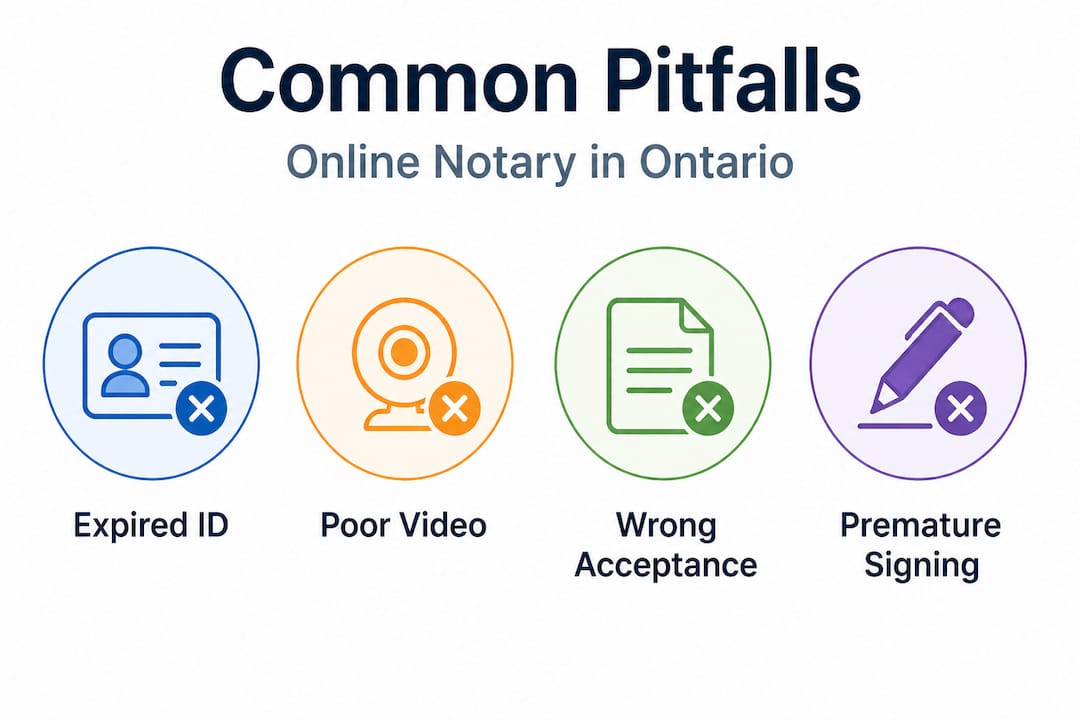
Poor internet or camera quality. Ontario’s remote commissioning framework requires real-time audio-visual communication. If your connection drops repeatedly or your camera is too blurry to read your ID, the session cannot be completed legally.
Not confirming recipient acceptance in advance. This is the most costly mistake. You can have a perfectly executed remote commissioning session and still have your document rejected if the receiving institution doesn’t accept remotely commissioned documents. Always get written confirmation from the recipient before your appointment.
Signing the document before the session. Never sign the document before the commissioner witnesses you doing so. A pre-signed document cannot be commissioned. The whole point of the session is that you sign in front of the commissioner, under oath.
Choosing an unqualified provider. Not every website offering “online notary” services in Ontario is operated by a qualified commissioner or notary public. Always verify that the provider is authorized under Ontario law. For a full breakdown of what a secure, compliant process looks like, review these secure online notarization steps.
Here’s a quick checklist to run through before every online commissioning session:
- ID is valid and not expired
- Name on ID matches the document
- Internet connection is stable and tested
- Camera and microphone are working
- Document is unsigned
- Recipient has confirmed they accept remotely commissioned documents
- Provider is qualified under Ontario law
Pro Tip: Screenshot or save any written confirmation from the receiving institution that they accept remote commissioning. If there’s ever a dispute about the document’s validity, that confirmation is your backup.
Why “notary near me” thinking is outdated and what actually matters now
Here’s something worth saying plainly: searching for a notary based on physical proximity is the wrong starting point in 2026. It made sense when notarization required a physical presence. It doesn’t anymore, at least not for most common documents.
We’ve seen clients drive across town, take time off work, and pay parking fees to visit a notary office, only to find out the document still gets rejected because the receiving institution had specific requirements the local notary wasn’t aware of. Proximity solved nothing. The right questions were never asked.
What actually matters when choosing a notary or commissioner in Ontario is this: Are they qualified under Ontario law? Do they understand the specific requirements of your document type? And critically, do they have experience with the kind of recipient you’re submitting to, whether that’s an immigration authority, a foreign embassy, a court, or a financial institution?
The Ontario online notary guide covers this in detail, but the short version is that legal compliance and recipient acceptance are the two factors that determine whether your notarized document actually works. Location is irrelevant to both.
Speed is another area where online services consistently outperform in-person offices. Most online commissioning services offer same-day appointments. Many have evening and weekend availability. You’re not constrained by office hours or geography. If you’re in a rural area of Ontario, this is especially significant since your nearest qualified notary might be an hour away.
The mindset shift is simple: stop asking “who is closest?” and start asking “who is qualified, compliant, and familiar with where my document is going?” That question will get you a valid, accepted document every time.
Get your documents notarized online: Fast, legal, and fully accepted
You’ve now got a clear picture of what remote commissioning involves, which documents qualify, and how to avoid the pitfalls. If you’re ready to move forward, the next step is choosing a service that’s fully compliant with Ontario’s requirements and experienced with the full range of document types.

Our online notary services cover affidavits, statutory declarations, solemn declarations, invitation letters, and more, all handled by qualified commissioners following Ontario’s legal framework. Appointments are available on demand, and completed documents are delivered digitally so there’s no waiting, no travel, and no guesswork. We follow all Ontario notary requirements to ensure your documents are accepted by the institutions and authorities you’re submitting to. Whether you need something notarized today or want to plan ahead, we make the process straightforward from start to finish.
Frequently asked questions
Is online notarization legal in Ontario?
Yes, remote commissioning is legal in Ontario when performed by a qualified commissioner following Law Society of Ontario guidelines, including real-time video, identity confirmation, and proper record-keeping.
Can I get a certified true copy online in Ontario?
Some scenarios allow for online processing, but certified true copies may require in-person notarization in many cases, so always confirm your document’s specific requirements with the receiving institution first.
What technology do I need for online notary services?
You need a computer or smartphone with a working camera, a stable internet connection, and valid government-issued ID, since remote commissioning requires real-time audio-visual communication and identity confirmation.
Will all recipients accept a remotely sworn document?
Not all institutions will accept remote commissioning, so always confirm recipient acceptance before booking your online appointment to avoid having your document rejected.
How fast can I get my document notarized online?
Many reputable Ontario services offer same-day or on-demand commissioning appointments, making online notarization significantly faster than scheduling an in-person office visit.





