
TL;DR:
- Online notarization is fully legal in Ontario when guidelines under Ontario Regulation 431/20 are followed.
- It requires real-time audio-visual communication, ID verification, and proper documentation procedures.
- Most common documents like affidavits and declarations can be notarized online, ensuring convenience and legality.
Online notary services are not a legal gray area in Ontario. That’s a widespread myth worth correcting immediately. Remote commissioning of oaths and declarations by commissioners of oaths is fully legal under Ontario Regulation 431/20, provided the process uses real-time audio-visual communication. Many individuals and small businesses still hesitate to use these services because they assume digital means dubious. This article breaks down exactly what makes online notarization legal in Ontario, what specific requirements you must meet, which documents qualify, and how to avoid the most common mistakes that delay or invalidate the process.
Table of Contents
- Understanding online notary legality in Ontario
- Key legal requirements for online notarization
- Common documents you can notarize online
- Pitfalls and tips for a smooth online notarization
- Why most people overcomplicate online notary legality in Ontario
- Take the next step with trusted online notary services
- Frequently asked questions
Key Takeaways
| Point | Details |
|---|---|
| Remote notarization is legal | Ontario recognizes online notarization under Regulation 431/20 using real-time video. |
| Strict identification checks | You must prove your identity with clear ID via video during online notarization. |
| Document acceptance varies | Always confirm if your intended recipient will accept online-notarized documents. |
| Technology matters | A working camera, audio, and a stable connection are required for a valid session. |
| Choose reputable services | Using trusted, regulated online notaries ensures your document’s legal force. |
Understanding online notary legality in Ontario
Let’s clear up one persistent source of confusion right away. In Ontario, the terms “notary public” and “commissioner of oaths” are often used interchangeably, but they carry different legal weight. A notary public is appointed under provincial law and has broader powers, including certifying copies of documents. A commissioner of oaths can administer oaths and take declarations but cannot certify copies. Most online notarization services in Ontario operate through commissioners of oaths, and that’s perfectly valid for a wide range of documents.
Remote commissioning of oaths and declarations by commissioners of oaths is legal via real-time audio-visual communication under Ontario Regulation 431/20.
This regulation, introduced in 2020, formalized what many assumed was a legal loophole. It’s not a loophole. It’s a clear, enforceable standard. For individuals and businesses who assumed that “online” automatically meant “unverified” or “unofficial,” this regulation is a game-changer. You can review a detailed online notarization legal guide to see how the regulation applies in practice.
Here are the core myths that Ontario Regulation 431/20 directly dispels:
- Myth: Online notarization is not legally recognized in Ontario.
- Reality: It is fully legal when proper protocols are followed.
- Myth: You must physically appear before a notary or commissioner.
- Reality: Real-time video connection satisfies the presence requirement.
- Myth: Online-notarized documents are automatically rejected by courts or government bodies.
- Reality: Acceptance depends on whether the process followed regulated steps, not the medium.
Understanding how remote notaries work helps you approach the process with confidence rather than hesitation. When you know the rules are clear, navigating them becomes straightforward.
Key legal requirements for online notarization
With the legal foundation clear, it’s important to understand the specific requirements for an online notarization to be valid. Ontario Regulation 431/20 sets out precise standards, and meeting every one of them is what separates a legally solid document from a rejected one.
Here are the core requirements in order:
- Real-time audio-visual communication. All parties must be able to see, hear, and communicate with each other simultaneously. Pre-recorded video does not qualify.
- Identity confirmation. The commissioner must verify who you are before the oath or declaration is administered. This typically involves showing government-issued photo ID on camera.
- Modified jurat. The document must include a modified jurat, which is the statement at the bottom that confirms the oath was administered. It must indicate that the process was done remotely.
- No unauthorized interference. The commissioner must take reasonable precautions to ensure no unauthorized person is influencing or coaching you during the session.
- Record-keeping. The commissioner keeps records of the session to maintain accountability and compliance.
Pro Tip: Before your session, test your camera and microphone on a separate video call. A dropped connection mid-session can require you to restart the entire process, including re-verification of your identity.
You can follow step-by-step online notarization instructions to prepare properly. Understanding exactly how online notarization works in practice also helps you know what to expect during the video session itself.
One often-overlooked detail is ID preparation. Many people assume a driver’s license alone is enough, but the commissioner needs to clearly read the name, photo, and expiry date on screen. Review uploading ID requirements so you’re not scrambling at the last minute.
Common documents you can notarize online
Armed with knowledge of the requirements, let’s explore which documents you can typically get notarized online in Ontario. The good news is that the list is longer than most people realize.
Remote commissioning applies broadly to oaths and declarations, which covers a substantial range of everyday legal documents.
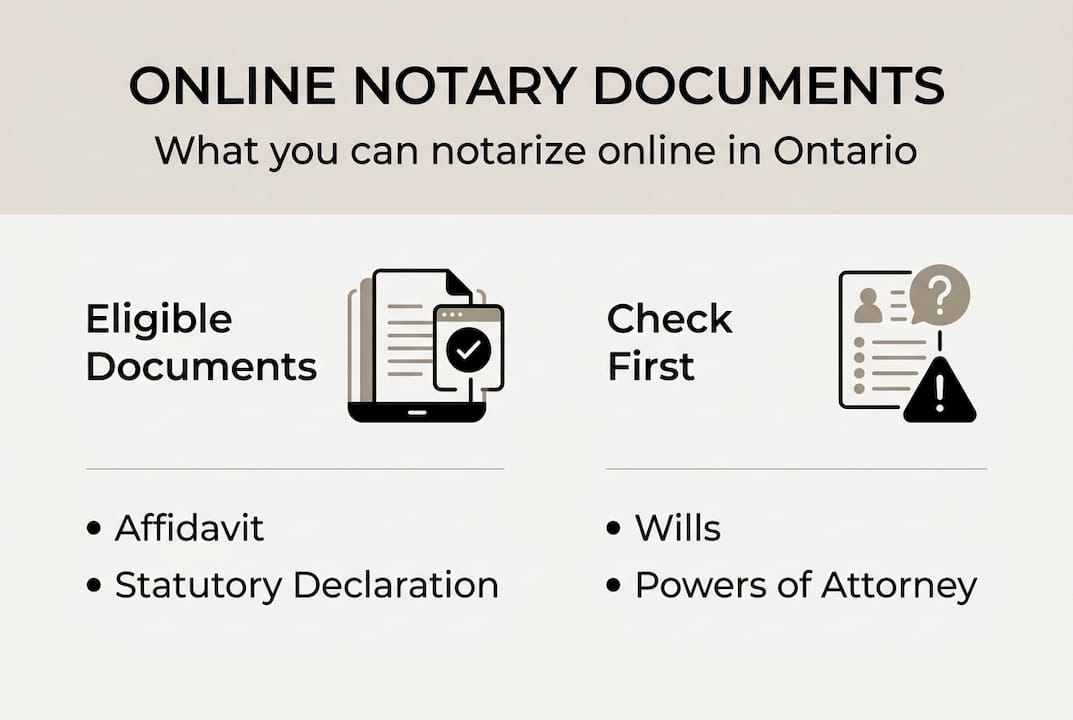
| Document type | Online notarization eligible? | Notes |
|---|---|---|
| Affidavit | Yes | Commonly used in legal proceedings |
| Statutory declaration | Yes | Required for many government and legal forms |
| Solemn declaration | Yes | Often needed for name changes, marital status |
| Invitation letter (travel) | Yes | For visa applications and immigration purposes |
| Travel consent letter | Yes | Parental consent for minors traveling |
| Certified true copy | Depends | Requires a notary public, not just a commissioner |
| Wills and powers of attorney | No | Require in-person witnesses under Ontario law |
Pro Tip: Always ask your document recipient before booking your notarization session. Some foreign embassies or specific institutions have internal policies that add requirements beyond Ontario law.
Here’s what else you should know about document eligibility:
- Affidavits are among the most commonly notarized documents online and are fully supported under the regulation.
- Statutory and solemn declarations work the same way and are regularly used for immigration and administrative purposes.
- Certified true copies are a common point of confusion. Only a notary public (not just a commissioner of oaths) can certify copies, so this service requires confirming the provider’s specific credentials.
You can explore a complete breakdown of document types for notarization to see detailed eligibility notes. If you’re unsure whether your specific document qualifies, reviewing what documents need notarization is a practical first step before you book anything.

Pitfalls and tips for a smooth online notarization
Now that you know what can be notarized, let’s make sure your online notarization goes as smoothly as possible. The process itself is straightforward when you’re prepared, but small oversights cause the majority of delays and rejections.
Reasonable precautions to verify no unauthorized interference are a legal requirement of remote commissioning under Ontario Regulation 431/20. This means both you and the commissioner bear responsibility for the session environment.
Here’s what to watch for:
- Invalid or expired ID. Always confirm your identification is current and legible on camera. Expired documents are a common reason sessions cannot be completed.
- Poor lighting or connection. If the commissioner cannot clearly see your face and ID, they cannot legally confirm your identity.
- Third-party acceptance gaps. Just because a document is validly notarized does not mean every institution will accept it. Banks, foreign governments, and private employers sometimes have additional internal requirements.
- Incomplete documents. Bring your document fully prepared and unsigned. Signing before the session invalidates the purpose of the sworn oath.
- Noisy or interrupted environments. The regulation requires the commissioner to take reasonable steps to ensure no one is coaching or pressuring you. A chaotic background may raise flags.
Review the process details for online notarization to understand what happens at each stage. Also check notary ID requirements ahead of time so your documents are in order before you log on.
Pro Tip: Keep a personal copy of every notarized document, the modified jurat, and any email confirmation from your session. If a recipient later questions the document’s validity, your records resolve the dispute quickly.
Why most people overcomplicate online notary legality in Ontario
Stepping back, it’s worth addressing why so many people (and even some legal professionals) make this topic more complicated than it needs to be. Most of the confusion comes from two sources: outdated information that predates Ontario Regulation 431/20, and a genuine misunderstanding about the difference between a notary public and a commissioner of oaths.
Here’s the truth after working through this process with many clients. What actually determines validity is simple: did the commissioner follow the regulated steps? If yes, the document is valid. The technology you use is secondary. The platform doesn’t matter as long as it provides real-time audio-visual communication.
The real wild card isn’t the notarization process itself. It’s third-party acceptance. A foreign embassy, a specific bank, or a private employer may have policies layered on top of Ontario law. That’s where preparation matters most. Checking with your recipient before you book saves more time than anything else.
For a clear, current overview you can share with others who are still uncertain, the expert perspective on online notary legality covers exactly this ground. The process is regulated, accessible, and reliable when you follow the rules.
Take the next step with trusted online notary services
With this knowledge, choosing a reliable online notary service becomes a straightforward next step. You now understand the law, the requirements, the document types, and what can go wrong. The only thing left is acting on it.

At The Online Notary, we provide fully compliant online notary services for affidavits, statutory declarations, solemn declarations, invitation letters, travel consents, and more across Ontario. Our commissioners follow every requirement under Ontario Regulation 431/20, and we make the process simple from start to finish. Explore our online notary expert services to find the right option for your document. You can also browse additional notarization resources to confirm which service fits your situation before you book.
Frequently asked questions
Are online notarized documents accepted by all organizations in Ontario?
Most organizations accept online-notarized documents when all steps under Ontario Regulation 431/20 are followed, but you should always confirm specific requirements directly with your recipient before the session.
What identification is required for online notarization in Ontario?
You must provide government-issued photo ID and hold it clearly in front of your camera during the video session so the commissioner can verify your identity in real time.
Is online notary the same as e-signature or digital signature services?
No. Online notarization involves a live, real-time session with a licensed commissioner or notary who administers the oath directly, which is a fundamentally different process from simply applying an e-signature to a document.
What are the risks if I use an unregulated online notary service?
Documents processed outside the requirements of Ontario Regulation 431/20 may be rejected by courts, government agencies, or other recipients, causing serious delays and requiring you to repeat the entire process.
Can businesses use online notary services for all corporate documents?
Many standard corporate documents such as affidavits and statutory declarations are eligible for online notarization, but certain instruments like deeds or formal corporate resolutions may require additional steps, so always confirm with your intended recipient first.





