
Many people assume online notarization in Ontario works like it does in other regions, where you simply log into a platform and get documents notarized remotely. That’s not how it works here. Ontario uses a unique remote commissioning process under specific regulations that differs significantly from traditional online notarization available elsewhere. This guide clarifies how to locate and use online notary services legally for affidavits, statutory declarations, and other legal documents in Ontario. You’ll learn the legal framework, practical steps to find authorized commissioners, and best practices to ensure your documents are valid and accepted.
Table of Contents
- Key takeaways
- Understanding Ontario’s legal framework for online notarization
- How to find and use authorized online notary services in Ontario
- Comparing traditional notarization and Ontario’s remote commissioning
- Best practices when locating and using online notaries in Ontario
- Trusted online notary services for Ontario residents and businesses
- Can I perform a traditional online notarization in Ontario?
- How is my identity verified during online notarization in Ontario?
- What kinds of documents can be notarized online in Ontario?
- How do I choose the right online notary platform in Ontario?
Key Takeaways
| Point | Details |
|---|---|
| Remote commissioning only | Ontario does not allow traditional online notarization; affidavits and other documents are notarized through remote commissioning under regulation 431/20. |
| Live video identity | Commissioners verify identity via real time video and government issued photo ID during the session. |
| Modified jurats required | Jurat language must indicate remote witnessing and include both signer and commissioner locations, with digital seals for integrity. |
| Authorized remote services | To use remote services, find authorized commissioners and confirm they offer remote commissioning before scheduling. |
| Verify acceptance upfront | Follow the official steps and verify recipient acceptance to avoid rejections due to remote execution nuances. |
Understanding Ontario’s legal framework for online notarization
Ontario’s approach to remote document notarization differs fundamentally from what most people expect. The province does not permit traditional online notarization under the Notaries Act to be performed remotely. Instead, Ontario allows remote commissioning of affidavits under O. Reg. 431/20 by commissioners authorized to take affidavits. This distinction matters because it defines who can perform the service, what procedures they must follow, and how your documents will be legally recognized.
Commissioners for Taking Affidavits in Ontario must witness document signing through real-time video communication with strict identity verification protocols. The regulation mandates specific requirements: commissioners must verify your identity using government-issued photo identification, maintain detailed records of each remote session, and apply modified jurats that clearly indicate the document was witnessed remotely. The jurat must include both your location and the commissioner’s location at the time of witnessing.
The legal framework requires commissioners to use digital seals and take reasonable precautions to ensure document integrity. This means the commissioner must be satisfied that you understand the document you’re signing and that you’re signing voluntarily without coercion. Understanding these legal distinctions prevents misuse or rejection of documents when you submit them to courts, government agencies, or other institutions.
“Remote commissioning in Ontario requires commissioners to verify identity through live video, apply modified jurats noting remote witnessing, and maintain comprehensive session records for legal compliance.”
Key legal requirements include:
- Real-time video communication between you and the commissioner
- Government-issued photo ID verification during the video session
- Modified jurat language indicating remote witnessing and locations
- Digital seals or signatures authenticating the notarization
- Comprehensive record-keeping by the commissioner
For detailed guidance on navigating Ontario’s online notary regulations, familiarize yourself with the specific requirements before scheduling your appointment. The Ontario regulation 431/20 provides the complete legal text governing these procedures.
How to find and use authorized online notary services in Ontario
Locating authorized commissioners who offer remote services requires knowing where to look and what to verify. Start by searching online directories or platforms that list Commissioners for Taking Affidavits who specifically offer remote commissioning services. Not all commissioners provide remote services, so confirming this capability upfront saves time and frustration.
When you notarize documents online in Ontario, the process typically follows these steps:
- Schedule an appointment with an authorized commissioner offering remote services
- Prepare your government-issued photo ID and unsigned documents
- Join a real-time video call using the platform specified by the commissioner
- Present your ID to the camera for verification by the commissioner
- Review the document with the commissioner and confirm your understanding
- Sign the document on camera while the commissioner witnesses
- Receive the digitally sealed document with the modified jurat
Most platforms use video conferencing tools like Zoom or proprietary systems designed for legal compliance. During the session, you’ll present your government-issued photo ID to the camera so the commissioner can verify your identity. The remote commissioning process requires this live verification, not just uploading a photo of your ID.

The commissioner will guide you through signing the document while on camera. They’ll apply a modified jurat that clearly states the document was witnessed remotely and includes both your location and theirs at the time of signing. This modified language is legally required and distinguishes remotely commissioned documents from traditionally notarized ones. After signing, the commissioner applies their digital seal or signature to authenticate the notarization.
Pro Tip: Before scheduling your remote commissioning appointment, contact the institution or party that will receive your document to confirm they accept remotely commissioned documents. Some organizations have specific requirements or may not yet recognize remote commissioning, which could result in rejection.
The commissioner keeps a comprehensive record of the video session for legal compliance, including details about identity verification, the document witnessed, and any relevant observations. Understanding online notary requirements in Ontario helps you prepare properly and avoid delays or complications during your appointment.
Comparing traditional notarization and Ontario’s remote commissioning
Understanding the differences between various notarization methods clarifies what to expect when using Ontario’s remote commissioning services. Traditional in-person notarization, online notarization available in other jurisdictions, and Ontario’s remote commissioning each have distinct characteristics.
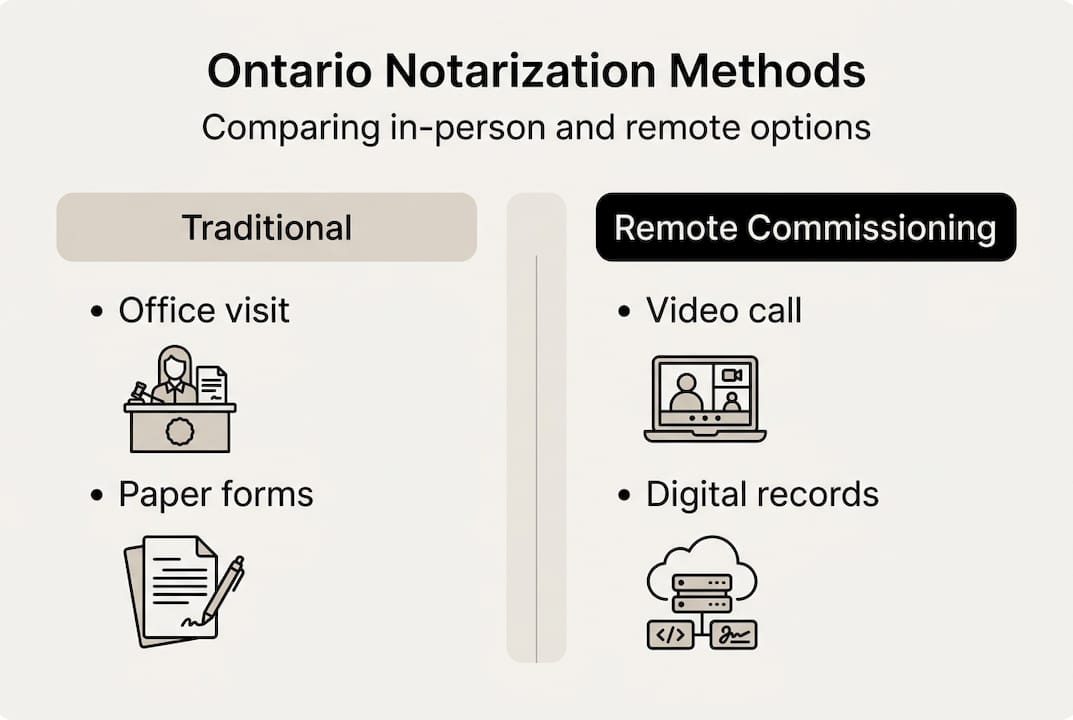
| Method | Location | Technology | Legal Status in Ontario | Security Features |
|---|---|---|---|---|
| Traditional In-Person | Physical office | Paper documents | Fully authorized | Physical ID check, witness signature |
| Online Notarization (Other Regions) | Fully remote | Digital documents, e-signatures | NOT authorized for notarization | Varies by jurisdiction |
| Ontario Remote Commissioning | Remote via video | Live video, digital seals | Authorized under O. Reg. 431/20 | Live video ID verification, modified jurats, session recording |
Traditional notarization requires you to physically visit a notary public’s office with your paper documents and government-issued ID. The notary verifies your identity in person, witnesses your signature on paper, and applies their physical seal. This method offers certainty of acceptance but requires travel, scheduling during business hours, and can be inconvenient if you have mobility challenges or live in remote areas.
Online notarization available in some U.S. states and other jurisdictions allows fully remote digital notarization with electronic signatures and digital notary seals. However, this type of online notarization is NOT authorized in Ontario for notarization purposes under the Notaries Act. Attempting to use these services for Ontario legal documents could result in rejection and wasted time and money.
Ontario’s remote commissioning process represents a middle ground designed for the province’s legal framework. It uses live video communication for real-time witnessing, requires manual modified jurats noting the remote nature of the commissioning, and involves commissioner oversight throughout the process. Platforms like Vaultie enhance security using facial recognition technology compatible with Ontario’s legal requirements.
Key benefits of Ontario’s remote commissioning:
- Access services from home or office without travel
- Schedule appointments outside traditional business hours
- Receive completed documents quickly via secure digital delivery
- Maintain legal compliance with Ontario regulations
- Benefit from advanced security features like facial recognition
Limitations to consider:
- Not all institutions accept remotely commissioned documents yet
- Requires reliable internet connection and video capability
- May cost more than traditional in-person notarization
- Requires careful adherence to specific procedural steps
Pro Tip: When comparing trusted online notary services in Ontario, prioritize platforms that offer advanced security features like facial recognition and comprehensive session recording. These features provide additional protection and may increase acceptance by cautious institutions.
Remote commissioning offers significant convenience and accessibility advantages while maintaining legal validity. The key is understanding that it operates under different rules than both traditional notarization and online notarization available elsewhere.
Best practices when locating and using online notaries in Ontario
Following established best practices ensures your remotely commissioned documents are legally valid and accepted by all parties. These guidelines help you avoid common pitfalls and streamline the remote commissioning process.
Before scheduling your appointment:
- Confirm with the recipient institution that they accept remotely commissioned documents under Ontario’s regulations
- Verify the commissioner is properly authorized to take affidavits in Ontario
- Check that your government-issued photo ID is current and clearly legible
- Test your internet connection, camera, and microphone to prevent technical issues
- Review the document to ensure you understand its contents and implications
During the remote commissioning session:
- Join the video call a few minutes early to address any technical issues
- Position yourself in a well-lit area where your face is clearly visible
- Have your government-issued photo ID ready to present to the camera
- Follow the commissioner’s instructions carefully regarding document signing
- Ask questions if anything is unclear before signing
- Verify the modified jurat includes both locations as required
Common errors to avoid:
- Signing the document before the video session begins
- Using expired or unclear identification documents
- Attempting to use screenshots or photocopies of ID instead of the physical card
- Failing to confirm document acceptance with the receiving party beforehand
- Rushing through the process without understanding the document contents
Pro Tip: Schedule your remote commissioning appointment at least a few days before your deadline. This buffer allows time to address any technical difficulties, obtain replacement ID if needed, or pivot to in-person notarization if the recipient institution doesn’t accept remote commissioning.
Choose commissioners or platforms that demonstrate strong security and compliance features. Look for services offering facial recognition technology, encrypted video communication, and comprehensive session recording. These features not only enhance security but also provide additional evidence of proper procedure if questions arise later. High satisfaction rates from individuals and businesses using home or office video calls demonstrate the convenience factor, but always confirm acceptance to avoid rejections.
Understanding notary public ID requirements in Ontario helps you prepare the correct documentation. Acceptable forms typically include a valid driver’s license, passport, or other government-issued photo identification. The ID must be current, not expired, and the photo must clearly resemble your current appearance.
Accessibility considerations matter when choosing remote commissioning services. If you have visual, hearing, or mobility challenges, confirm the platform accommodates your needs before booking. Many services offer enhanced accessibility features like closed captioning, screen reader compatibility, or flexible scheduling to support diverse client needs.
Keep copies of all documents, correspondence, and session confirmations. If questions arise about the validity of your remotely commissioned document, having comprehensive records helps resolve issues quickly. Request a copy of the session recording from the commissioner if available, as this provides definitive proof of proper procedure.
Trusted online notary services for Ontario residents and businesses
When you’re ready to commission your documents remotely, working with established, authorized services ensures legal compliance and peace of mind. Professional online notary services in Ontario specialize in remote commissioning under O. Reg. 431/20, offering 24/7 availability, expert guidance through the process, and secure platforms designed specifically for legal document witnessing.

Exploring trusted providers helps you find the right fit for your specific document needs, whether you’re preparing affidavits, statutory declarations, or other legal documents requiring commissioner witnessing. Compare best online notary solutions to evaluate features, pricing, turnaround times, and customer support options. Professional services guide you through identity verification, document preparation, and the video witnessing process to ensure your documents meet all legal requirements. Getting documents notarized online in Ontario becomes straightforward when you work with experienced commissioners who understand the regulatory framework and can answer your questions.
Can I perform a traditional online notarization in Ontario?
No, traditional online notarization as available in some other jurisdictions is not permitted under Ontario law. The Notaries Act does not authorize notaries public to perform notarizations remotely. Instead, Ontario allows remote commissioning by Commissioners for Taking Affidavits under O. Reg. 431/20, which is a distinct legal process with specific requirements. Understanding online notary legality in Ontario helps you avoid using unauthorized services that could result in invalid documents.
How is my identity verified during online notarization in Ontario?
Your identity must be verified using a government-issued photo ID presented in real time during the video session. The commissioner examines your ID on camera to confirm it’s authentic, current, and matches your appearance. Some platforms enhance security by using advanced facial recognition technology that compares your live video image to the photo on your ID. These ID verification requirements ensure only the actual document signer can proceed with remote commissioning.
What kinds of documents can be notarized online in Ontario?
Commonly commissioned documents include affidavits, statutory declarations, and solemn declarations used for legal, immigration, business, and personal purposes. The document must be suitable for commissioning under Ontario law and comply with remote commissioning standards set out in O. Reg. 431/20. Different types of affidavits in Ontario serve various legal purposes, while statutory declarations provide sworn statements for court and administrative proceedings. Always confirm with the receiving institution that they accept remotely commissioned versions of your specific document type.
How do I choose the right online notary platform in Ontario?
Choose platforms explicitly authorized for remote commissioning in Ontario under O. Reg. 431/20. Look for strong security features including live video communication, government ID verification, encrypted data transmission, and comprehensive session recording. Consider customer reviews, turnaround times, pricing transparency, and availability that matches your schedule. Compare online notary solutions to evaluate which service offers the features, support, and reliability you need for your specific document commissioning requirements.





