
TL;DR:
- Online notary appointments in Ontario eliminate the need for in-person visits by allowing remote witnessing of signatures and oaths via live video under current legal regulations.
- Eligible documents include affidavits, statutory declarations, and certain declarations, provided they are unsigned before the session and verified with valid ID during a real-time session.
Tracking down a notary in Ontario used to mean phone calls, missed appointments, and burning half a workday just to get a signature witnessed. If you needed an affidavit commissioned quickly for an immigration application, a court filing, or a statutory declaration for a financial institution, the clock was not your friend. Online notary appointments change that entirely. This guide walks you through exactly how to book, prepare, and complete your remote notarization in Ontario, so your documents are legally valid and in your hands faster than you thought possible.
Table of Contents
- Understanding online notary appointments in Ontario
- What you need before booking your online notary appointment
- How to book an online notary appointment: Step-by-step process
- Troubleshooting and tips for a smooth online notary experience
- A notary expert’s take: Why online booking is both simple and nuanced
- Book your secure online notary appointment today
- Frequently asked questions
Key Takeaways
| Point | Details |
|---|---|
| Check document eligibility | Not all documents can be notarized online—verify yours is eligible before proceeding. |
| Prepare required tools | You’ll need ID, a device with video/audio, and an unsigned document ready. |
| Follow secure booking steps | Use reputable providers and carefully follow each step to meet Ontario legal requirements. |
| Troubleshoot common issues | Test your setup, use a quiet space, and be prepared for connectivity interruptions. |
| Retain your commissioned document | Download, save, and back up the finalized document provided by your notary service. |
Understanding online notary appointments in Ontario
With online options growing, it’s crucial to understand exactly which services are available and how they work under Ontario law.
Not all notary services translate to an online format. Ontario draws a clear line between remote commissioning and traditional in-person notarization. Remote commissioning is the process that allows a commissioner of oaths or notary public to witness signatures and administer oaths over a live audio-visual connection, rather than in the same room. Understanding the Ontario remote notarization legalities is the first step before you book anything.
Remote commissioning is legal in Ontario for affidavits and statutory declarations under O. Reg. 431/20, which was introduced during the pandemic and later made permanent. This regulation also governs identity verification requirements and the specific jurat language that must appear on your completed document to confirm it was commissioned remotely.
What documents qualify?
Here is a breakdown of what typically qualifies and what does not:
| Document type | Online eligible? | Notes |
|---|---|---|
| Affidavit | Yes | Must be unsigned before the meeting |
| Statutory declaration | Yes | Covers financial, legal, and administrative matters |
| Solemn declaration | Yes | Same real-time AV rules apply |
| Invitation letter notarization | Yes | Common for visa support documents |
| Real estate transfer documents | Generally No | Usually require in-person notarization |
| Power of attorney (property) | Usually No | Check with your provider first |
Understanding online notarization legality in Ontario helps you avoid wasting time booking a service your document does not actually qualify for.
Key legal requirements for every remote commissioning session include:
- Real-time audio-visual connection between you and the notary, with no pre-recorded video allowed
- Identity verification completed during the live session using government-issued photo ID
- A modified jurat on the document stating the commission was performed remotely under O. Reg. 431/20
- The document must be unsigned at the start of the session
- Both parties must be able to see and hear each other clearly throughout
“The amended regulation makes remote commissioning fully valid in Ontario, but only when the correct protocol is observed at every step of the session.”
There are online notary options explained in detail if you want a deeper breakdown of what each service type involves before you schedule.
What you need before booking your online notary appointment
Once you know your service is eligible, here’s what to have ready to avoid last-minute delays.
Walking into a video meeting unprepared is the fastest way to delay your appointment or, worse, invalidate the process entirely. Providers require a camera, microphone, stable internet, and the document unsigned and ready, as per the remote commissioning legal mechanics. Think of it like preparing for a court appearance, just from your kitchen table.

Required items checklist
Here is everything you need to gather before you book:
- Valid government-issued photo ID: A driver’s license, passport, or provincial ID card. It must be current and not expired.
- Your document in unsigned form: Do not sign it before the meeting. This is a hard rule under Ontario regulation.
- A device with a working camera and microphone: Laptop, desktop with webcam, tablet, or smartphone all work.
- Stable internet connection: A wired connection is ideal; a strong Wi-Fi signal works too.
- A private, well-lit location: Avoid coffee shops or open office spaces. Background noise and poor lighting can disrupt verification.
- Any supporting documents: Some declarations require supporting paperwork. Check with your provider when booking.
| Requirement | Details | Why it matters |
|---|---|---|
| Photo ID | Government-issued, not expired | Legal identity verification requirement |
| Unsigned document | No prior signatures | Signing must occur in the notary’s presence |
| Camera + microphone | Working and tested | Required for live AV session |
| Internet | Stable, ideally wired | Prevents session interruptions |
| Private space | Quiet, well-lit | Protects your privacy; assists ID verification |
Some providers may request that you upload your ID and document in advance through a secure portal. This speeds up the live session and lets the notary review everything ahead of time. Check out guidance on how to prepare for online notary appointments to make sure nothing slips through the cracks.
One thing many people overlook: make sure your ID is physically presentable during the video call. Cracked phone screens, poor lighting, and blurry cameras are the most common reasons identity verification fails mid-session. Online notary accessibility resources can also help if you have specific needs around technology or accommodation.
Pro Tip: Do a test video call with a friend or family member using the same device and location you plan to use for your notary appointment. This helps you catch audio or camera problems at least 24 hours before your scheduled session.
How to book an online notary appointment: Step-by-step process
With everything gathered, you’re ready to book and attend your online notary appointment. Here’s exactly how the process works.
Booking and attending a remote notary appointment in Ontario involves confirming your ID, a live video meeting, and ensuring the appropriate remote jurat is used. The seven steps below give you the full picture, from finding a provider to receiving your completed document.
The complete booking process
Research and select a reputable provider. Look for a notary who explicitly offers remote commissioning for your specific document type. Verify their credentials and that they operate under Ontario law. Guidance on how to choose an online notary in Ontario can save you from booking with someone who lacks the proper authorization.
Upload your document and ID if requested. Many providers use a secure client portal for pre-session uploads. This keeps your sensitive documents protected and allows the notary to confirm eligibility before your session begins.
Use the scheduling tool to select your time. Most reputable online notary services offer same-day or next-day appointment slots. Choose a time when your internet connection is most stable and you will not be interrupted.
Receive your confirmation email. After booking, you should get a confirmation with a secure meeting link, instructions, and any final checklist items. Read this email carefully. It often contains the specific platform (Zoom, Teams, or a proprietary tool) and how to log in.
Join the video meeting and present your ID. At the scheduled time, click the link and join the live session. The notary will ask you to hold your ID up to the camera for verification. Make sure the ID is in focus and all details are clearly visible.
Sign your document during the session. Once your identity is confirmed and the document is reviewed, you will be directed to sign in the notary’s presence. This is the legal moment of commissioning. Do not sign before this point.
Receive your completed document. After signing, the notary adds the remote commissioning jurat and their seal or signature. You receive the commissioned document via secure email or download link, usually within minutes to a few hours.
Online vs. in-person notarization: A comparison
| Factor | Online appointment | In-person appointment |
|---|---|---|
| Scheduling | Often same-day | Usually 1 to 5 days wait |
| Travel required | None | Yes |
| Document delivery | Digital (immediate) | Physical or scanned |
| Legal validity | Fully valid under O. Reg. 431/20 | Fully valid |
| Document types | Limited (affidavits, declarations) | Broader range |
| Tech setup needed | Yes | No |
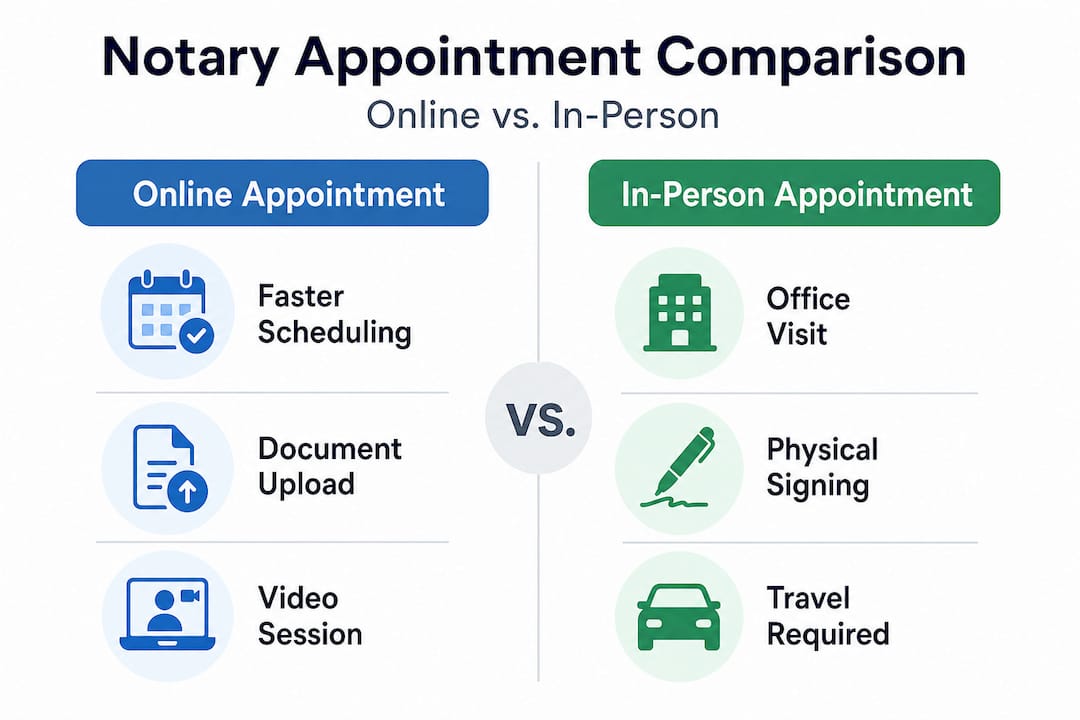
Knowing how to get documents notarized online in Ontario gives you a real advantage when timing matters, such as immigration deadlines or last-minute legal filings.
Pro Tip: Book your appointment at least 24 hours in advance when possible, even if same-day slots are available. This gives you time to upload documents and test your tech without rushing, and it gives the notary time to review your paperwork.
Troubleshooting and tips for a smooth online notary experience
Even with preparation, issues can arise. These tips help you stay on track and finish your appointment successfully.
Technology is reliable most of the time, but “most of the time” is not good enough when you are trying to get a legal document signed. A stable internet connection and proper identification are essential because Ontario law requires real-time video and ID confirmation for appointment validity. If either fails mid-session, the notary may not be able to complete the commission, and you may need to reschedule.
Here are the most common problems and how to handle them:
- Camera or microphone not working: Test both using your device’s built-in settings before the session. If the problem persists, switch to a backup device immediately rather than trying to fix the issue during the meeting.
- Expired or unclear ID: Check your ID’s expiration date at least 48 hours before your appointment. If it is expired, you will need an alternative qualifying document.
- Connection drops mid-session: Contact the notary provider immediately via phone or email. Do not attempt to reconnect and continue without their guidance, as the interrupted session may need to be formally restarted.
- Document uploaded incorrectly: If you accidentally upload a signed document, notify the provider before the meeting. They will walk you through resubmitting an unsigned version.
- Video platform trouble: Install or update the required app or browser extension the day before, not five minutes before your meeting.
“Test your setup the night before. A two-minute check of your camera, microphone, and internet speed is the single most effective way to prevent a failed appointment.”
Understanding how online notarization works in detail helps you anticipate where things can go sideways and prepares you to respond calmly if they do.
Pro Tip: Write down the provider’s direct phone number before your session starts. If your internet drops and you lose access to their email system too, you can still reach them immediately to salvage the appointment.
A notary expert’s take: Why online booking is both simple and nuanced
Most guides cover the mechanics of booking an online notary appointment. What they often miss is the shift in responsibility it creates for you as the client.
In a traditional in-person appointment, the notary’s physical presence guides the entire process. You show up, they check your ID, you sign. If something is wrong, they tell you on the spot and you sort it out together. Online appointments are different. The preparation burden sits with you. You are responsible for having unsigned documents, working technology, valid ID, and a private space. The notary cannot fix your camera. They cannot sign your document for you before you join the meeting.
The most common and most costly mistake we see is clients who sign their document before the session because they assume it will save time. It does not. It invalidates the remote commission entirely. The entire point of witnessing is that the notary must observe the act of signing. No workaround exists.
There is also a nuance around document eligibility that many providers do not communicate clearly enough. Real estate documents, wills, and certain powers of attorney sit in a gray zone where regulations have not fully caught up. The online notary realities are more complex than a simple yes-or-no list suggests. When in doubt, ask the provider before booking, not after.
The future of online notarization in Ontario is genuinely promising. Regulatory expansion is likely as comfort with remote processes grows across legal and financial institutions. But right now, in 2026, full compliance with the current framework is what makes your document valid. There is no benefit in anticipating future rules. Work with what is clearly permitted today.
Always verify a provider’s credentials. Ask whether they hold a valid notary public or commissioner of oaths designation in Ontario. Ask specifically whether they have experience with remote commissioning. These are reasonable questions, and any reputable provider will answer them confidently.
Book your secure online notary appointment today
With your questions answered and insight in hand, here’s the simplest next step for peace of mind.
Getting a legally valid document commissioned should not require half a day of travel and scheduling headaches. Our Ontario notary online services are built for individuals and small businesses who need fast, reliable, and fully compliant notarizations from anywhere in Ontario. Whether you need an affidavit, a statutory declaration, an invitation letter, or a solemn declaration, we handle it through a secure, regulation-compliant video session.

Not sure if your document qualifies? Our detailed guide on documents requiring notarization covers the full range of eligible document types and what you need to bring to your session. Booking is available around the clock, and our team provides direct support to Ontario clients at every step of the process. Your completed document arrives digitally, fast, and fully valid under Ontario law.
Frequently asked questions
Do all Ontario documents qualify for online notarization?
No, only certain documents, mainly affidavits and statutory declarations are eligible for remote commissioning under current Ontario regulations. Real estate transfers and some powers of attorney typically require in-person notarization.
Can I sign my document before the online notary meeting?
No, your document must remain unsigned until you are directed to sign during the live audio-visual session, as the witnessing of the signature is what makes the commission legally valid.
What if my internet connection fails during the appointment?
You should contact the provider immediately, since a valid remote commission requires uninterrupted real-time video for the identity verification and signing steps. The session may need to be formally restarted.
Is my online notary appointment as legally valid as in-person?
Yes, if all Ontario requirements are followed, your remotely commissioned document is fully valid under O. Reg. 431/20, carrying the same legal effect as one notarized in person.
What identification is acceptable for online notary appointments?
Government-issued photo ID such as a driver’s license or passport is required, and your identification must be confirmed visually via the audio-visual connection during the live session.





