
TL;DR:
- Ontario allows remote administration of oaths and declarations via electronic means under Regulation 431/20.
- Properly executed remote notarizations are legally equivalent to in-person sessions if guidelines are followed.
- Preparing with the right documents, technology, and verification methods ensures a quick, valid remote notarization process.
Picture this: you need a signed affidavit by tomorrow, but you’re three hours from the nearest commissioner’s office, or you’re managing a business from across the province. Missing that deadline could mean losing a visa application, delaying a court filing, or stalling a real estate deal. Fortunately, Ontario Regulation 431/20 permits remote administration of oaths and declarations via electronic means, making virtual notary services a legal and practical solution for Ontarians. This guide walks you through the regulations, preparation steps, session process, and verification so your documents hold up wherever you need to submit them.
Table of Contents
- Understand Ontario’s virtual notary regulations
- Gather your documents and materials for remote notarization
- Step-by-step process for a virtual notary session
- How to verify and use your remotely commissioned documents
- Why virtual notary is transforming legal practice in Ontario
- Get started with trusted online notary services in Ontario
- Frequently asked questions
Key Takeaways
| Point | Details |
|---|---|
| Remote commissioning is legal | Ontario law recognizes audio-video commissioning for affidavits and statutory declarations. |
| Preparation ensures success | Having the required ID, documents, and tech minimizes session delays and legal risks. |
| Modified jurat is essential | Commissioned documents must include session details and the remote method per Regulation 431/20. |
| Choose expert services | Using a reputable online notary improves reliability and guarantees legal compliance. |
Understand Ontario’s virtual notary regulations
Before you book a virtual appointment, you need to understand exactly what Ontario law allows and what it does not. This is where a lot of people get confused, and that confusion can cost you time and money.
Ontario does not currently offer full Remote Online Notarization (RON) the way some U.S. states do. Under the Notaries Act, full notarization still requires in-person presence. However, remote commissioning of oaths and declarations is entirely legal and carries the same legal weight as an in-person commissioning when done correctly. This is a critical distinction that even some legal professionals get wrong.
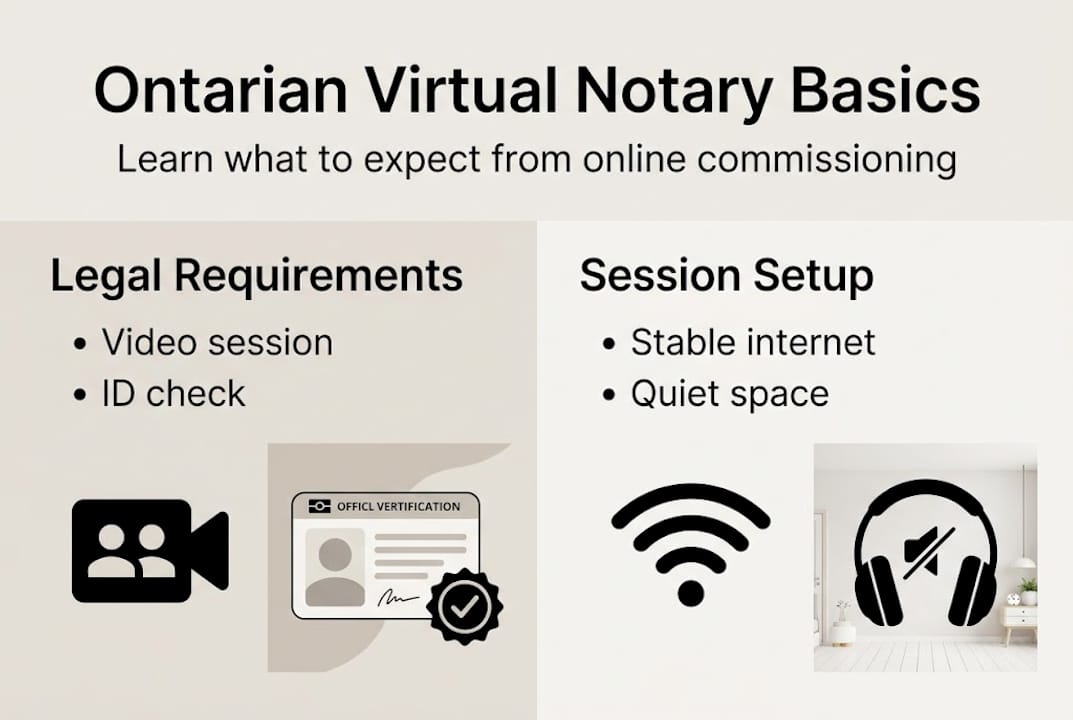
Here is a quick comparison to clear things up:
| Feature | Commissioner of Oaths | Notary Public |
|---|---|---|
| Remote sessions allowed | Yes, under Reg 431/20 | No, in-person required |
| Affidavits and statutory declarations | Yes | Yes |
| Certifying true copies | Limited | Yes |
| Typical use case | Oaths, declarations, affidavits | Wills, deeds, international docs |
For most everyday legal documents, including affidavits, statutory declarations, and solemn declarations, a commissioner of oaths is exactly what you need. And that role is fully compatible with remote sessions in Ontario.
“Ontario Regulation 431/20 permits remote administration of oaths and declarations via electronic means without physical presence, provided identity is verified and the session is properly recorded.”
What this means for you is practical and empowering. You can commission your affidavit, invitation letter, or statutory declaration from home, your office, or anywhere with a stable internet connection. Our remote notary guide breaks down the full scope of what remote commissioning covers, and the Ontario online notary guide walks through the process in detail.
Key legal points to remember:
- Remote commissioning under Reg 431/20 is legally equivalent to in-person commissioning
- The commissioner must use real-time audio-video communication
- Identity must be verified live during the session
- A modified jurat (the formal statement at the end of your document) must note the remote method
If you are still unsure whether your specific document qualifies, the online notarization legality guide answers the most common edge cases.
Gather your documents and materials for remote notarization
Once you are clear on the legal framework, it is time to assemble everything needed for your virtual notary appointment. Showing up unprepared is the number one reason sessions get delayed or canceled.
Remote commissioning requires real-time audio-video communication and identity verification, which means both your documents and your technology need to be ready before the session starts.
Here is what you need to have on hand:
Documents checklist:
- A complete, unsigned copy of your affidavit, statutory declaration, or other legal document
- Any supporting exhibits referenced in the document
- Digital copies saved in PDF format for easy sharing during the session
Identity verification requirements:
- Valid government-issued photo ID (passport, driver’s license, or permanent resident card)
- The name on your ID must match the name on your document exactly
- Have a backup ID ready in case the commissioner requests additional confirmation
Technology setup:
| Requirement | Minimum standard | Recommended |
|---|---|---|
| Internet speed | 5 Mbps upload/download | 25 Mbps or higher |
| Camera | Built-in webcam | External HD webcam |
| Microphone | Built-in mic | Headset with mic |
| Platform | Zoom, Teams, or Google Meet | Any secure video platform |
| Device | Laptop or desktop | Laptop with updated OS |
Privacy matters too. Conduct your session in a quiet, private space where no one else can overhear the oath being administered. This protects the legal integrity of the session and your personal information.

Pro Tip: Test your camera, microphone, and internet connection at least 30 minutes before your scheduled session. A failed tech check is not a valid reason to reschedule a legal deadline.
For individuals with accessibility needs or those in remote areas of Ontario, online notary accessibility options are available to ensure everyone can access these services regardless of location or circumstance.
Step-by-step process for a virtual notary session
With your documents ready and the regulations understood, here is how to actually complete your remote commissioning session from start to finish.
Book your appointment. Schedule a session with a licensed commissioner of oaths who offers remote services. Confirm they operate under Ontario Regulation 431/20 and use a secure video platform.
Join the video call on time. Log in a few minutes early. The commissioner will confirm your identity by asking you to hold your government photo ID up to the camera clearly.
Present your document. Share your screen or send the document to the commissioner before the call. Both parties need to see the same version of the document simultaneously.
Take the oath or make the declaration. The commissioner will administer the oath or affirmation verbally over the video call. You respond out loud, on camera, confirming the truth of the document’s contents.
Sign the document. You sign your copy of the document while on camera. The commissioner witnesses this act in real time.
Commissioner completes the jurat. The commissioner records session details and notes a modified jurat specifying the remote method and the location of both parties at the time of signing.
Receive your commissioned document. The final document, complete with the commissioner’s signature and seal, is sent to you electronically.
Pro Tip: Always ask the commissioner to send you a copy of the session record or confirmation. This protects you if the document’s remote commissioning is ever questioned.
Over 80% of clients who use remote commissioning services report that the entire process takes less than 30 minutes when they arrive prepared. Speed and convenience are real benefits here. For a broader look at your options, see Ontario notary services online and the guide on getting documents notarized online.
How to verify and use your remotely commissioned documents
After the commissioning session, it is essential to confirm your document meets all Ontario legal requirements before submitting it anywhere.
The most important element to check is the jurat. A standard in-person jurat says something like “Sworn before me at city], Ontario.” A remote jurat must be [modified to specify the remote method used, the location of the commissioner, and the location of the deponent (that is you) at the time of signing. If any of these details are missing, the document may be challenged.
What to verify before submitting your document:
- The jurat clearly states the remote commissioning method (e.g., video call)
- Both locations (yours and the commissioner’s) are noted in the jurat
- The commissioner’s name, signature, and seal are present
- The document matches the version you signed during the session
- You have a copy of the session record for your files
A properly commissioned remote document carries the same legal weight as one signed in person, provided all regulatory requirements under Reg 431/20 are met.
Here is a quick summary of where remotely commissioned documents are typically accepted:
| Submitting to | Accepted format | Notes |
|---|---|---|
| Ontario courts | Electronic or printed | Jurat must meet Reg 431/20 |
| Banks and financial institutions | Printed preferred | Call ahead to confirm |
| Immigration authorities (IRCC) | Electronic PDF | Check current IRCC guidelines |
| Government agencies | Varies | Confirm with the specific agency |
| Employers or private parties | Electronic or printed | Usually accepted without issue |
For documents that involve electronic signatures, the guide on electronic signature witnessing explains how witnessing works in a digital context and what additional steps may be required.
Why virtual notary is transforming legal practice in Ontario
Here is something most articles will not tell you: Ontario’s approach to remote commissioning is actually smarter than the full RON model used in many U.S. states. Full RON systems in the U.S. have faced legal challenges, inconsistent standards, and acceptance issues across state lines. Ontario avoided that mess entirely.
By keeping full notarization in-person while allowing remote commissioning under a clear, consistent regulation, Ontario created a system that is both secure and practical. There is no ambiguity about what is allowed, no patchwork of rules, and no risk of a document being rejected because one jurisdiction does not recognize another’s RON standard.
The remote commissioning framework under Reg 431/20 covers the vast majority of documents that everyday Ontarians actually need commissioned, including affidavits, statutory declarations, and solemn declarations. It is not a workaround. It is a well-designed legal tool.
For legal practitioners, this clarity means fewer rejected filings and more confident clients. For you, it means you can trust the process. Our online notary tips page offers additional guidance on getting the most out of your virtual sessions.
Get started with trusted online notary services in Ontario
You now have the knowledge to prepare, execute, and verify a remotely commissioned document in Ontario. The next step is finding a reliable commissioner who knows the rules and delivers a smooth, legally sound experience.

At The Online Notary, we specialize in Ontario online notary services for affidavits, statutory declarations, invitation letters, solemn declarations, and more. Every session is conducted under Ontario Regulation 431/20, so your documents are always legally valid. Not sure what your document needs? The Ontario notarization essentials guide helps you identify exactly what kind of commissioning your situation requires. Book your appointment today and get it done right, from wherever you are.
Frequently asked questions
Is full remote notarization available in Ontario for affidavits?
No. Ontario permits remote commissioning of affidavits under Reg 431/20, but full remote notarization like the U.S. RON model is not available. Remote commissioning is legally equivalent and fully accepted for most purposes.
What technology do I need for a virtual notary session in Ontario?
You need a device with a working camera and microphone, a stable internet connection, and a secure video conferencing platform. These meet the real-time audio-video requirements under Regulation 431/20.
How is identity verified during a virtual notary session?
You present a valid government-issued photo ID directly to the camera during the live video call. The commissioner verifies identity in real time before the oath is administered or the document is signed.
Are remotely commissioned documents accepted by Ontario courts and agencies?
Yes. When the jurat is properly modified and the session is recorded as required, remote commissioned documents are legally recognized and accepted for submission in Ontario courts, government agencies, and most institutions.





